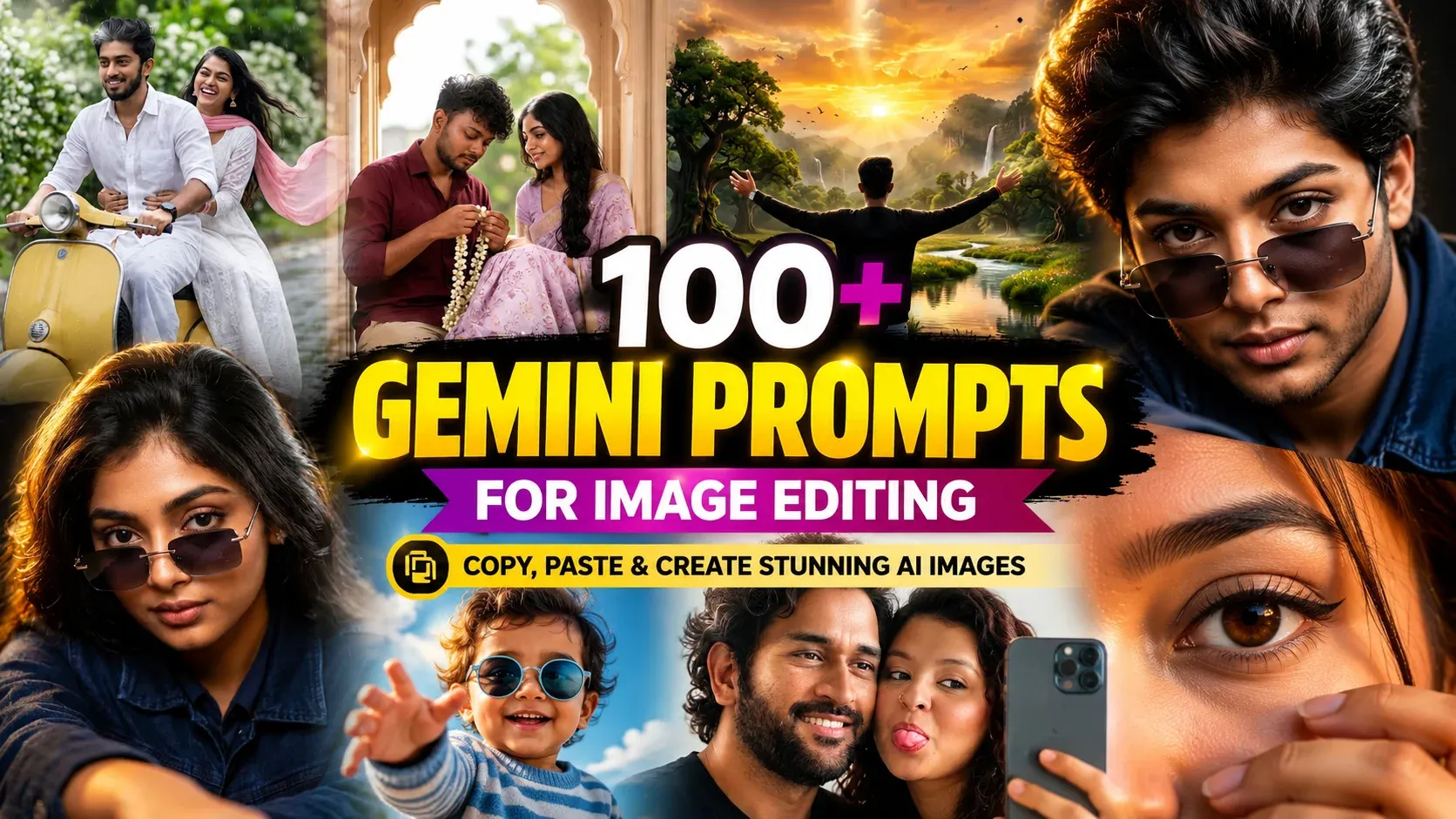
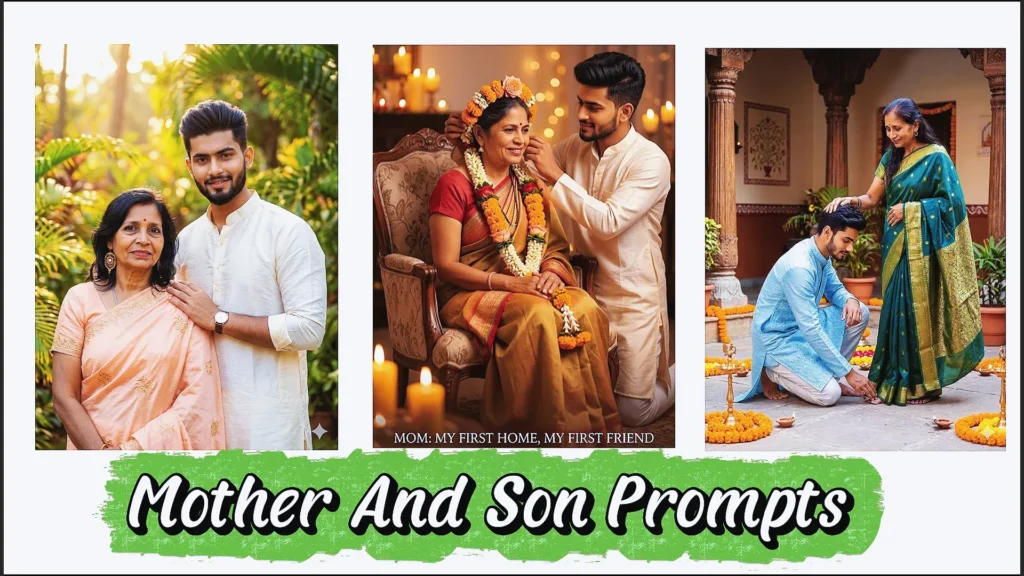
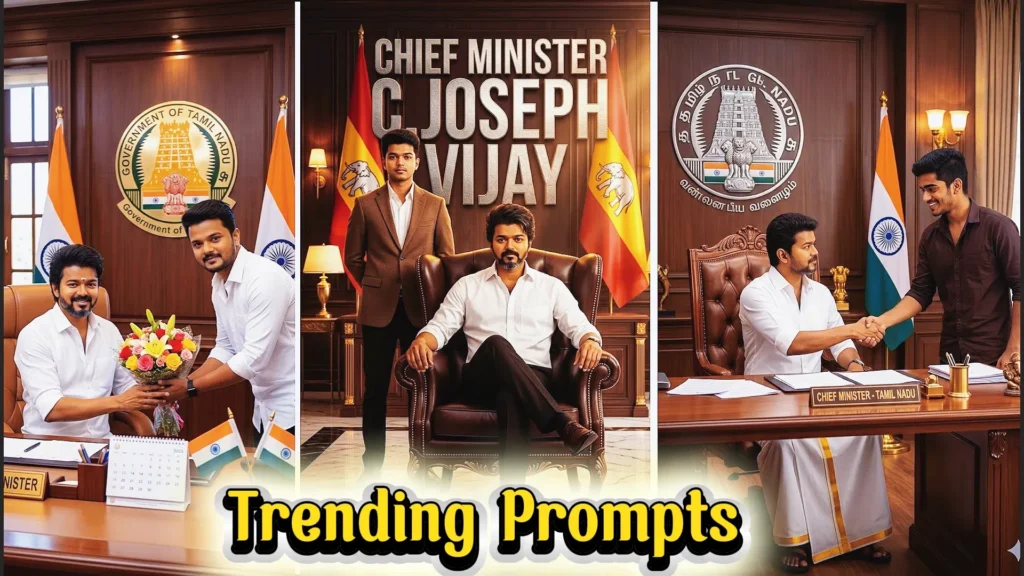
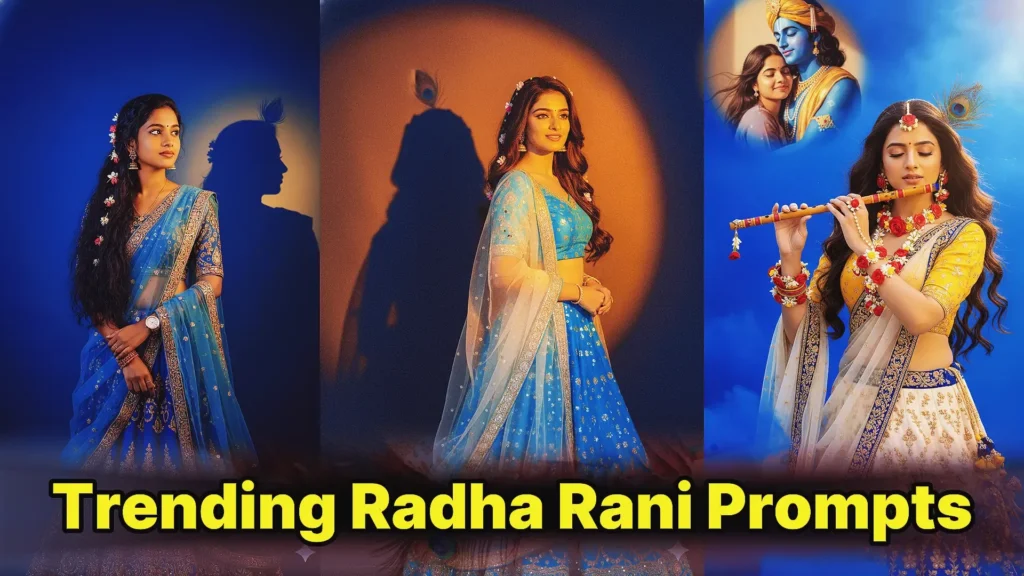
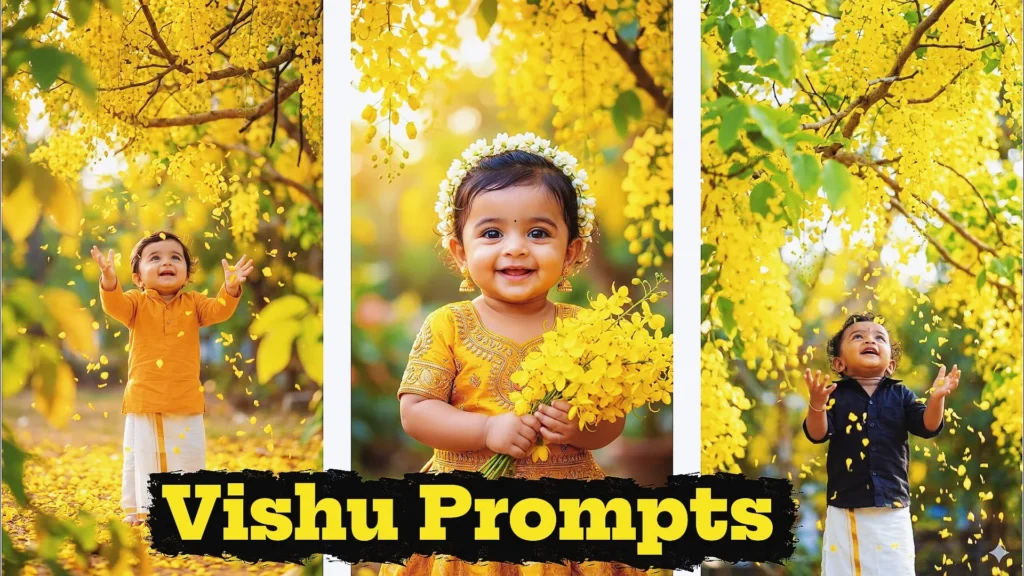
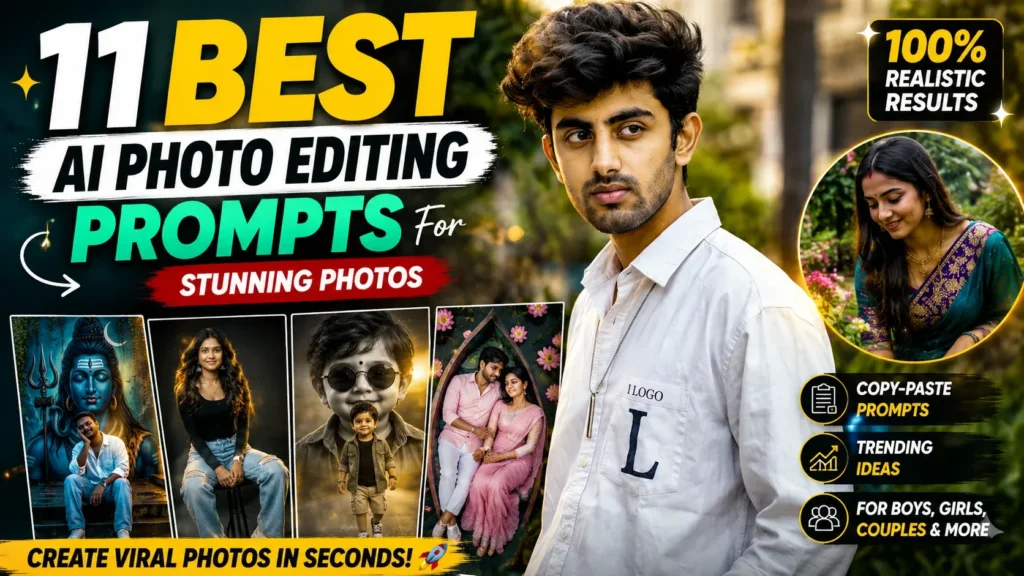
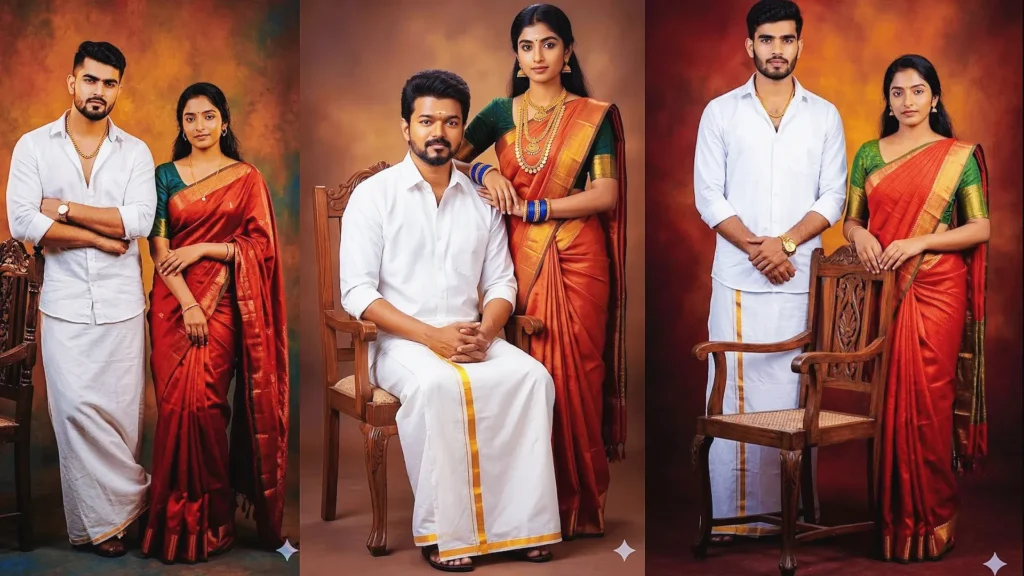
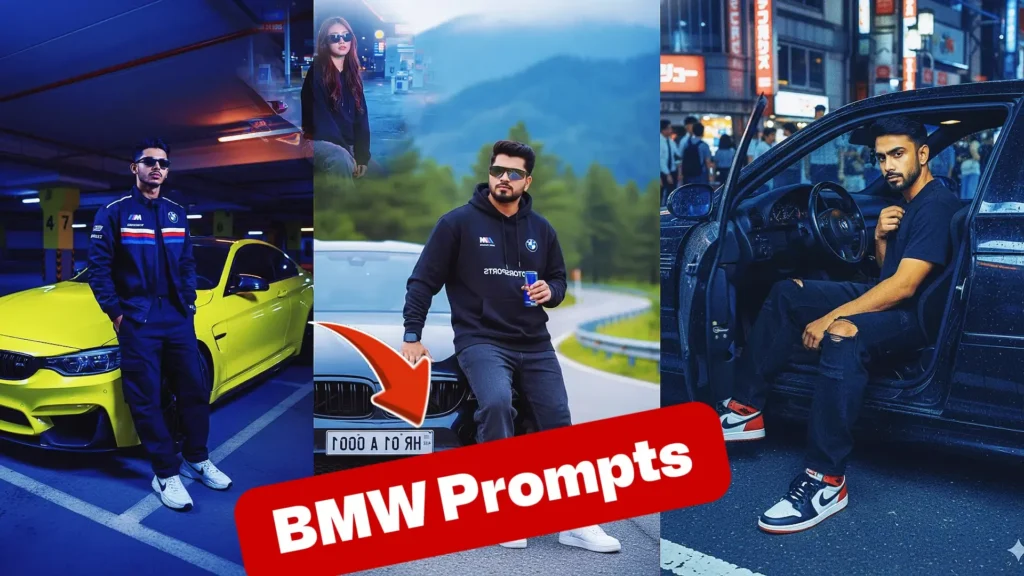
Gemini prompts for image editing help you transform ordinary photos into realistic portraits, cinematic images, professional profile pictures, fashion photographs, couple photos, social-media visuals and creative AI artwork.
Instead of manually adjusting every detail in traditional photo-editing software, you can upload an image to Gemini and describe the changes you want. Gemini’s image tools support editing uploaded images as well as creating new compositions from multiple uploaded images.
The quality of the result, however, depends heavily on the instructions you provide.
A vague request such as “make my photo professional” leaves many decisions to the AI. A detailed prompt explaining the subject, clothing, pose, lighting, background, camera angle and visual mood gives the model a much clearer target.
This guide provides ready-to-use Gemini image editing prompts for boys, girls, couples, professional portraits, backgrounds, outfits, social media, cinematic photos and more. You will also learn how to write better prompts and fix common AI editing problems.
What Are Gemini Prompts for Image Editing?
Gemini image editing prompts are text instructions that tell Gemini how you want an uploaded or generated image to be changed.
You might ask Gemini to replace a background, change an outfit, improve lighting, create a cinematic portrait, combine people from separate photographs, turn a casual image into a professional headshot or completely restyle a scene.
What Can You Edit With a Gemini Prompt?
Depending on the original photograph and requested result, prompts can be used for changes such as:
Background replacement
Outfit changes
Lighting adjustments
Portrait enhancement
Cinematic effects
Professional headshots
Couple portraits
Fashion photography
Traditional Indian looks
Social-media profile pictures
Travel-style photographs
Studio portraits
Black-and-white photography
Product-style images
Collages
Creative fantasy scenes
Camera-angle changes
Colour and mood changes
Removing distracting objects
Adding appropriate visual elements
The more clearly your prompt defines the desired result, the easier it is for the image model to understand your creative direction.
How to Use Gemini for Image Editing
Editing a photo with Gemini does not require advanced Photoshop skills.
Step 1: Open Gemini
Open Gemini on your phone or computer and start a new image-related conversation.
Step 2: Upload Your Photo
Choose a clear image from your device.
Photos with good lighting and visible facial details generally give the AI more useful visual information than heavily blurred, filtered or extremely low-resolution photographs.
Step 3: Write Your Editing Prompt
Explain what you want changed and what should remain unchanged.
Instead of writing:
“Edit my photo.”
Try:
“Keep my recognizable facial characteristics and natural skin tone. Replace the background with a modern office, change my outfit to a dark navy suit with a white shirt, use soft professional studio lighting, and create a natural LinkedIn-style headshot.”
Step 4: Generate the Edit
Submit your prompt and examine the result carefully.
Check the face, hands, body proportions, clothing, background and small accessories.
Step 5: Refine the Result
If one element looks wrong, ask Gemini to correct only that part rather than rewriting everything.
For example:
“Keep the current background, outfit and lighting unchanged. Correct the hands and make the facial appearance closer to the uploaded reference photo.”
This focused approach can make iterative editing easier.
Best Formula for Gemini Image Editing Prompts
A useful prompt does not need hundreds of technical terms.
“Use my uploaded photograph as the reference. Keep my recognizable facial features, approximate age, hairstyle and natural skin tone. Dress me in a fitted black suit with a white shirt. Position me standing confidently inside a modern office. Use soft window lighting, realistic shadows, shallow depth of field and professional portrait photography. Keep the result natural, clean and realistic.”
Why This Formula Works
It separates the most important visual decisions.
Gemini knows who the subject is, what should change, where the subject should appear and what photographic style you expect.
Details Worth Specifying
Subject Details
Mention facial characteristics you want preserved, hairstyle, approximate age, beard, glasses and other important traits.
Clothing Details
Describe the outfit, colour, fabric and overall style.
Pose Details
Specify whether the subject should sit, stand, walk, look toward the camera or face sideways.
Environment Details
Describe the studio, office, street, beach, café, home, temple, wedding venue or other background.
Lighting Details
Try natural daylight, golden-hour light, soft studio lighting, window light, cinematic side lighting or dramatic low-key lighting.
Gemini Prompts for Image Editing (2026) | Copy & Paste AI Photo Prompts
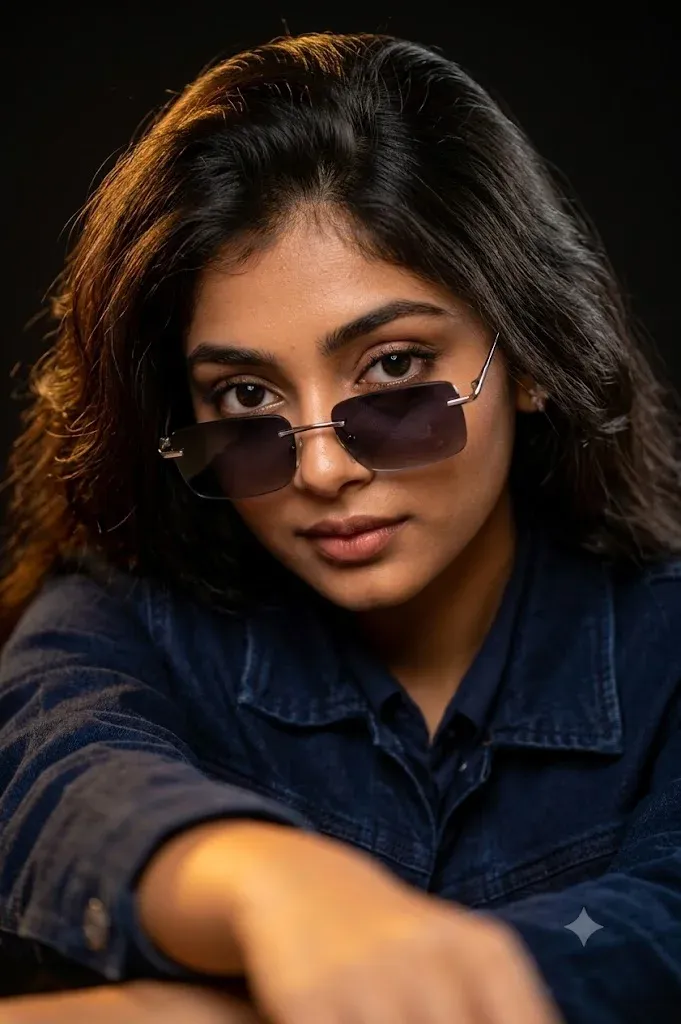
“Use the uploaded reference image as the exact identity of the person. STRICT IDENTITY LOCKPreserve 100% facial structure, face shape, skin tone, hairstyle, hair texture, eyebrows, eyes, nose, lips, jawline, beard/mustache (if present), facial proportions, age, expression, and overall identity. Do not change the person’s face, ethnicity, facial features, hairstyle, or natural appearance in any way.PROMPT: Ultra-realistic cinematic close-up portrait of the same person, leaning slightly forward with one arm resting in the foreground. The subject is looking directly into the camera with an intense, confident expression. Wearing a premium dark navy blue denim jacket over a matching dark shirt. Stylish rimless rectangular sunglasses with black gradient lenses and a thin silver metal frame are positioned low on the nose, revealing the eyes clearly above the glasses. Thick, voluminous, textured hairstyle with natural lift and realistic strands. Warm golden key light from the upper left creates soft highlights on the hair and face, with subtle cinematic shadows on the opposite side. Dark black studio background with smooth falloff and no distractions. Extremely shallow depth of field, razor-sharp focus on the eyes, soft bokeh around the edges, ultra-detailed skin texture, realistic facial hair, premium fashion editorial style, luxury portrait photography. 85mm lens, f/1.4 aperture, HDR, natural skin tones, high dynamic range, professional color grading, ultra photorealistic, hyper detailed, 16K, DSLR quality, sharp focus, masterpiece, award-winning portrait, luxury cinematic look.Negative Prompt: low quality, blurry, soft face, cartoon, anime, painting, illustration, CGI, 3D render, overexposed, underexposed, noisy image, extra fingers, deformed hands, distorted face, bad anatomy, duplicate face, crossed eyes, watermark, logo, text, cropped head, oversaturated colors, unrealistic skin, face swap, identity change, different hairstyle, different beard, different expression.”
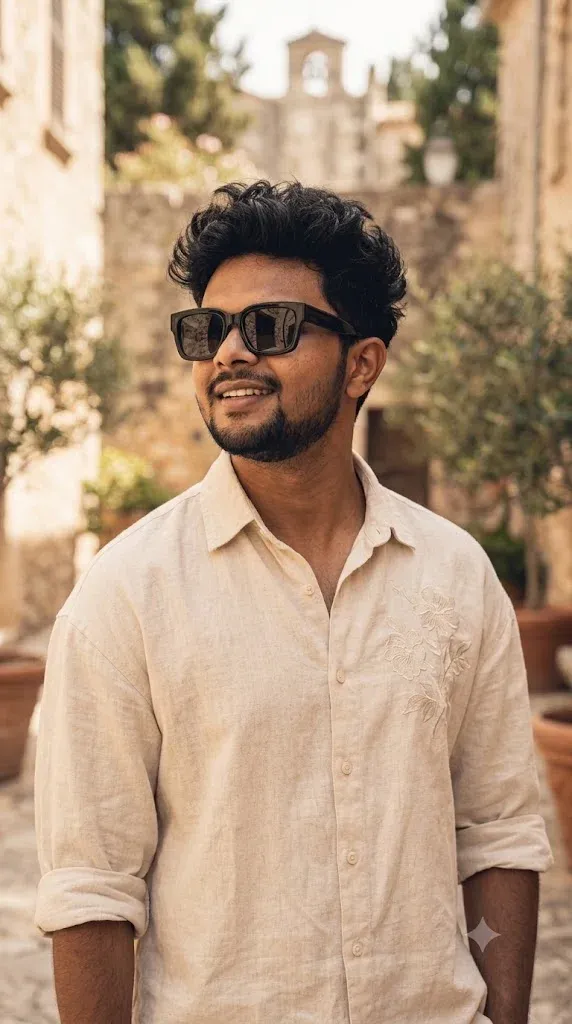
“Creating the image A stylish young person standing outdoors, captured in a vertical portrait, wearing an oversized cream/beige button-up shirt with subtle floral embroidery on the upper right chest and rolled-up sleeves. The subject has thick, voluminous messy EDN black hair styled with lots of texture and is wearing modern oversized black rectangular sunglasses. They are smiling naturally while looking slightly upward and to the left, creating a confident and relaxed__editor, and please keep my same uploaded pic’s same face structure.”
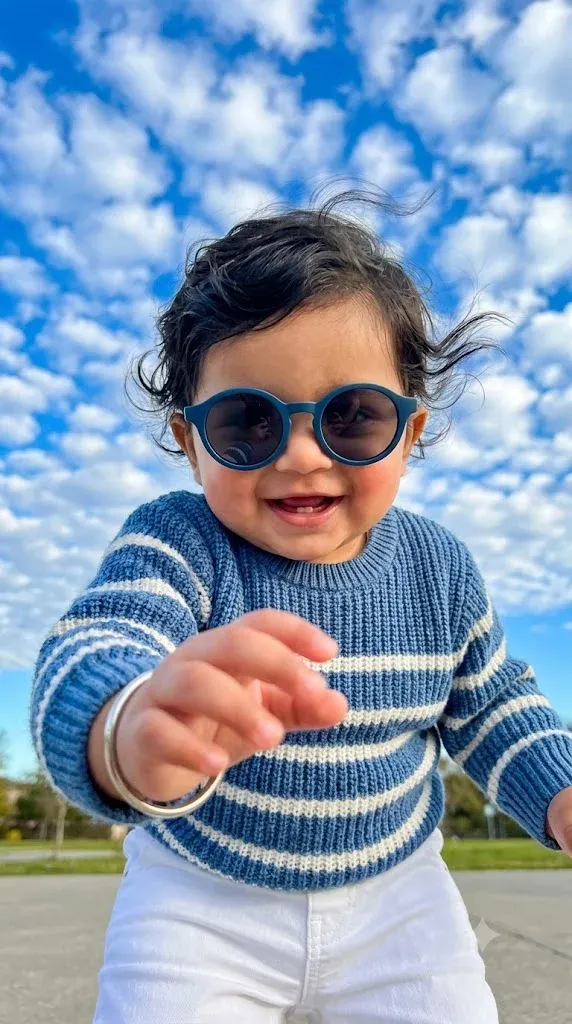
“Ultra-realistic 9:16 vertical portrait of a cute South Asian baby boy, low-angle POV reaching his tiny hand toward the camera, joyful smile, expressive bright eyes, stylish round blue sunglasses, soft wavy black hair moving in the breeze, blue-and-white striped knitted sweater, white pants, vibrant blue sky filled with fluffy textured clouds, sunny outdoor setting, natural daylight, shallow depth of field, cinematic composition, ultra-detailed skin texture, vibrant colors, DSLR quality, crisp focus, photorealistic, 4K HDR, heartwarming childhood moment. Negative Prompt: blurry, low quality, extra fingers, deformed hands, distorted face, duplicate limbs, cropped head, bad anatomy, watermark, text, logo, oversaturated, cartoon, CGI, artificial skin, noise, motion blur.”
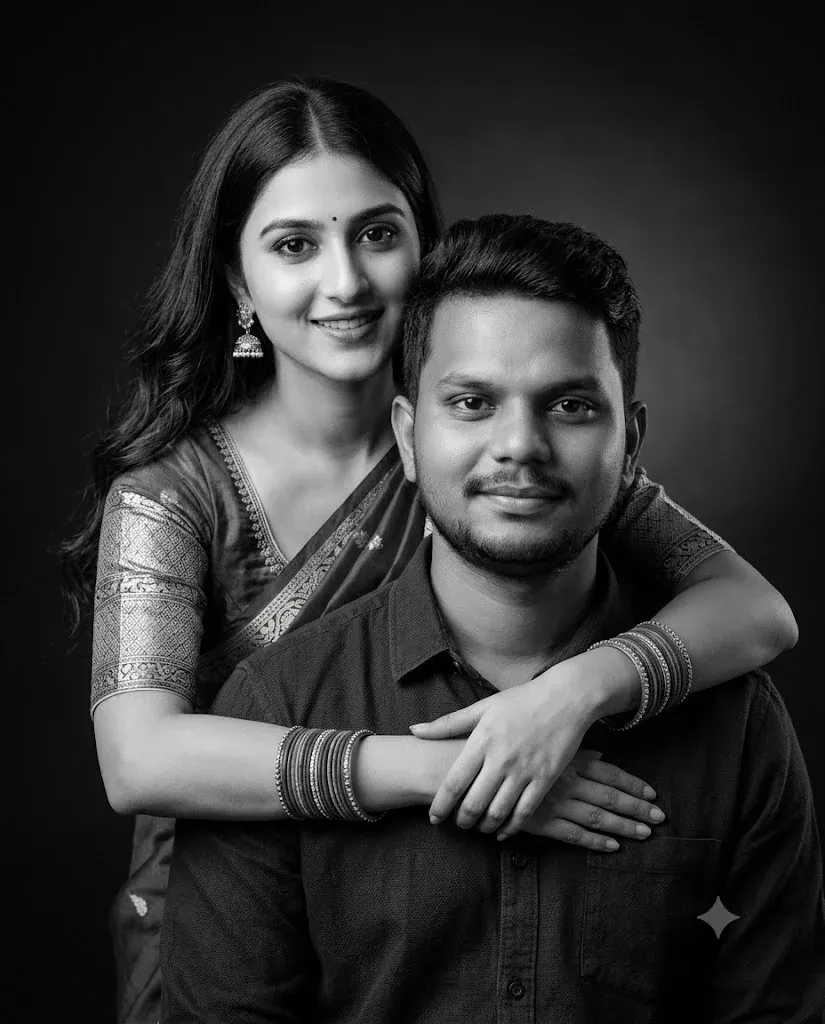
“Ultra-realistic black and white studio portrait of a young Indian couple in an intimate pose, the woman standing behind the man with her arms wrapped gently around his shoulders, both smiling softly at the camera. The woman has long wavy hair, traditional jhumka earrings, bangles, a small bindi, and a saree blouse with elegant ethnic styling. The man has short styled hair, a trimmed beard, and is wearing a dark casual shirt. Soft cinematic studio lighting with smooth shadows, dark gradient background, high contrast monochrome tones, sharp facial details, natural skin texture, emotional warmth, professional DSLR quality, shallow depth of field, symmetrical composition, luxury portrait photography style, ultra HD, realistic expressions, clean aesthetic, soft glow on faces, premium black backdrop, timeless romantic mood. aspect ratio 4:5.”
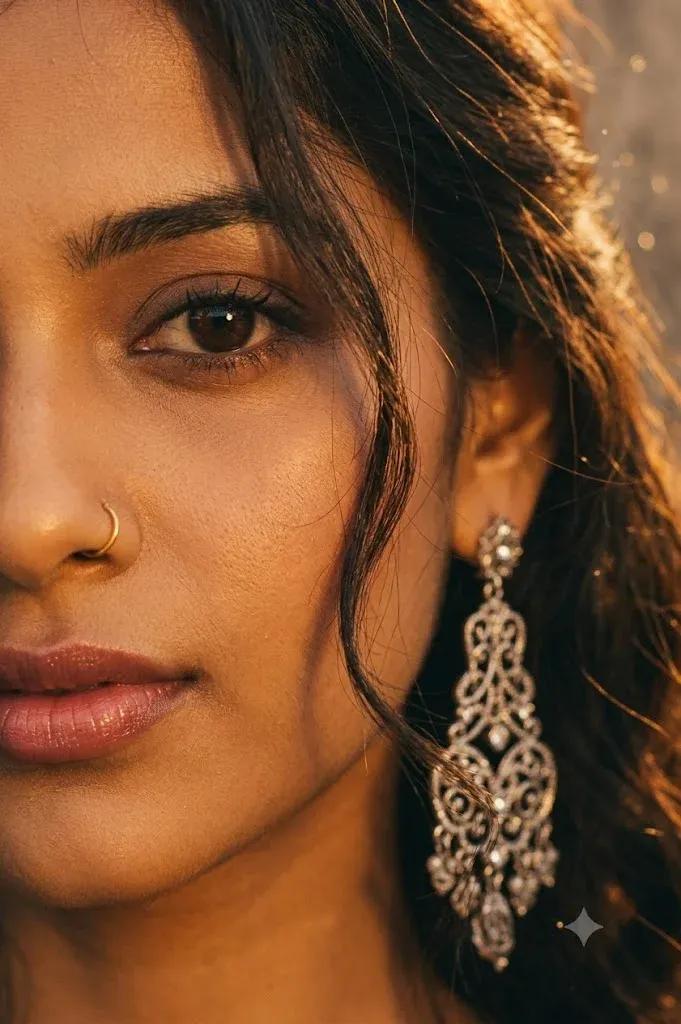
“Ultra-close cinematic portrait of a young woman, only half of her face visible, warm golden-hour lighting, soft amber tones, loose dark hair strands falling across her face, deep brown expressive eye in sharp focus, subtle natural makeup, small nose piercing, glossy natural lips, long dangling silver earring, dreamy and intimate mood, shallow depth of field, creamy bokeh background, soft shadows, high skin texture detail, photorealistic, DSLR photography, 85mm lens, f/1.4, warm color grading, moody aesthetic, editorial beauty shot, ultra-realistic, 8K quality.”
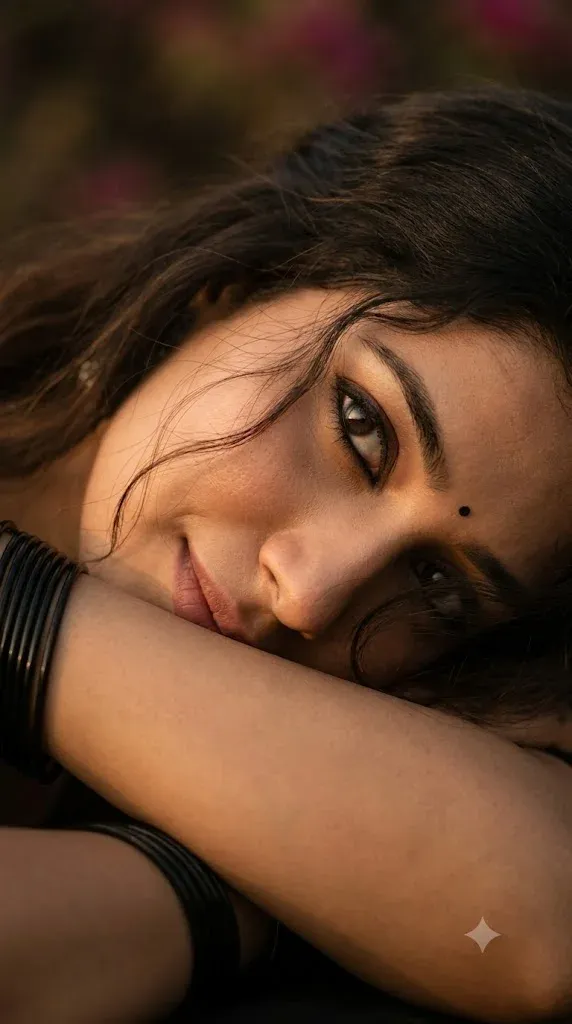
“Ultra extreme 45 degree side angle close-up cinematic portrait of an Indian woman, exact same face, cheek gently resting and lower lip touching softly on her forearm, intense upward gaze, slightly looking away from the camera, with a soft smile, expressive kajal eyes with eyeliner, glossy lips, hair is left open, loose hair strands on face, small black bindi, black bangles near face, warm golden-hour side lighting, soft shadows, natural skin texture, dreamy emotional mood, shallow depth of field, creamy dark background blur, ultra realistic DSLR photo, 85mm lens, f/1.8, vertical frame, Instagram reel aesthetic, eyes in sharp focus.Pose & Angle:camera extremely close, slightly above eye level, tilted diagonal framing, one side of face dominant, forearm covering cheek and chin, cinematic crop.”
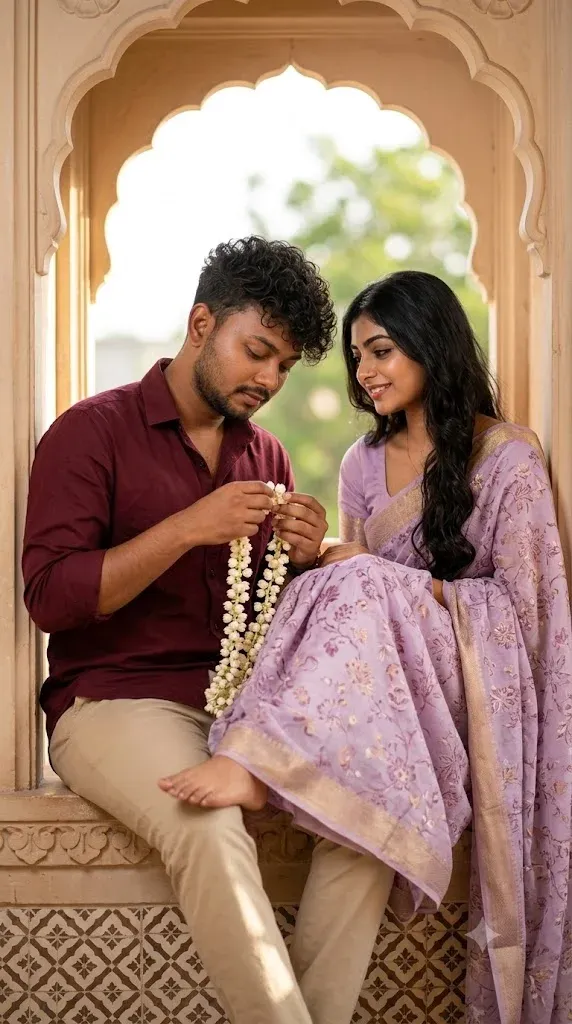
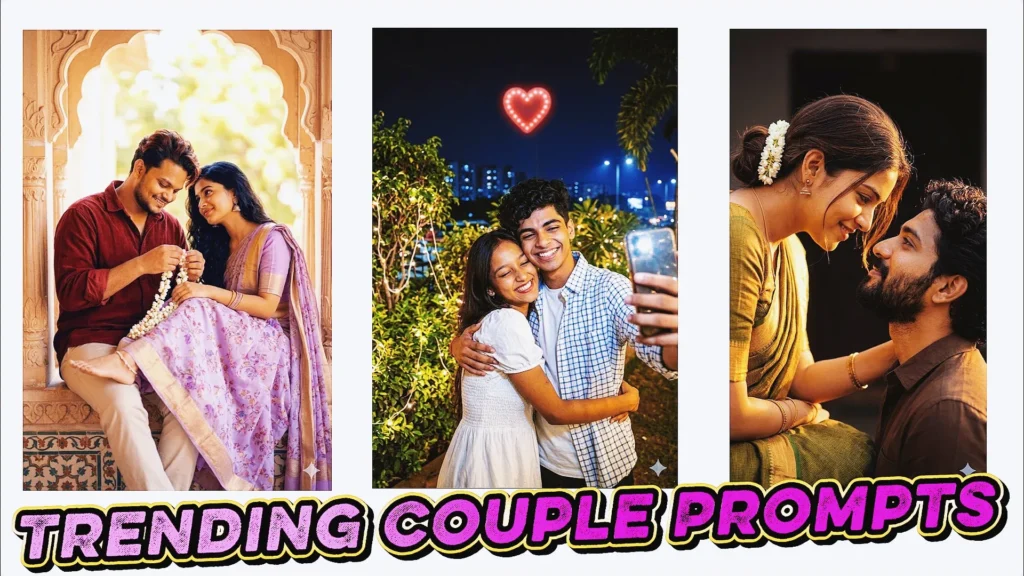
“Ultra realistic romantic couple portrait, Indian heritage setting, soft dreamy cinematic aesthetic. A young couple sitting extremely close together on a carved window ledge inside a traditional architectural arch frame. Warm natural daylight entering from the side, creating soft highlights on skin and gentle shadows, background slightly blurred with bright outdoor greenery bokeh. Male subject: use my uploaded reference image, exact same face features (hairstyle, eyes, nose, lips, eyebrows, beard), full HD detailed face, wearing a deep maroon full-sleeve shirt with subtle fabric texture and light beige trousers. Sitting slightly leaned forward, head tilted down, focused on hands while holding and gently arranging a delicate white jasmine flower garland. Calm, soft expression. Female subject: beautiful young Indian woman with soft natural glow, long wavy black hair resting over shoulder, wearing a light lavender saree with intricate floral patterns and a subtle golden border. Matching blouse with short sleeves. She is sitting very close beside the man, one leg folded comfortably, her foot resting lightly near his lap as in the reference. Wearing traditional jhumka earrings, thin bangles, minimal makeup. She is smiling softly and looking at him with a loving expression. Interaction & pose: both sitting very close, intimate and natural body language, girl slightly leaning towards him, creating emotional connection. Hands relaxed, no stiffness. The flower garland drapes naturally across his hands and down near her feet. Environment details: carved sandstone-style window frame with smooth curves, decorative tile pattern near the base, soft beige and cream tones. Background bright and airy with shallow depth of field. Lighting: soft golden natural light, cinematic tone, smooth skin highlights, no harsh shadows. Camera: DSLR style, 85mm lens look, shallow depth of field, focus on faces and hands, background blur. Composition: vertical framing, balanced composition, subjects slightly off-center within the arch. Quality: hyper realistic 12k resolution, natural photo, ultra detailed textures, realistic skin pores, no artificial smoothing. “
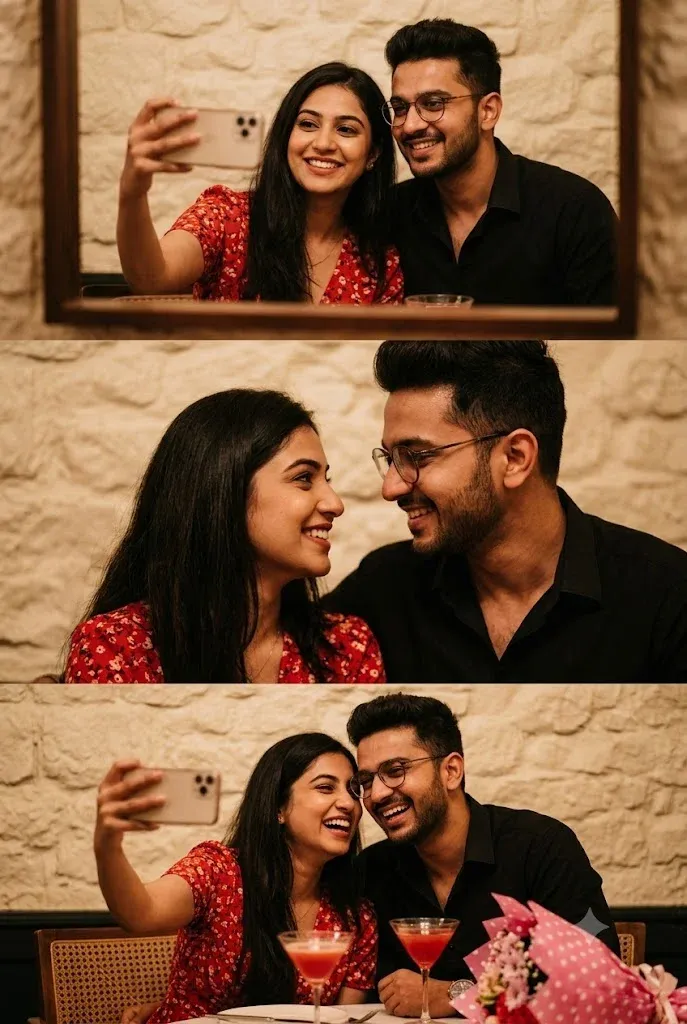
“A vertical three-panel collage (triptych) of a stylish young South Asian couple on a romantic date in a cozy, dimly lit restaurant with a textured cream-colored stone wall. Top Panel: The woman, with long dark hair and a red floral dress, takes a happy mirror selfie with her phone while the man in a black shirt and glasses smiles beside her. Middle Panel: A candid, romantic close-up of the couple looking deeply into each other’s eyes, smiling warmly. Bottom Panel: Another joyful selfie of the couple laughing together. The table features elegant glasses of red cocktails and a pink polka- dot bouquet of flowers. Warm, cinematic lighting, aesthetic lifestyle photography. 100% my face same, I need this prompt picture,”
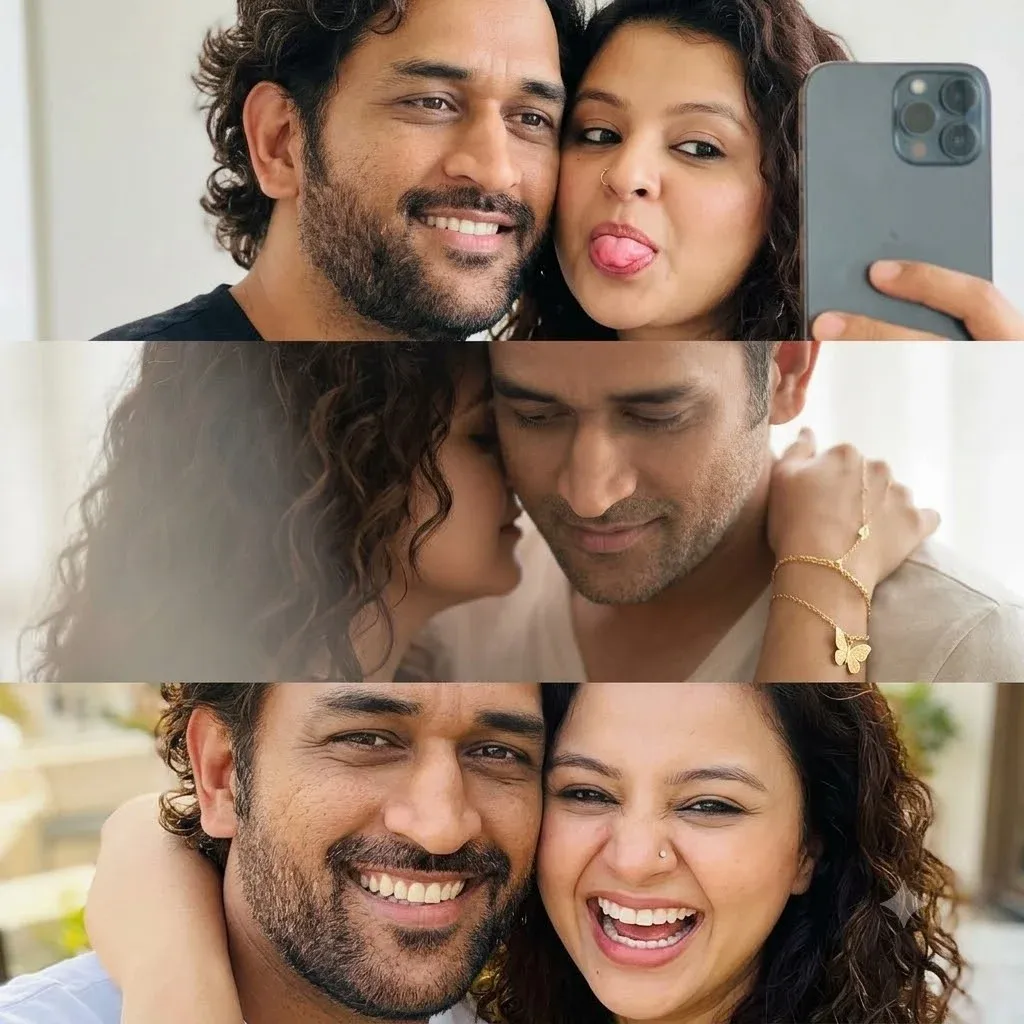
“A close-up selfie of a young man with curly dark hair and beard a warm smile next to a young woman who is playfully sticking her tongue out. Middle Frame: An intimate, soft-focus close-up showing the woman leaning her face against the man’s neck; her hand, adorned with delicate gold bracelets and a butterfly charm, rests gently on his shoulder. Bottom Frame: A bright and joyful selfie of the couple, radiating happiness and a playful, loving connection. 100% my face same, I need this prompt picture,”
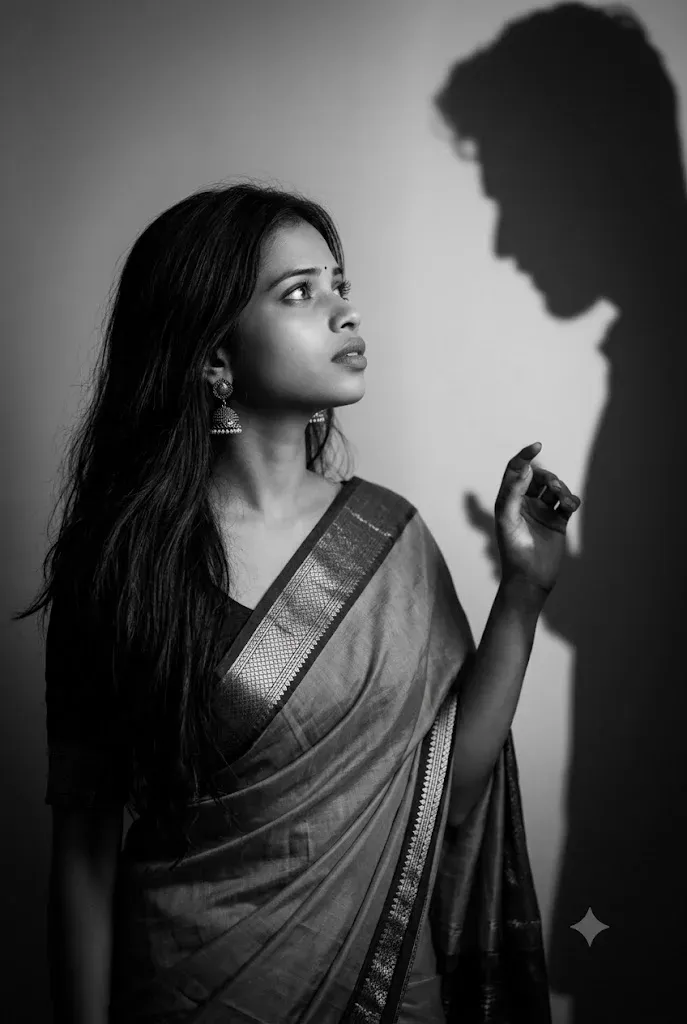
“A dramatic, cinematic black and white photograph of a beautiful young South Asian woman with long, flowing dark hair, wearing a traditional elegant saree with a detailed border and jhumka earrings. She is looking longingly up and to the right toward a sharp, distinct silhouette shadow of a man cast onto the wall behind her. Her hand is slightly raised toward the shadow’s hand, creating a poignant, poetic moment of near-touch. Soft, moody studio lighting illuminating the woman while creating strong contrast with the dark shadow. Emotional, romantic, melancholic atmosphere, fine art photography, monochrome, high contrast, 8k resolution.”
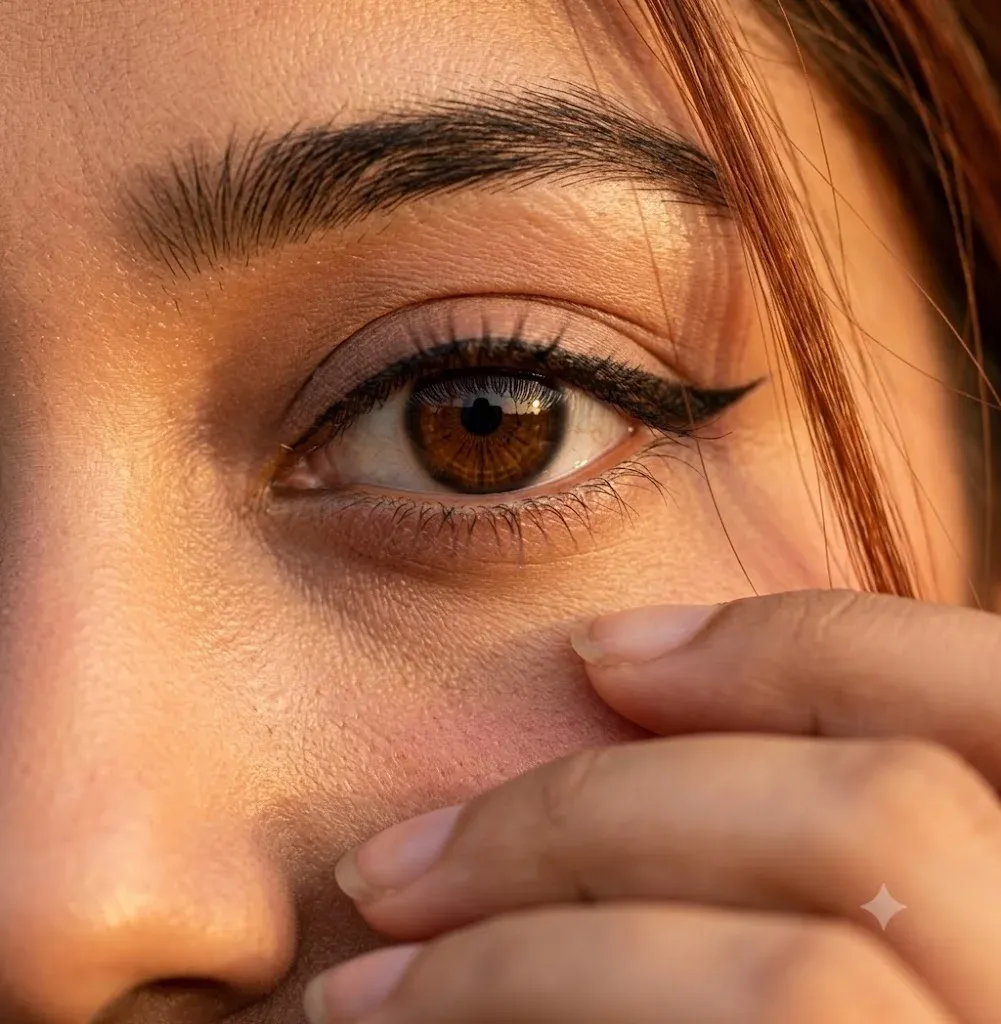
“Ultra-realistic cinematic extreme close-up portrait of a young woman’s single eye filling most of the frame, captured in warm golden-hour sunlight. Focus on one deep brown eye with sharp reflections and natural catchlights, long delicate eyelashes, bold black winged eyeliner, smooth eyelid makeup with soft nude tones, thick naturally shaped dark eyebrow with visible hair texture and fine details. Skin appears soft and highly detailed with realistic pores, subtle blush on the cheek, natural warm skin tone illuminated by golden sunlight. A few loose strands of slightly reddish-brown hair gently fall across the face and eye, creating a dreamy mood. Part of her hand softly covers the lower face near the lips, adding mystery and emotion. Cinematic lighting with warm amber tones, shallow depth of field, ultra-detailed skin texture, soft shadows, natural facial details, photorealistic beauty portrait, DSLR quality, 85mm lens, f/1.4, ultra HD, 4K, highly realistic, artistic editorial photograp.”
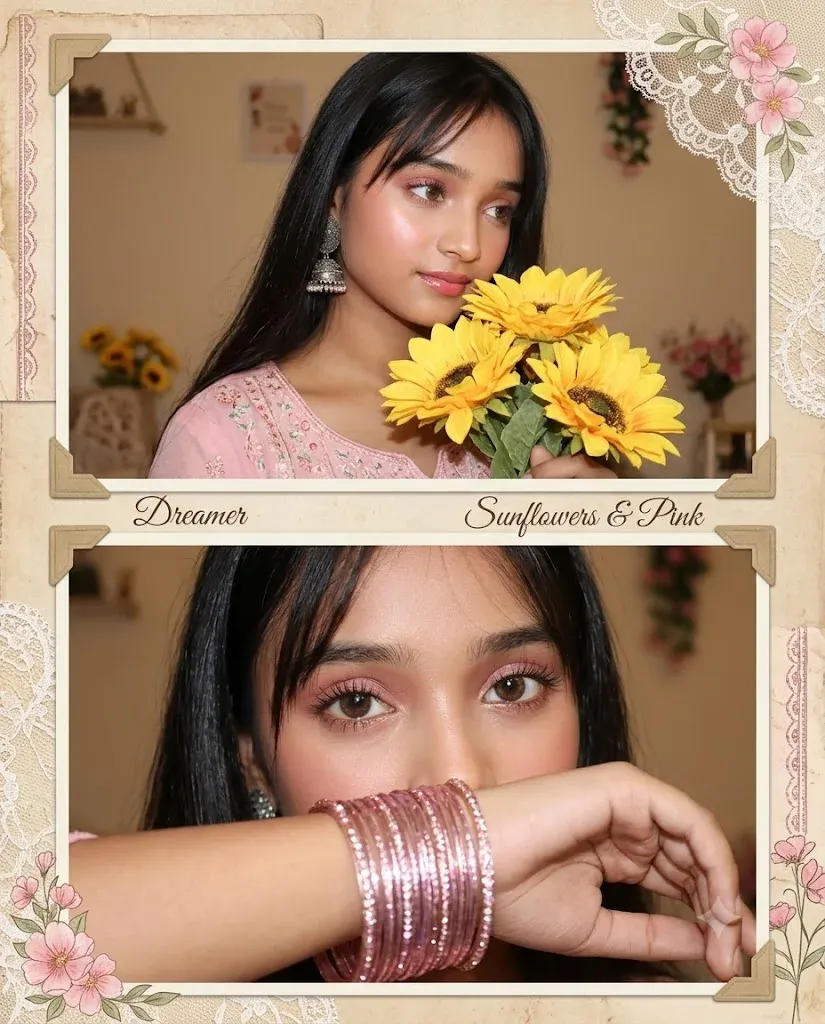
“Create a soft dreamy vintage aesthetic portrait collage of a beautiful young South Asian girl with long straight black hair and soft wispy bangs, glowing fair skin, rosy blush, glossy pink lips, subtle pink eyeshadow, long lashes, and expressive brown eyes. She is wearing a pastel pink traditional outfit with delicate embroidery and stacked shimmering pink glass bangles on her wrist. She is holding bright yellow sunflowers close to her face, with a shy, elegant, and dreamy expression. The composition should be a two-panel collage: the top frame shows a three-quarter pose with her head tilted down and eyes looking to the side, while the bottom frame is a close-up where her forearm partially covers her mouth and the focus is on her eyes and bangles. Use warm indoor lighting, soft direct flash photography, beige-toned background, cozy room decor, and subtle floral decorations. Add pink floral corner ornaments and a feminine vintage scrapbook aesthetic. Ultra-realistic, high detail, soft glow, aesthetic, romantic, pastel, dreamy, Instagram-style portrait, 4k, natural skin texture, beautiful composition. Ratio 4:5”
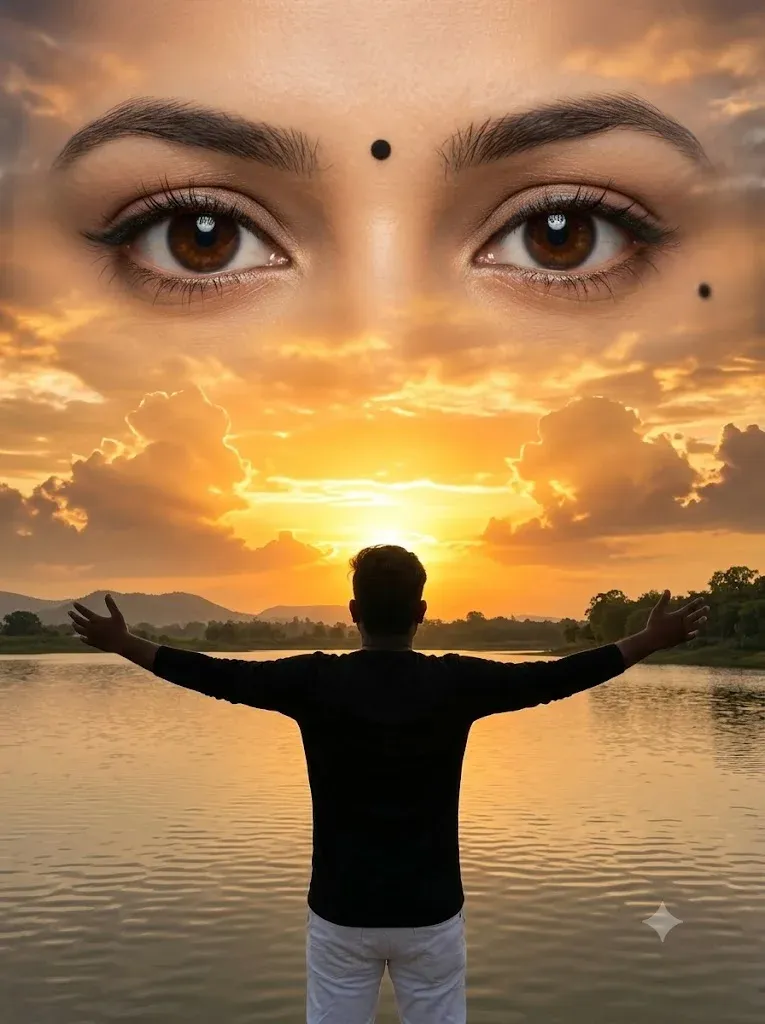
“Ultra-realistic cinematic sunset photography, a young man standing from the back at the edge of a calm lake, both arms fully stretched open, wearing a black long-sleeve shirt and white pants, centered composition, golden-orange sunset on the horizon, dramatic glowing clouds, warm reflections on the water, distant hills and trees along the shoreline. Enormous ultra-realistic female eyes naturally formed within the sunset clouds, occupying 70-80% of the sky, deep brown irises, detailed eyelashes, soft eyeliner, natural eyebrows, black bindi between the brows, beauty mole near the right eye, heavenly divine atmosphere, emotional and dreamy mood, volumetric sunlight, cinematic lighting, ultra-detailed cloud textures, photorealistic water reflections, HDR, DSLR photography, 85mm lens, f/1.8, golden hour, 8K resolution, masterpiece, hyper-realistic, sharp focus, natural colors, perfect symmetry, breathtaking sky dominance. Ratio 3:4”
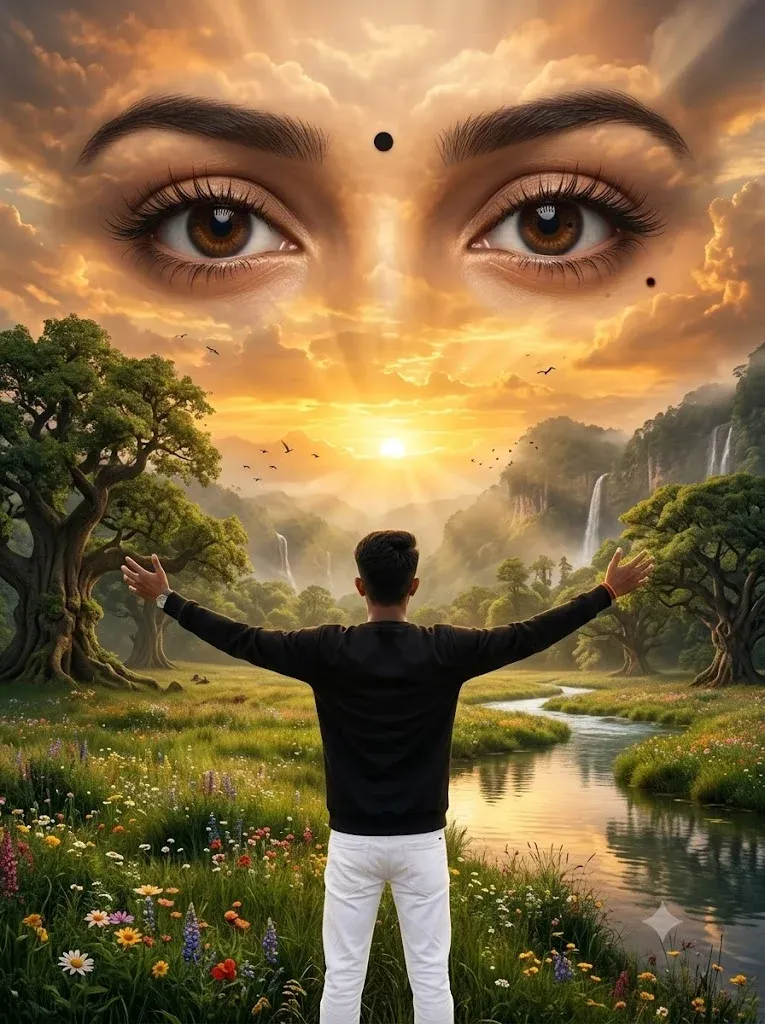
“Ultra-realistic cinematic sunset photography, a young man standing from the back in the middle of a vast green meadow surrounded by giant ancient trees, colorful wildflowers, waterfalls, rivers, misty mountains, and dense forests. Both arms fully stretched open, black long-sleeve shirt and white pants. Golden-orange sunset sky with dramatic glowing clouds. Enormous ultra-realistic female eyes naturally formed within the clouds, occupying 80% of the sky, deep brown irises, detailed eyelashes, black bindi, beauty mole near the right eye. Heavenly divine atmosphere, volumetric sunlight, birds flying, photorealistic reflections, HDR, DSLR 85mm lens, golden hour, ultra-detailed nature textures, breathtaking scenery, masterpiece, hyper-realistic, 8K resolution. 3:4 ratio.”
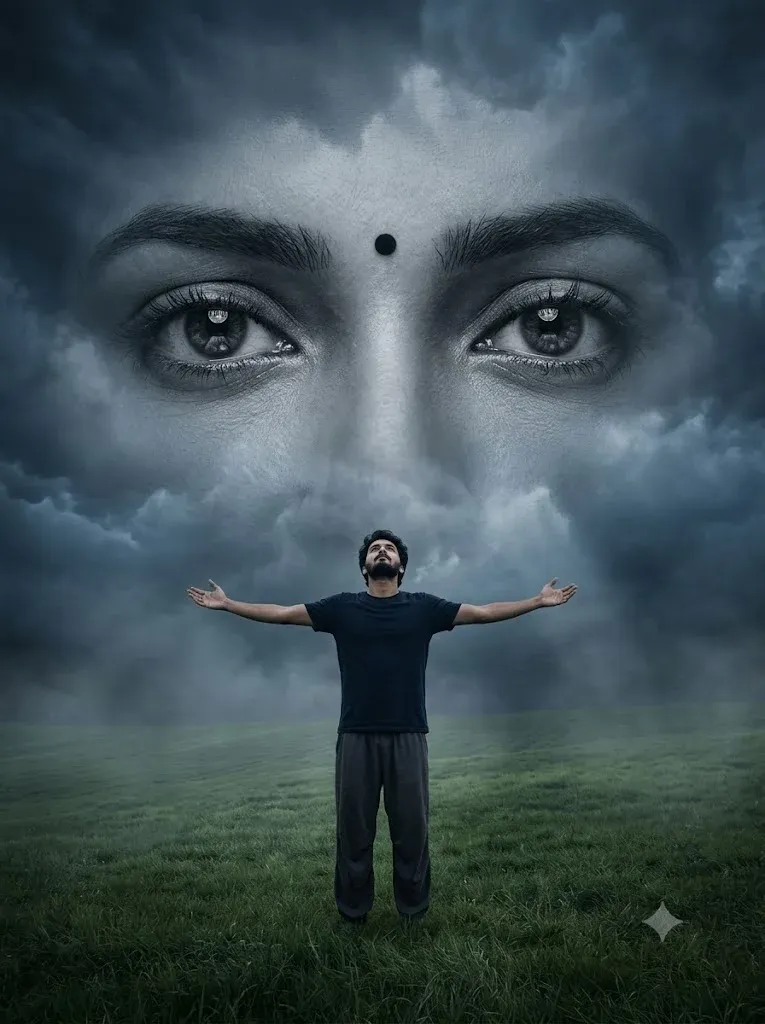
“A surreal cinematic digital artwork featuring a lone young man standing in the middle of a vast green grass field under a dramatic overcast sky. He wears a dark navy shirt and loose dark pants, standing with arms fully outstretched and head tilted upward, expressing freedom, longing, and emotional surrender. Behind him, dominating the entire sky, is an enormous monochrome female face blended seamlessly into the clouds. The composition focuses on her ultra-detailed expressive eyes, rendered at colossal scale, staring directly forward with deep emotion and melancholy. A small black bindi sits between her eyebrows. Her eyelashes, eyebrows, skin texture, and eye reflections are highly detailed and realistic. The giant face appears ethereal, dreamlike, and ghostly, emerging from storm clouds with soft atmospheric blending. Moody cinematic lighting, dark blue-gray color grading, emotional fantasy atmosphere, dramatic depth, volumetric clouds, subtle fog, ultra-realistic textures. 3:4 Ratio.”
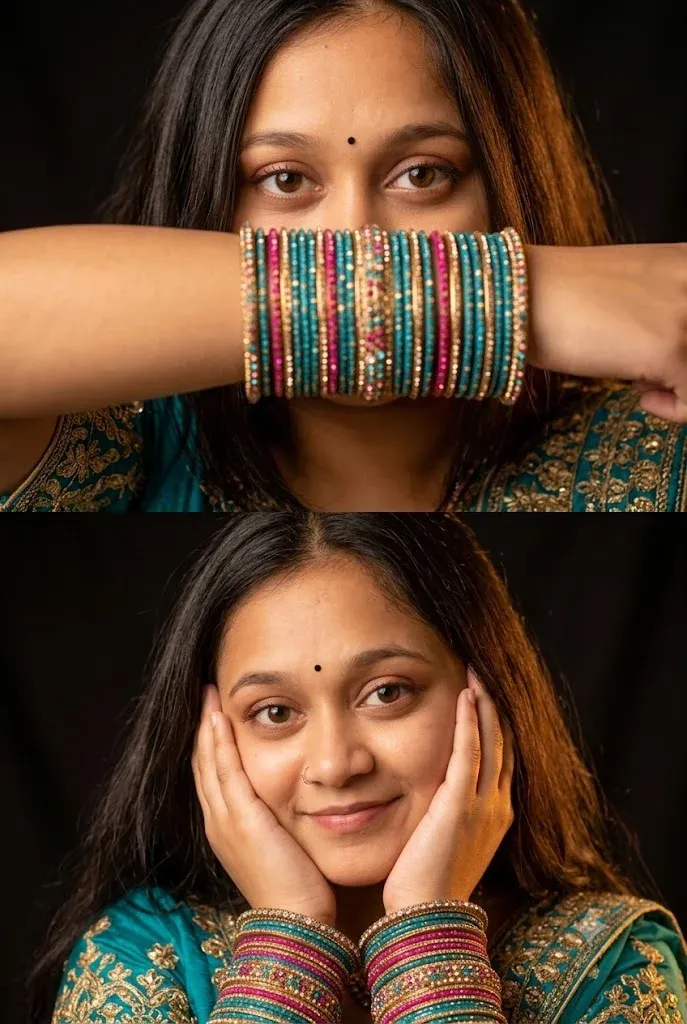
“Two-panel vertical collage of a young South Asian woman wearing a traditional teal and gold embroidered outfit. She has long dark hair, brown eyes, soft makeup, and a small black bindi. Top Panel: Close-up shot where she covers the lower half of her face with her forearm, prominently showcasing a thick stack of teal, pink, and gold stone-studded bangles. Bottom Panel: Close-up portrait of her smiling softly, cradling her face in both hands while wearing identical colorful bangles on both wrists. Dark background, warm dramatic lighting.”
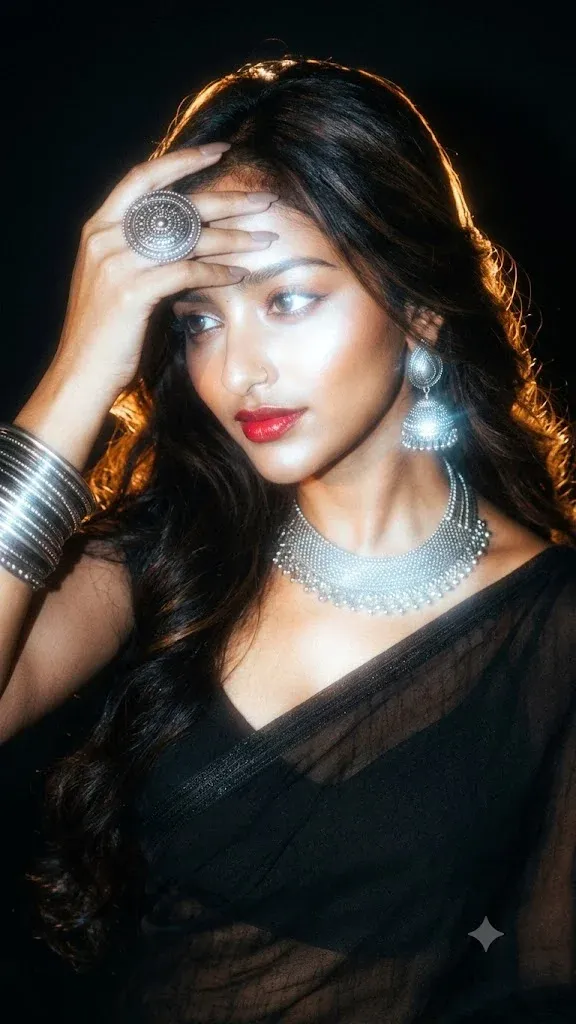
“Add dramatic flash glow effect, dark black background, cinematic low light, strong backlighting around subject, glowing edges, soft bloom light, vintage camera flash look, high contrast shadows, moody aesthetic, film grain texture, warm golden highlights, dreamy blur, Y2K flash photography style, realistic skin texture, overexposed flash lighting, soft haze, night shoot vibe, Instagram restyle aesthetic, detailed shadows and glow.”
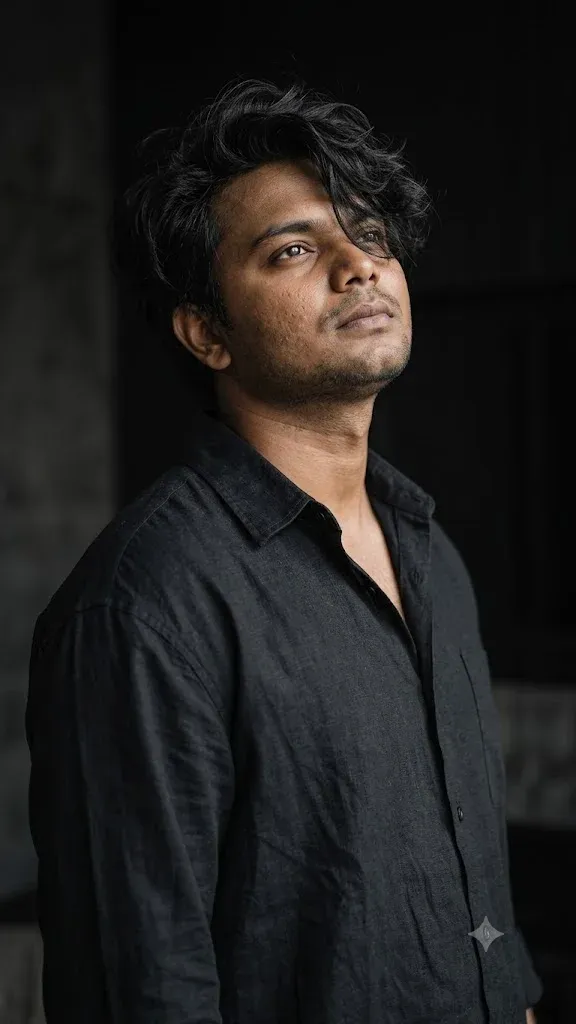
“Ultra realistic luxury editorial fashion wallpaper, masterpiece quality, cinematic half body portrait of an exceptionally handsome young man with naturally thick messy wavy black hair covering part of one eye, sharp jawline, realistic skin pores, soft matte skin texture, calm mysterious expression, looking upward and away from the camera, elegant elongated neck, body rotated slightly sideways, relaxed shoulders, oversized matte black linen shirt with realistic wrinkles, open collar, minimal.”
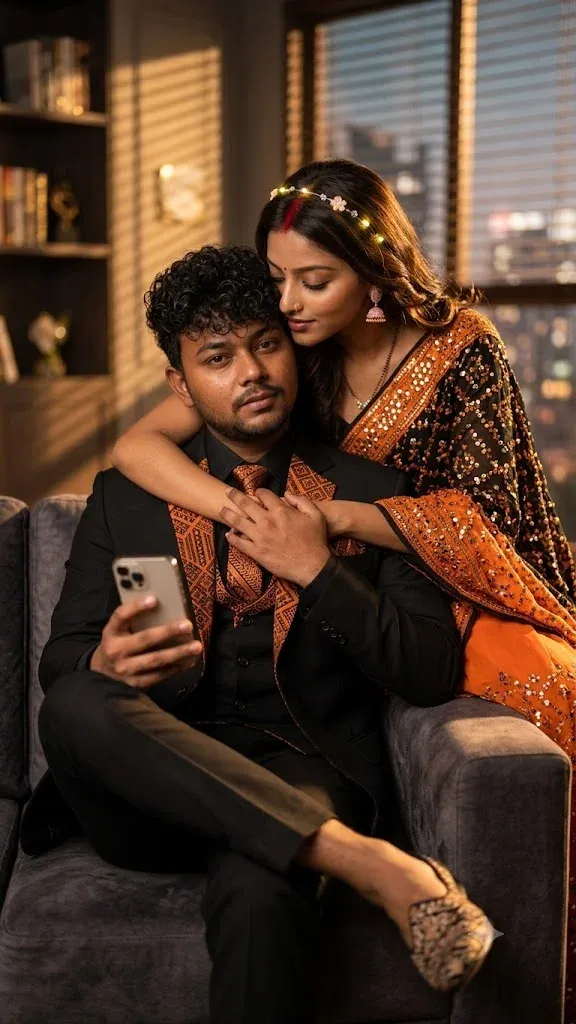
“Realistic cinematic portrait, Indian married couple, girl wearing black and orange remix saree with sitara work, NO mangtika, centre-parted hair with sindoor, mangalsutra, soft makeup with kajal and eyeliner, pink small jhumka in ears, light-up hairband on head. Boy wearing black and orange remix coat pant and juta. Boy sitting on new model sofa, girl holding boy from behind. Boy holding iPhone in one hand.”
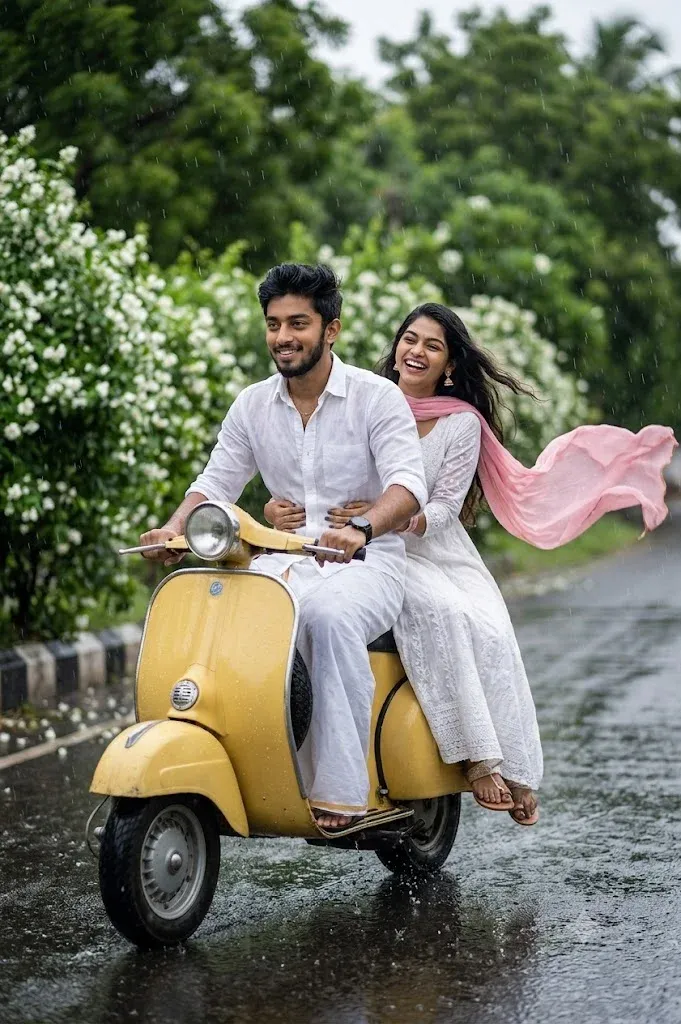
“Ultra-realistic DSLR lifestyle portrait of a happy South Asian couple riding a vintage yellow scooter through a rain-soaked road lined with blooming jasmine flowers during monsoon season. The woman sits behind the man, gently holding him while laughing, wearing a white embroidered traditional dress with a flowing pastel pink dupatta fluttering in the rain. The man has a neatly groomed beard, voluminous hair, and wears a slightly wet white linen shirt. Realistic falling rain, water splashes, wet asphalt reflecting soft daylight, lush green surroundings, cinematic motion, shallow depth of field, creamy bokeh, HDR, 85mm lens, f/1.8, ultra-realistic photography, premium lifestyle shoot, vibrant natural colors, 8K, highly detailed, realistic skin texture. Negative prompt: cartoon, painting, illustration, blurry, low resolution, extra fingers, deformed hands, duplicate accessories, watermark, logo, text, overexposed lighting.”
How to Keep Your Face the Same in Gemini Image Editing
One of the most common requests in AI photo editing is maintaining facial identity.
Use a Clear Reference Photograph
Choose an image in which the entire face is visible and reasonably well lit.
Heavy beauty filters, extremely dark lighting, sunglasses and severe motion blur can hide details that help an AI model interpret the face.
Tell Gemini What Must Remain
Include a preservation instruction such as:
“Use my uploaded image as the reference. Preserve my recognizable facial characteristics, face shape, hairstyle, approximate age, skin tone and other defining features. Change only the clothing, background and lighting requested below.”
Avoid claiming that any generative model will preserve a face with perfect pixel-for-pixel accuracy. AI generation can still introduce variations.
Make Fewer Changes at Once
If facial consistency matters most, change one or two major elements during each editing step.
For example, change the background first, then refine the outfit in the next instruction.
What to Do If Gemini Changes Your Face
Face Correction Prompt
Prompt:
Keep the current pose, outfit, background, framing and lighting exactly as they are. Refine only the face so it more closely follows the recognizable facial characteristics of my uploaded reference image. Preserve natural skin texture, hairstyle, approximate age and facial proportions. Do not add beauty-filter smoothing.
How to Make Gemini Images Look More Realistic
Realistic AI editing usually comes from believable visual instructions rather than repeatedly adding terms such as “16K” or “masterpiece.”
Ask for Natural Skin Texture
Overly smooth skin is one of the easiest signs of an artificial portrait.
Request visible but flattering natural skin texture, realistic pores and subtle imperfections.
Use Believable Lighting
Explain where the light comes from.
For example, ask for “soft window light from the left” instead of simply saying “beautiful lighting.”
Match the Subject and Background
If a person is photographed in bright daylight but the replacement background is a dark evening street, the lighting may appear inconsistent.
Tell Gemini to match the subject’s shadows and colour temperature to the new environment.
Keep Anatomy Natural
Hands, fingers, jewellery and overlapping limbs deserve extra attention.
After generating the edit, zoom in and check these areas before publishing the image.
Common Gemini Image Editing Problems and Fixes
Gemini Changes the Face Too Much
Use a clearer reference photograph and make your edit more focused.
State what should be changed and explicitly identify what should remain recognizable.
Hands or Fingers Look Wrong
Try a pose where the hands are naturally visible and not heavily overlapping.
You can also request a targeted correction without changing the rest of the image.
Skin Looks Plastic
Remove instructions such as flawless skin or perfect skin.
Ask for realistic skin texture, subtle imperfections and natural lighting instead.
Background Looks Fake
Request matching perspective, lighting direction, shadows, colour temperature and depth of field.
The new environment should interact visually with the subject.
Clothes Look Artificial
Describe the fabric and fit.
Terms such as cotton, linen, denim, silk or wool can provide more useful visual direction than simply requesting an expensive outfit.
Image Is Too Saturated
Ask for natural colours, realistic white balance and restrained colour grading.
Avoid stacking too many style terms that push the model toward extreme visual effects.
Best Aspect Ratios for Gemini Edited Images
The right shape depends on where you plan to publish the finished image.
Vertical Portraits
A vertical composition is useful for portrait-oriented social posts, Stories, Reels covers and smartphone wallpapers.
Square Images
Square framing works well for many social feeds and profile-related designs.
Landscape Images
Horizontal compositions are useful for website banners, YouTube thumbnails, desktop wallpapers and scenes that need more environmental context.
Portrait Photography
Traditional portrait-oriented ratios work well when you want more room around the body without the extremely narrow appearance of a smartphone Story.
Advanced Gemini Image Editing Prompt Template
Once you understand the basic formula, you can create detailed reusable prompts.
Reusable Prompt
Prompt:
Use the uploaded image as the primary visual reference.
Preserve: [face, hairstyle, approximate age, skin tone, body proportions or other important features].
Change: [background, outfit, pose, lighting or other required element].
Clothing: [specific outfit, colour and fabric].
Pose: [standing, seated, walking, close-up, three-quarter pose or other composition].
Background: [location and important environmental details].
Lighting: [natural window light, golden hour, soft studio light, cinematic side light or another setup].
Camera style: [professional portrait, editorial fashion, candid lifestyle, documentary or cinematic].
Mood: [confident, relaxed, emotional, cheerful, sophisticated or dramatic].
Composition: [vertical, square, horizontal, close-up, half-body or full-body].
Final result: Keep the image realistic, maintain natural skin texture, use believable shadows and ensure that all visible hands, clothing and accessories have natural proportions.
Gemini Image Editing for Creators and Businesses
AI photo editing is useful beyond viral portraits.
Product and Marketing Visuals
Creators can use image editing to place products into cleaner environments, test background concepts or prepare visual ideas for campaigns.
Businesses should still check product accuracy carefully before using generated images commercially.
Professional Branding
A consistent visual style can help create profile photographs, website hero images and social-media graphics.
However, important professional photographs should still represent the person accurately rather than creating misleading credentials, events or achievements.
Blog and Website Images
Gemini prompts can help create conceptual blog visuals, illustrations and edited hero images when the user has appropriate rights to the source material.
Responsible AI Image Editing
Respect Privacy and Copyright
Use photographs you own or have permission to edit.
Do not use AI editing to misleadingly portray another person, falsely imply endorsements or present invented events as genuine documentary photography.
Frequently Asked Questions About Gemini Prompts for Image Editing
What Are the Best Gemini Prompts for Image Editing?
The best Gemini image editing prompts clearly explain the subject, requested changes, clothing, pose, background, lighting, photographic style and details that should remain recognizable.
A specific prompt usually communicates your intention more effectively than instructions such as “make it attractive” or “make it viral.”
Can Gemini Edit My Existing Photo?
Yes. Gemini supports uploading images and asking for edits to them. You can also refine images generated within Gemini.
Can Gemini Combine Two Photos?
Gemini’s current image tools support uploading multiple images and requesting a new image based on those references. Results can vary, especially when maintaining facial consistency across multiple subjects.
How Do I Write a Gemini Prompt to Keep My Face the Same?
Tell Gemini to use the uploaded photo as a visual reference and preserve recognizable facial characteristics, hairstyle, approximate age and natural skin tone.
Then describe only the elements that should change.
Which Gemini Prompt Is Best for Boys?
For boys and men, cinematic portraits, business headshots, casual fashion, streetwear and traditional clothing prompts are strong starting points.
Choose the style according to where you plan to use the image.
Which Gemini Prompt Is Best for Girls?
Popular options include natural golden-hour portraits, traditional saree looks, editorial fashion photographs, studio portraits and soft lifestyle images.
A detailed but natural prompt generally produces a more believable result than excessive beauty instructions.
What Is the Best Gemini Prompt for Couples?
Mention both reference images, each person’s clothing, the relationship between their poses, facial expressions, environment and lighting.
Clearly describing the interaction helps the composition feel more natural.
Can Gemini Change Only My Background?
Yes. Clearly ask the model to preserve the subject while replacing only the background.
Also request matching lighting, shadows, perspective and depth of field for better realism.
Can Gemini Change Clothes in a Photo?
You can request outfit changes by describing the new clothing clearly.
For better results, specify garment type, colour, fit and material while asking Gemini to keep the person’s face and body proportions unchanged.
How Can I Make Gemini AI Photos Look Real?
Use natural lighting, realistic skin texture, believable poses, accurate proportions, appropriate depth of field and backgrounds that match the subject’s lighting.
Avoid depending only on exaggerated quality terms.
Why Does Gemini Change My Face?
Generative image tools reconstruct visual content rather than simply moving existing pixels around. As a result, facial details can vary between edits.
Clear references, focused instructions and smaller editing steps can improve consistency, but perfect reproduction should not be assumed.
Final Thought
Gemini prompts for image editing make it possible to turn simple photographs into professional portraits, cinematic scenes, social-media images, traditional looks, couple photographs and creative visual concepts without manually performing every edit.
The prompt is one of the most important parts of the process.
Start by identifying what should remain unchanged. Then describe exactly what you want Gemini to modify.
For realistic photos, concentrate on natural facial appearance, believable lighting, accurate proportions, appropriate clothing, consistent shadows and a background that fits the scene.
Instead of trying to achieve everything with one extremely complicated instruction, refine the image step by step. This method gives you more control and makes it easier to identify which part of the edit needs improvement.
The prompts in this guide can be copied and customized for your own photographs. Replace the clothing, colours, poses, locations and styles according to your requirements, while respecting the privacy and rights of anyone shown in the original images.