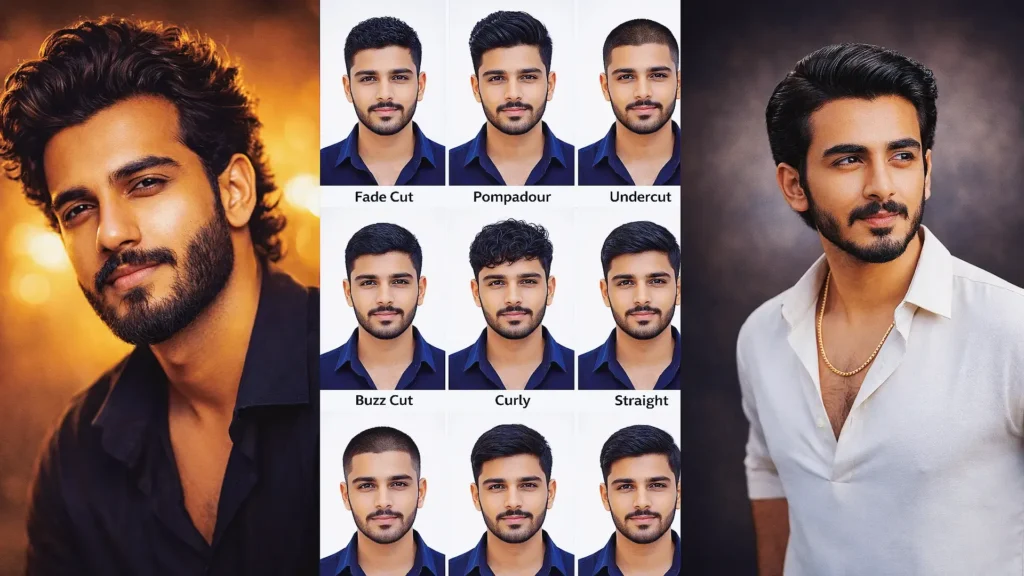
If you’ve been scrolling through Instagram lately, you’ve probably seen those ultra-AI image editing has made it much easier to create clean, professional-looking portraits for LinkedIn, resumes, office profiles, portfolios, application forms, and personal branding.
One style that has become especially popular is the passport size photo prompt for ChatGPT. Instead of visiting a studio every time you need a formal-looking headshot, you can upload a clear photograph and describe the background, clothing, lighting, expression, and framing you want.
You might need a simple portrait with a white background, a corporate photo in a black suit, a light-blue background headshot, or several identical photos arranged on one printable sheet.
The quality of the result depends heavily on the prompt.
A short instruction such as “make passport photo” leaves too many details for the AI to guess. A better prompt explains the face, pose, clothing, expression, background, lighting, crop, and details that should remain unchanged.
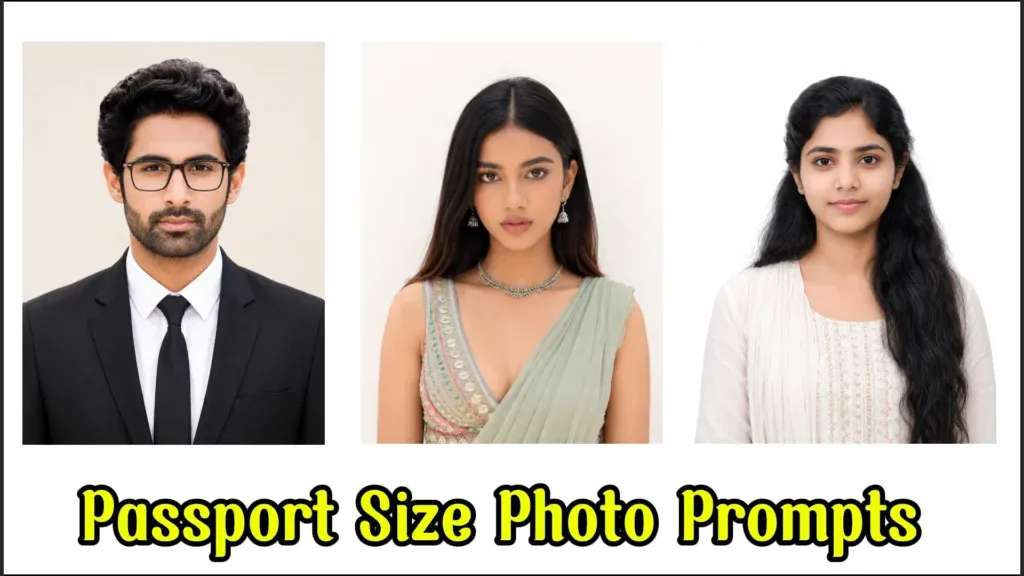
In this guide, you’ll find 9 passport size photo prompt for ChatGPT copy-paste ideas covering the same popular styles people commonly search for: formal suits, Indian corporate portraits, white backgrounds, balanced ID lighting, women’s professional portraits, premium business headshots, natural daylight, six-photo sheets, and blue-background ticket-size layouts.
You’ll also learn how to make these portraits look natural rather than overedited.
Why Passport Size Photo AI Prompts Are Trending
Professional portraits are useful in many places beyond passports.
Students, professionals, freelancers, business owners, and job seekers often need a clean photo for:
- LinkedIn profiles
- Resumes and CVs
- Employee profiles
- Office directories
- Portfolio pages
- Business websites
- College applications
- Digital ID mockups
- Professional social accounts
- Personal branding
- Printable photo sheets
AI tools make it possible to experiment with a formal outfit or cleaner studio background without organizing a complete photoshoot.
For example, someone wearing a casual T-shirt in the original image may want to visualize a black suit and tie. Another person might simply want cleaner lighting and a neutral background for a professional profile.
The best results still look like the original person.
Natural skin texture, realistic facial proportions, balanced lighting, simple clothing, and clean framing usually work better than excessive retouching.
Important Note About Official Passport and Visa Photos
An AI-generated or heavily edited “passport-style” portrait should not automatically be treated as an acceptable government passport or visa photo.
Official requirements vary by country and authority. Some authorities explicitly require an original, unedited photograph and prohibit AI-generated or digitally altered images.
Use the prompts below primarily for professional profiles, resumes, office photos, design mockups, and situations where edited portraits are permitted.
For an actual passport, visa, government ID, or other regulated document, always check the current rules of the issuing authority first.
Trending Passport Size Photo Prompt for ChatGPT: 9 Copy-Paste Ideas
The following prompts follow the same nine popular concepts as the source article but are rewritten in original language.
Upload a clear front-facing photograph before using a personalized prompt whenever possible.
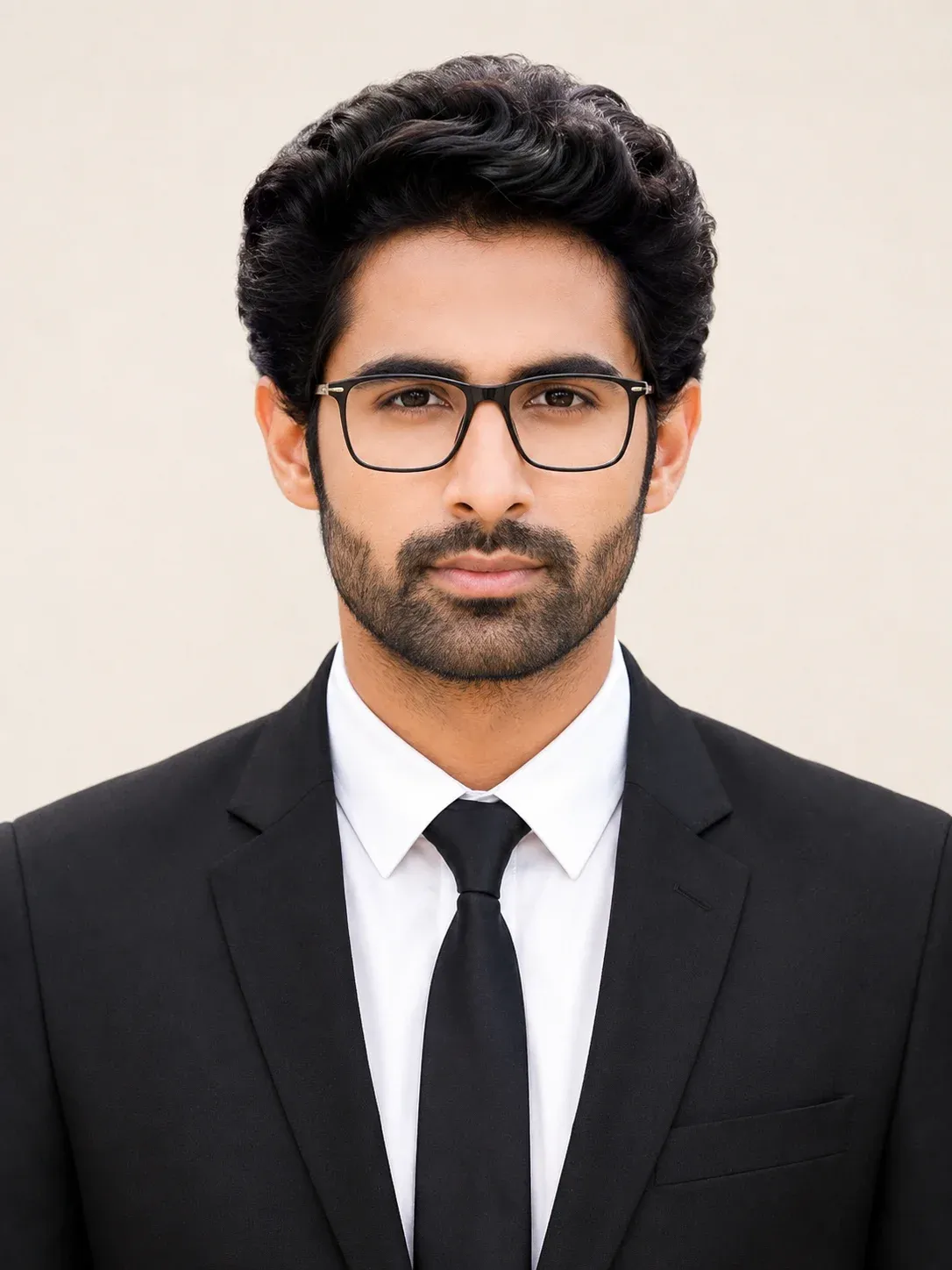
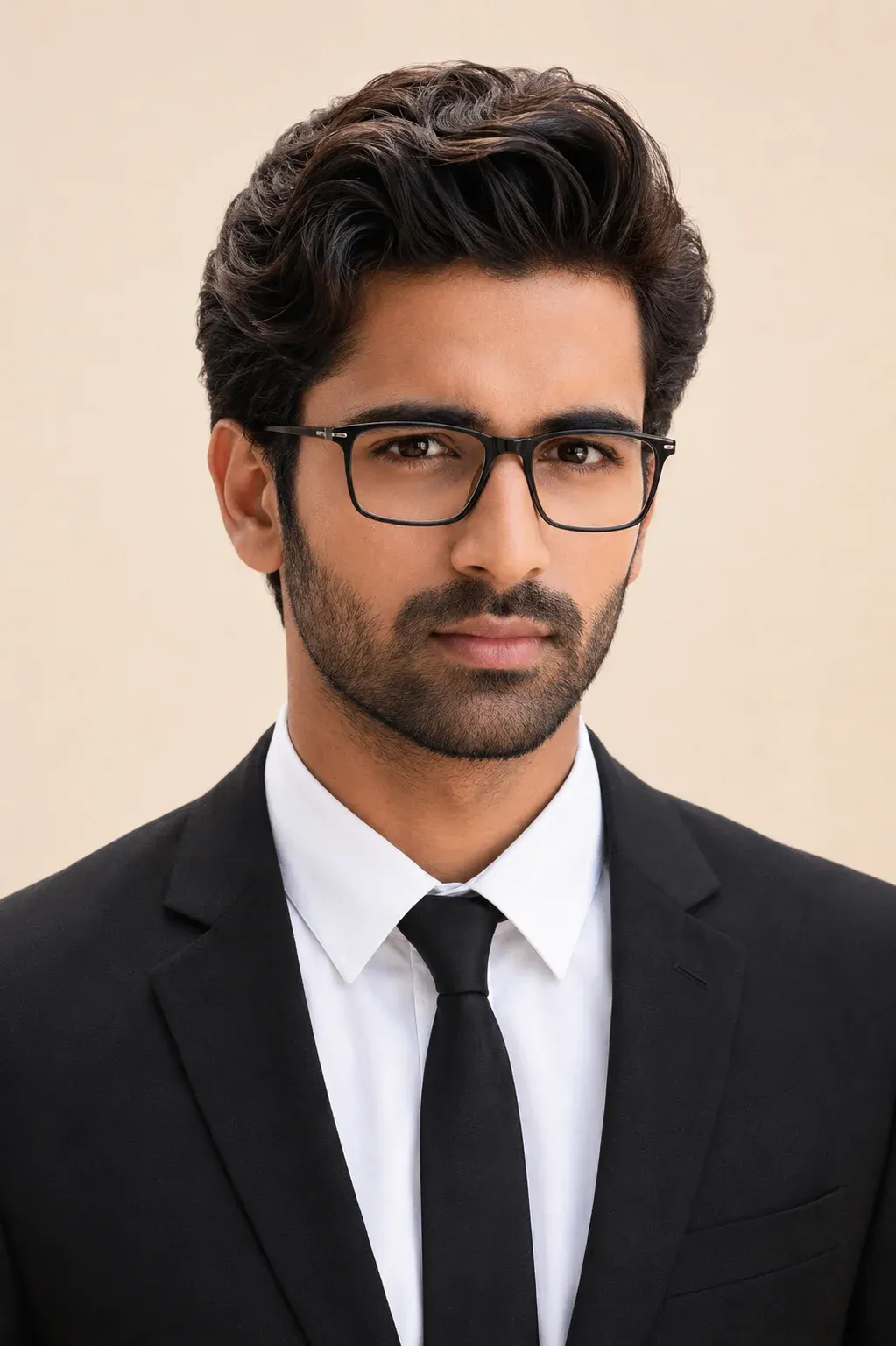
1. Studio-Quality Formal Portrait with Modern Professional Look
Create a highly realistic and professional-looking portrait with natural facial details, balanced lighting, and a formal black suit combination. This coat suit passport size photo prompt is ideal for generating clean studio-style images suitable for resumes, office profiles, LinkedIn accounts, and official documentation. The realistic skin texture, modern eyeglasses, and soft cream background help create a polished and authentic appearance without over-editing.
2. Corporate Style Portrait with Natural Indian Look
This passport size photo prompt is perfect for generating a sharp and elegant business-style portrait with realistic Indian skin tones and professional attire. The combination of soft lighting, formal clothing, and a neutral expression creates a clean and confident studio-quality image suitable for professional and official use. It works especially well for users who want a realistic and polished appearance.
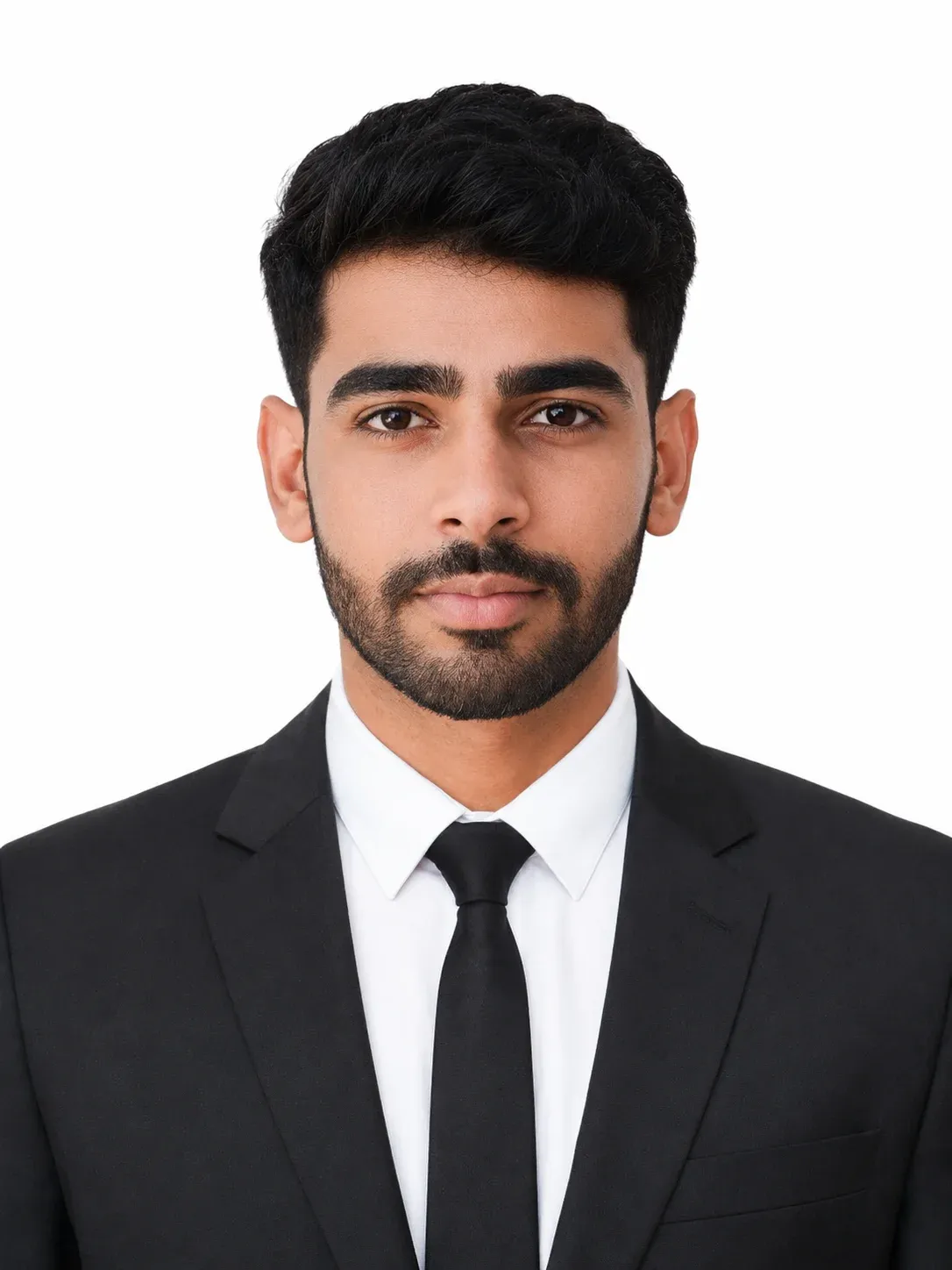
3. Clean White Background Portrait for Official Use
Designed for clear and minimalistic results, this prompt for passport size photo with blue background creates a centered portrait with soft lighting and natural facial details. The white background and professional framing make the image suitable for official documents, application forms, and professional profiles. It delivers a simple yet highly realistic output with balanced clarity and natural skin tone.
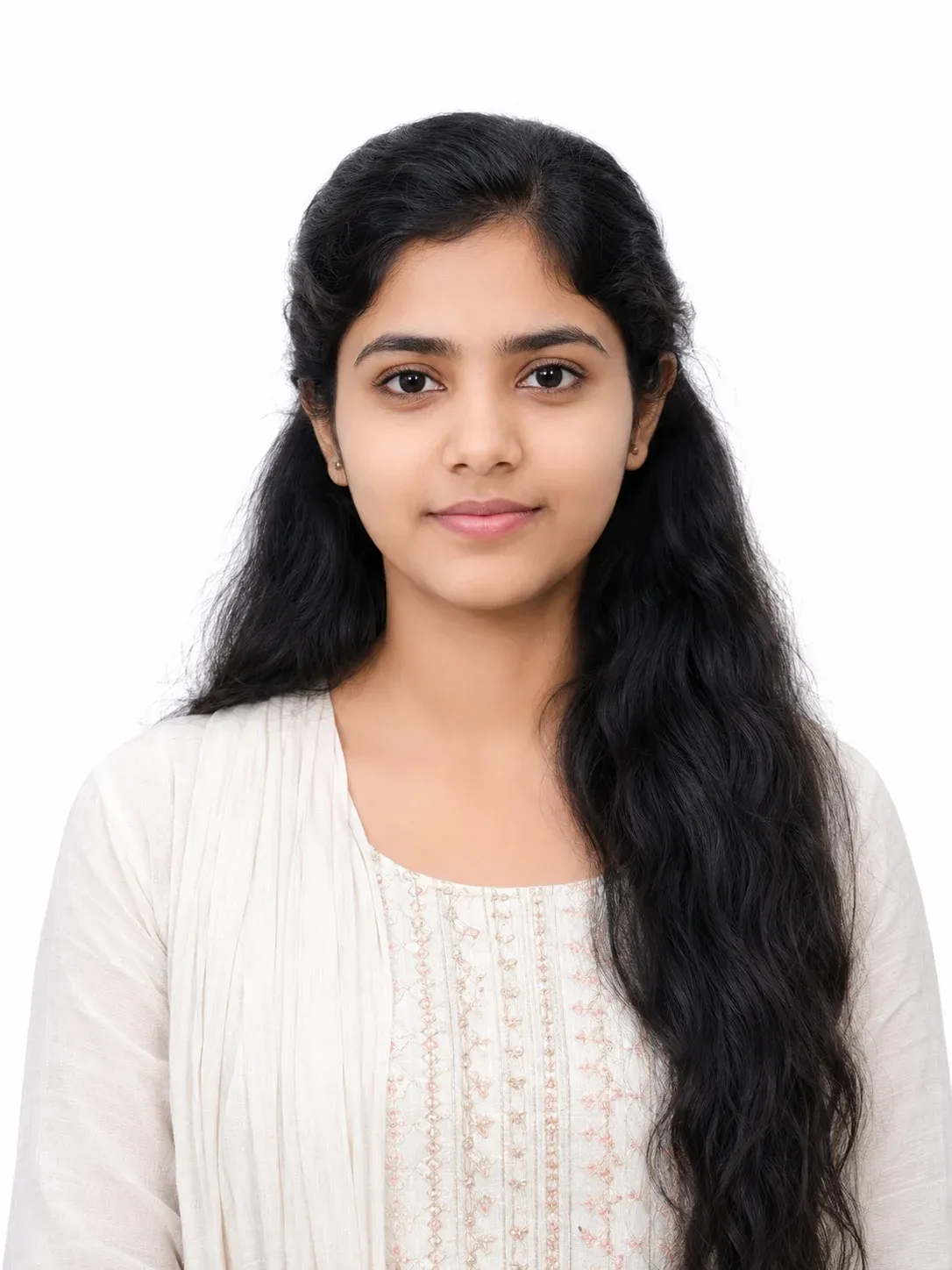
4. Professional ID Style Portrait with Balanced Lighting
This passport size photo with suit prompt helps generate a formal and realistic portrait with proper framing and clean studio lighting. The natural facial appearance, centered composition, and plain background create a professional image suitable for identification documents, business profiles, and digital applications. It focuses on realism and clean presentation for a polished final result.
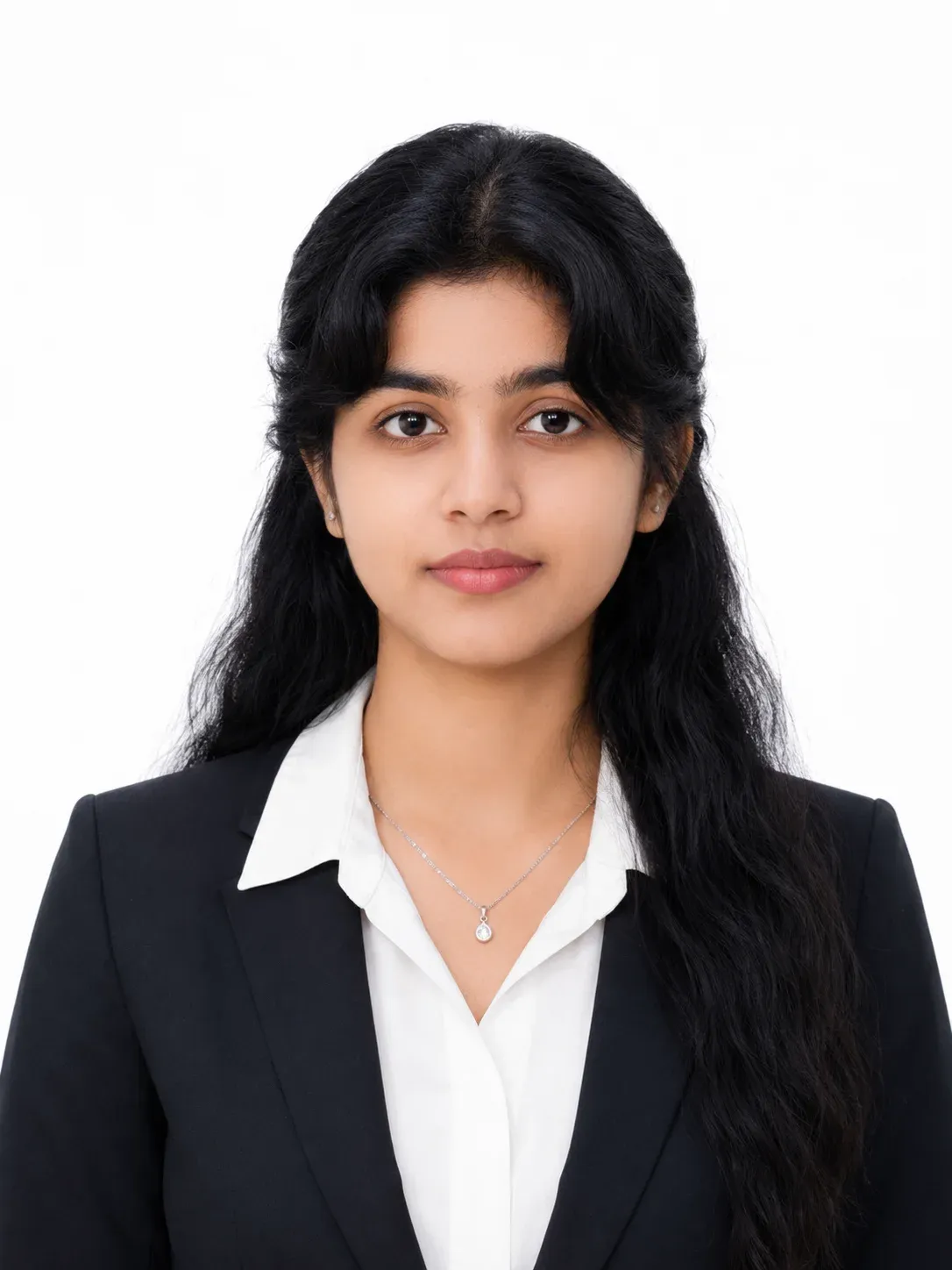
5. Elegant Formal Portrait for Women with Natural Styling
Create a refined and realistic portrait with soft lighting, minimal makeup, and formal attire. This passport size photo ai prompt is ideal for women looking for a clean and professional studio-style image with natural skin texture and balanced framing. The realistic appearance and simple background help maintain a professional and authentic look.
6. High-End Business Portrait with Realistic Facial Details
Generate a premium-quality professional portrait with accurate facial structure, realistic lighting, and formal business clothing. This passport size photo prompt for chatgpt is perfect for creating modern corporate-style images suitable for resumes, office IDs, LinkedIn profiles, and branding purposes. The DSLR-style quality and natural appearance make the image look authentic and professional.
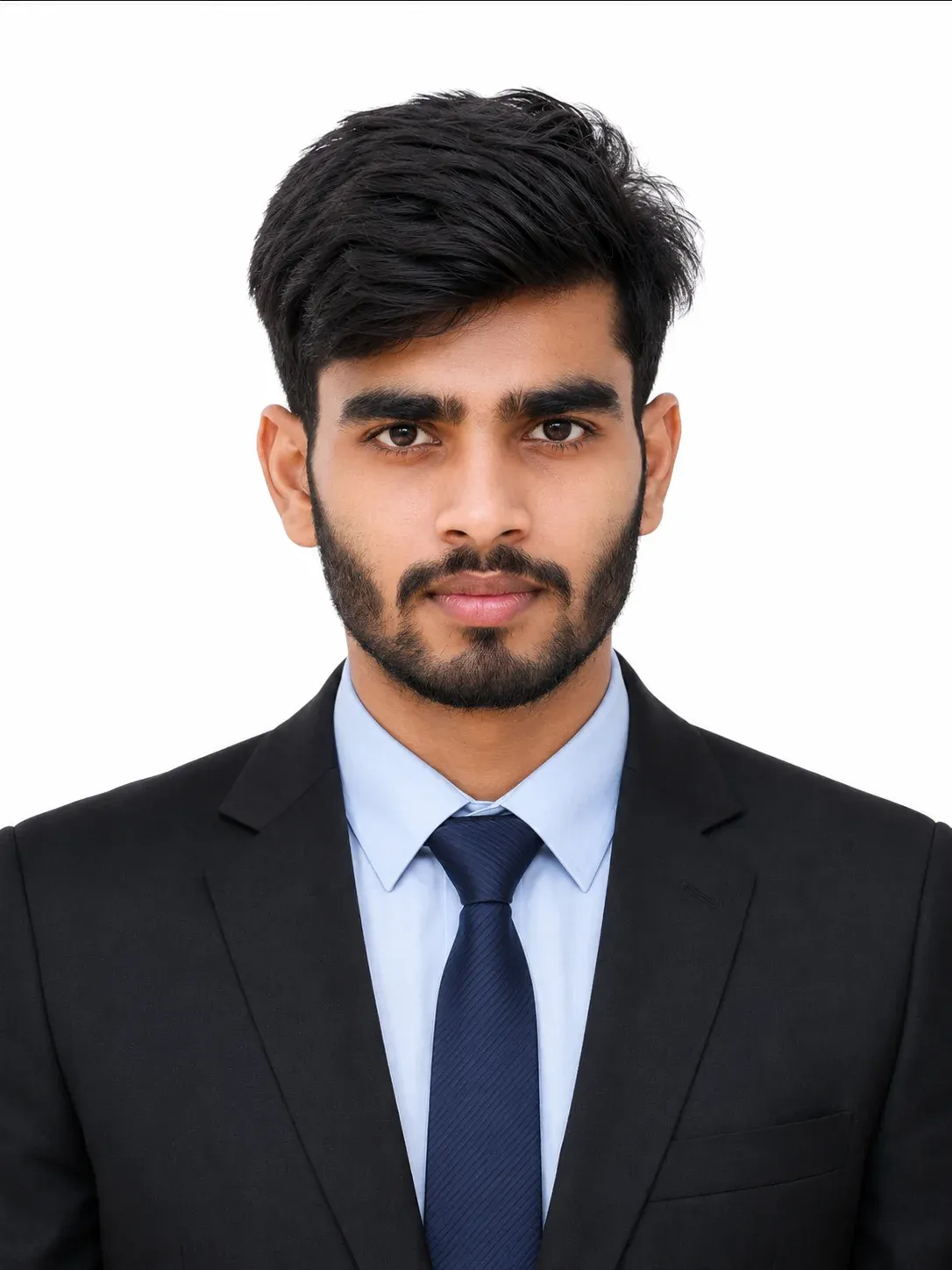
7. Natural Daylight Portrait with Soft and Realistic Appearance
This prompt for passport size photo in chatgpt to creates a natural-looking portrait with smooth skin tones, minimal shadows, and a relaxed expression. The daylight-style lighting and simple background produce a realistic and clean image that feels less artificial and more authentic. It is ideal for users who prefer a soft and modern portrait style.
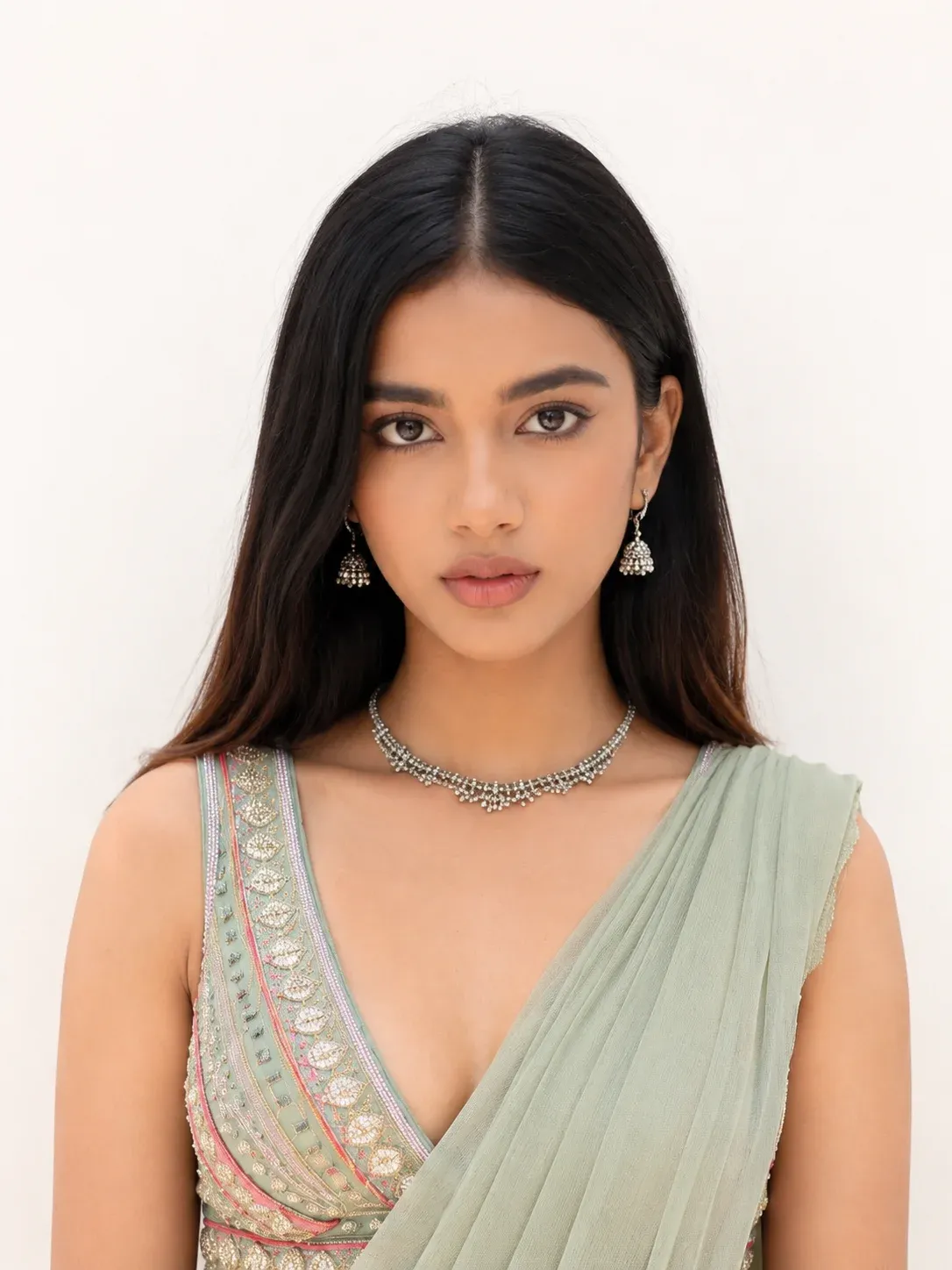
8. Formal Three-Piece Suit Portrait with Multi-Photo Layout
Create a sharp and professional portrait featuring a formal three-piece suit, neutral expression, and balanced lighting. This prompt for passport size photo with suit is ideal for generating multiple identical photos on a single sheet for printing and official use. The clean background and studio-quality finish help create a modern and professional appearance.
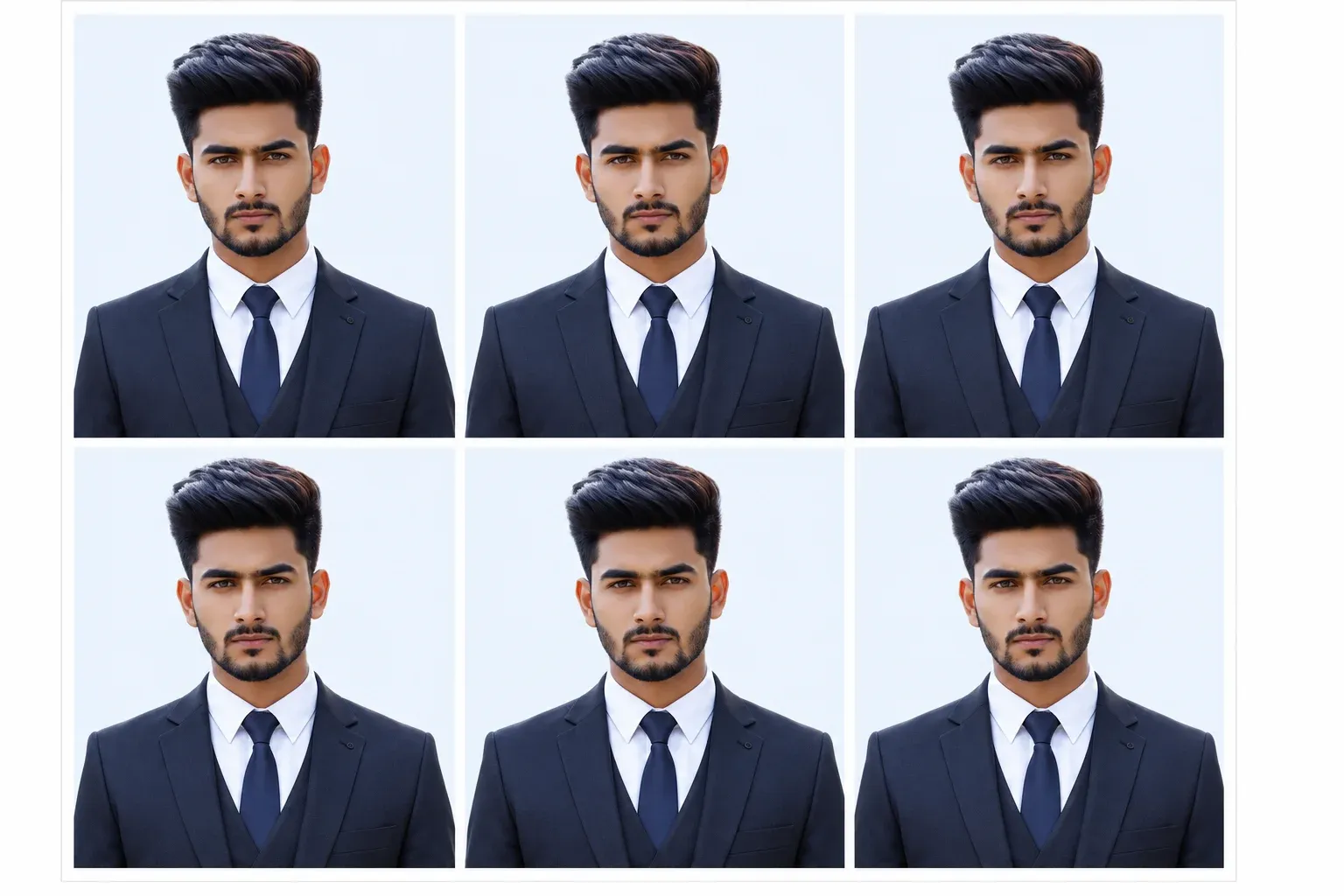
9. Compact Professional Portrait with Blue Background Style
This indian passport size photo prompt generates a realistic and high-resolution portrait with formal attire, natural facial details, and a soft blue background. The clean composition and studio-quality lighting create a polished and stylish result suitable for professional profiles, office documents, and modern digital use. The multi-photo layout also makes it useful for print-ready formats.
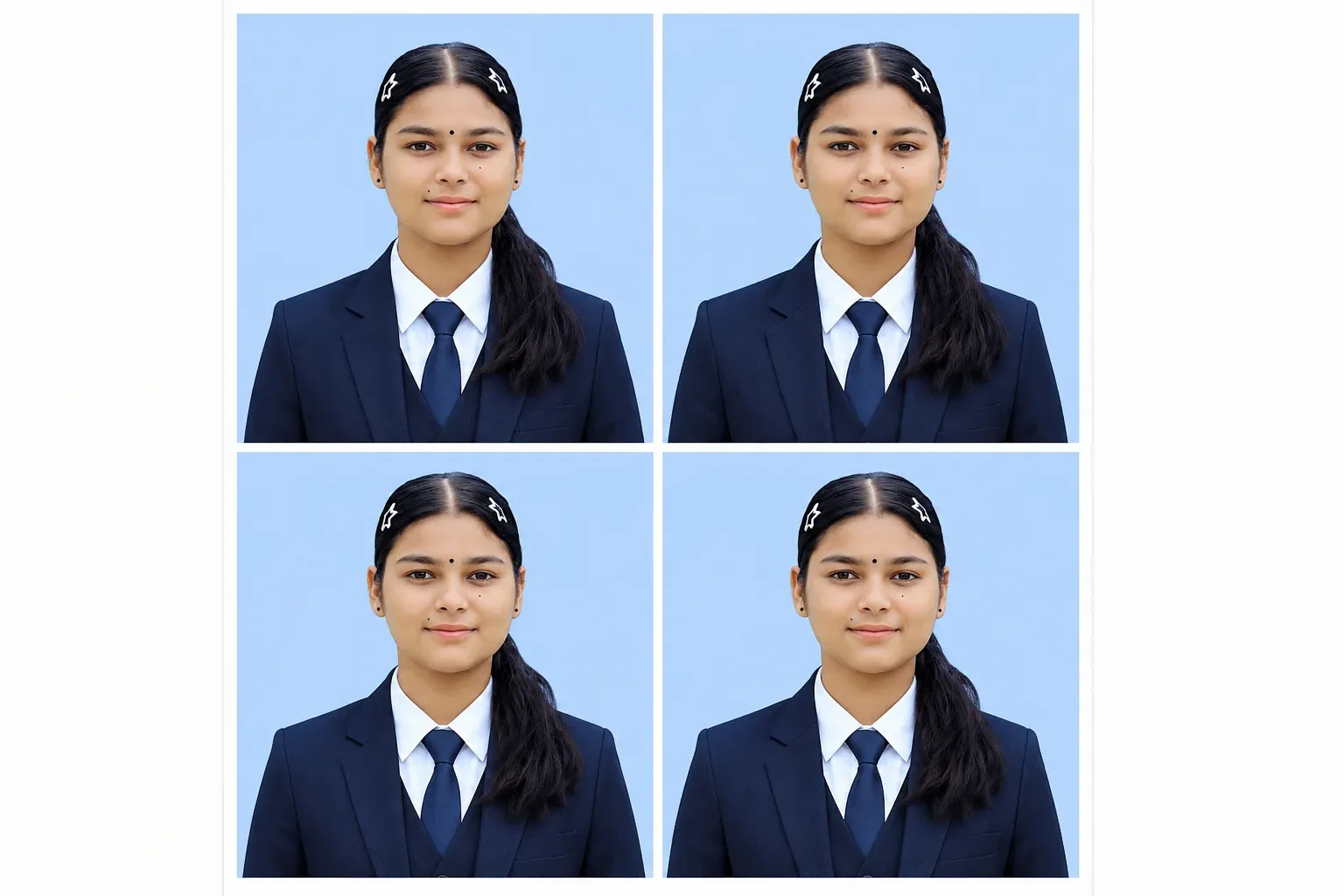
How to Create a Passport-Style Photo With ChatGPT
Creating a clean professional portrait is easier when you work step by step.
Step 1: Upload a Clear Front-Facing Photo
Choose a recent image with:
- Good facial visibility
- Natural lighting
- Minimal blur
- Clear eyes
- No heavy filters
- No strong beauty effects
- Limited face obstruction
A clear reference gives the AI more useful information about your actual appearance.
Step 2: Choose the Prompt Style
Decide what you need the photograph for.
For example:
- Resume
- Office profile
- Portfolio
- College profile
- Printable portrait sheet
- Professional website
- Application mockup
Then select the most appropriate prompt.
Step 3: Customize the Clothing and Background
You can change details such as:
- Black suit
- Navy blazer
- White shirt
- Tie or no tie
- White background
- Off-white background
- Light cream background
- Light-blue background
Keep the styling simple.
A passport-style portrait usually looks more professional when the background and clothing do not compete with the face.
Step 4: Generate the First Image
Review the complete photograph.
Check:
- Face
- Eyes
- Hair
- Ears
- Shoulders
- Suit collar
- Tie
- Background
- Skin texture
- Facial shadows
Step 5: Correct One Issue at a Time
If the portrait is already close to what you want, use focused follow-up instructions.
For example:
“Keep the face, suit, white background, crop, and lighting unchanged. Correct only the tie so it sits naturally in the centre.”
This can help preserve the parts that are already correct.
How to Keep Your Face Recognizable
A professional portrait is not very useful if the AI makes you look like a different person.
Start With a Good Reference
Use a clear image where the face occupies enough of the frame to show important details.
Avoid distant full-body photos when facial likeness is your priority.
Tell ChatGPT What to Preserve
Include an instruction such as:
“Preserve my recognizable facial characteristics, face shape, hairstyle, approximate age, skin tone, and natural proportions.”
Avoid instructions claiming that the model must produce a guaranteed “100% exact” face. Generative image tools can still introduce small changes.
Keep Beauty Retouching Minimal
For professional portraits, natural usually looks better.
Ask for:
- Realistic skin texture
- Natural pores
- Accurate facial proportions
- Subtle shadows
- Restrained retouching
Avoid:
- Plastic skin
- Extreme sharpening
- Unrealistic eye enlargement
- Heavy facial reshaping
What If ChatGPT Changes the Face?
Use a targeted follow-up edit.
Face Correction Prompt
<!– wp:shortcode –>
<!– /wp:shortcode –>
White Background vs Blue Background Passport-Style Photos
Both colours are commonly seen in professional portrait photography, but they are not interchangeable for every official purpose.
White Background
A white or off-white background creates a clean, minimal look.
It is popular for:
- Professional headshots
- Application profiles
- Resume photos
- ID-style mockups
- Certain official photo standards
Light-Blue Background
A light-blue background is often used for:
- Office IDs
- Employee records
- School or college profiles
- Local application photos
- Professional studio prints
However, official requirements vary.
Never assume that a blue background will be accepted for a passport or visa simply because it looks like a traditional passport-size photograph.
How to Make Passport-Style AI Photos Look Realistic
Keep the Background Simple
A plain background is usually enough.
Avoid:
- Gradients
- Furniture
- Windows
- Decorative objects
- Strong textures
- Dramatic shadows
Use Balanced Front Lighting
Passport-style portraits generally benefit from even facial illumination.
Try:
“Soft balanced front lighting with no harsh shadows.”
Use a Straight Camera Angle
Avoid cinematic low angles or dramatic side profiles.
A simple front-facing head-and-shoulders composition is more appropriate.
Keep Expressions Natural
A calm neutral expression or subtle closed-mouth smile usually looks more professional than an exaggerated grin.
Use Realistic Clothing
Describe actual garments.
For example:
“Black tailored blazer, white cotton shirt, and matte black tie.”
Specific fabric and clothing instructions can produce a more believable result.
Can AI-Generated Passport Photos Be Used for Official Documents?
Do not assume that they can.
Official Rules Come First
Passport and visa authorities can have strict requirements covering:
- Image dimensions
- Background
- Head position
- Expression
- Glasses
- Religious headwear
- Recency
- Retouching
- Cropping
- Digital alteration
- AI editing
Some authorities explicitly prohibit AI-generated or digitally altered passport photos.
For example, current U.S. passport guidance requires an original, unchanged photograph and says not to use artificial intelligence or digital editing to alter the image.
Always check the official requirements for your specific country and document before submitting a photo.
Best Uses for These AI Prompts
These prompts are better suited to:
- Resumes
- CVs
- Company profiles
- Professional websites
- Portfolio pages
- Personal branding
- Office-profile mockups
- Non-regulated digital profiles
Common Problems With Passport Size AI Photos
The Face Looks Different
Use a sharper reference photograph and reduce the number of changes requested at once.
The Skin Looks Too Smooth
Ask for natural skin texture and minimal retouching.
Glasses Look Artificial
Remove them from the prompt unless they are important for the intended non-official portrait.
For actual passport submissions, check whether glasses are allowed by the relevant authority.
The Suit Looks Fake
Describe the clothing more clearly.
Specify the jacket, shirt, tie, material, and natural fabric folds.
The Background Has Shadows
Ask for a plain evenly lit background with no visible objects or gradients.
The Head Is Cropped Incorrectly
Request the complete head, hair, neck, and shoulders with comfortable space above the head.
Multi-Photo Copies Look Different
Tell ChatGPT to first create one final portrait and then duplicate that exact image across the sheet.
FAQs
What Is a Passport Size Photo Prompt for ChatGPT?
A passport size photo prompt for ChatGPT is an AI image instruction designed to create a clean head-and-shoulders portrait with professional clothing, simple lighting, a plain background, and centred framing.
These prompts are particularly useful for professional profile photos, resumes, LinkedIn, and portrait mockups.
Can I Copy and Paste These Passport Photo Prompts?
Yes.
Each prompt above is written as a copy-paste template.
You can change the clothing, background colour, sheet layout, and other details according to your needs.
Can I Upload My Own Photo to ChatGPT?
Yes. ChatGPT Images supports editing uploaded images.
Use a clear photograph and explain which facial details, hairstyle, and natural characteristics should remain recognizable.
Which Background Is Best for a Passport-Style Photo?
White and off-white are the safest choices when you want a clean, official-looking style.
Light blue can also work well for office IDs and professional prints, but actual passport and visa requirements depend on the issuing authority.
What Should I Wear in a Professional Passport-Style Portrait?
Simple formal clothing usually works best.
Options include:
- Black suit
- Navy blazer
- White shirt
- Simple tie
- Formal blouse
- Plain professional outfit
Avoid distracting patterns and oversized accessories.
Can AI-Generated Photos Be Used for a Real Passport?
Do not assume so.
Government authorities can prohibit AI-generated or digitally altered images. Check the official passport or visa photo requirements for the relevant country before submission.
If the authority requires an original, unedited photograph, use a genuine camera photo instead.
Why Does ChatGPT Change My Face?
AI image generation reconstructs visual information rather than simply copying every pixel of your original face.
Clear reference photos, specific preservation instructions, and smaller follow-up edits can improve resemblance.
How Can I Create Six Passport-Style Photos on One Sheet?
First generate one portrait you are happy with.
Then ask ChatGPT to arrange six identical copies of that exact portrait on one sheet with equal spacing and consistent dimensions.
Can I Create Four Ticket-Size Photos With a Blue Background?
Yes, for design or printing purposes where that format is appropriate.
Ask for one final light-blue-background portrait and then request four identical copies on a single sheet.
What Makes a Passport-Style AI Photo Look Professional?
A strong portrait usually combines:
- Centred framing
- Straight camera angle
- Clean background
- Balanced lighting
- Natural skin
- Professional clothing
- Sharp facial detail
- Minimal retouching
Final Thoughts
A good passport size photo prompt for ChatGPT can turn a casual reference image into a clean professional portrait for resumes, LinkedIn, office profiles, personal branding, and other digital uses.
The key is not adding more effects.
Passport-style photography works best when it stays simple.
Start with a clear reference image and preserve the person’s natural facial characteristics. Choose professional clothing, use a plain background, keep the head centred, and request soft balanced lighting.
If the first result is close to what you need, refine individual details rather than regenerating the entire photograph.
You can also create useful layouts such as six-photo or four-photo sheets once the main portrait is finalized.
Most importantly, separate a passport-style AI photo from an official passport photo.
AI can be excellent for professional headshots and creative mockups, but government passport and visa agencies may require an original, unedited photograph and may reject AI-generated images.
Always follow the current rules of the authority receiving the photograph.