What Is a Black and White Family Photo Prompt?
Why Black and White Family Portraits Work So Well
Best Details to Include in Your Gemini Family Photo Prompt
A black and white family photo prompt is a detailed instruction that tells Gemini AI how you want a monochrome family portrait to look.
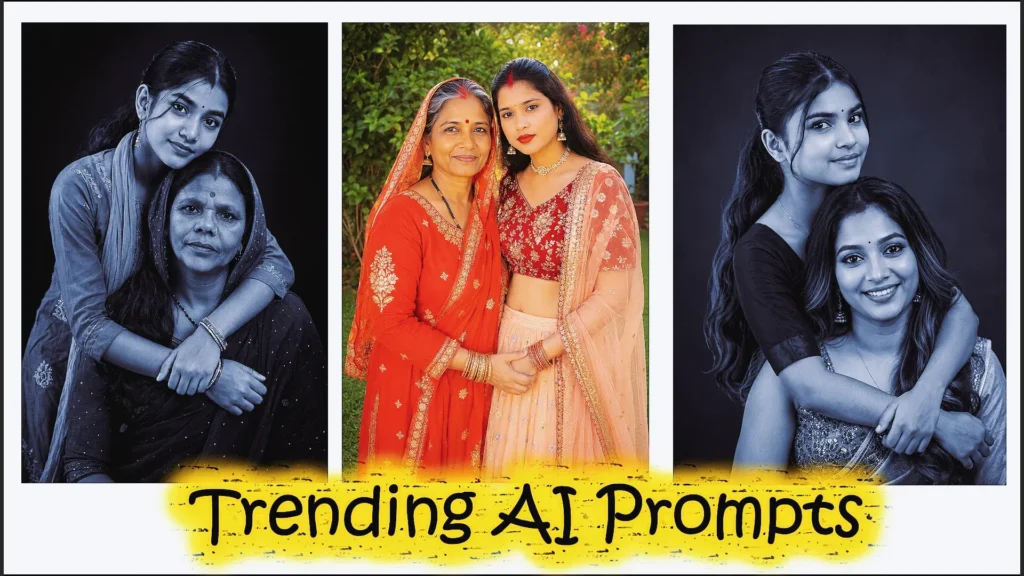
Instead of relying on colour, black-and-white photography draws attention to faces, expressions, light, shadows, body language, and relationships between family members. This makes monochrome portraits especially suitable for emotional family photographs, parent-and-child images, studio portraits, generational photos, and candid family moments.
A strong prompt should explain who appears in the image, how family members should pose, what they should wear, where the photograph takes place, how the scene is lit, and what kind of emotional atmosphere you want.
Useful details include:
- Number of family members
- Relationship between subjects
- Clothing style
- Facial expressions
- Sitting or standing position
- Studio or lifestyle setting
- Lighting direction
- Background style
- Contrast level
- Camera framing
- Emotional mood
- Details from reference photos that should remain recognizable
The prompts below can be copied and customized for your own family-photo ideas.
How to Create Black and White Family Photos With Gemini AI
Creating an effective family portrait is easier when you build the image step by step.
Step 1: Choose Clear Family Photos
If you are working from reference images, choose photographs where each person’s face is clearly visible.
Images with natural lighting, limited blur, and unobstructed faces generally provide better visual references than highly filtered or extremely dark photographs.
Step 2: Decide on the Family Portrait Style
Before writing the prompt, decide what kind of image you want.
Popular options include:
- Formal studio portrait
- Candid family moment
- Parent and baby portrait
- Three-generation photograph
- Close family hug
- Playful family composition
- Minimal black-background portrait
- Lifestyle photograph
- Fine-art monochrome portrait
- Outdoor family scene
Step 3: Describe What Should Remain Recognizable
When working with family reference photos, explain which characteristics matter.
For example:
“Use the uploaded photographs as visual references. Preserve the recognizable facial characteristics, approximate ages, hairstyles, and natural appearance of each family member.”
Avoid assuming that an AI image tool will reproduce every face perfectly. Generative editing can still introduce variations.
Step 4: Describe the New Portrait
Now explain the pose, lighting, background, clothing, and mood.
The more clearly the scene is described, the easier it becomes for the image model to understand your intention.
Step 5: Refine One Problem at a Time
If the first image is mostly correct, avoid completely changing the prompt.
Instead, try:
“Keep the family members, clothing, pose, background, and composition unchanged. Soften the shadows slightly and make the facial expressions more natural.”
Focused refinements can provide more control than repeatedly starting from scratch.
Best Black and White Family Photo Prompts for Gemini AI
The following prompts cover different family sizes, moods, and photography styles.
1. Tender Vertical Family Bond – Emotional Bed Portrait
A heartwarming black white family photo prompt capturing a vertical composition of parents and baby in an intimate bed setting with soft natural lighting and emotional depth.
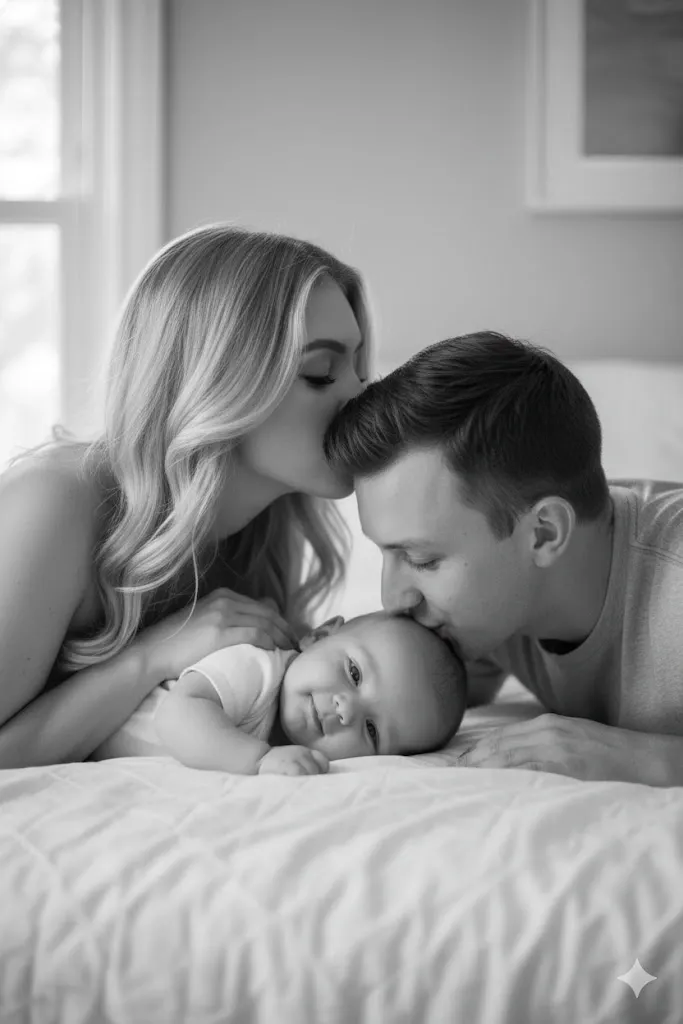
2. Cozy Lying Down Family Portrait
A cozy black and white family prompt featuring parents lying down with their baby, expressing warmth, love, and connection in a soft indoor setting.

3. Playful Studio Stack
A dramatic family photo prompts featuring a creative stacked pose with high-contrast studio lighting and a deep black background.
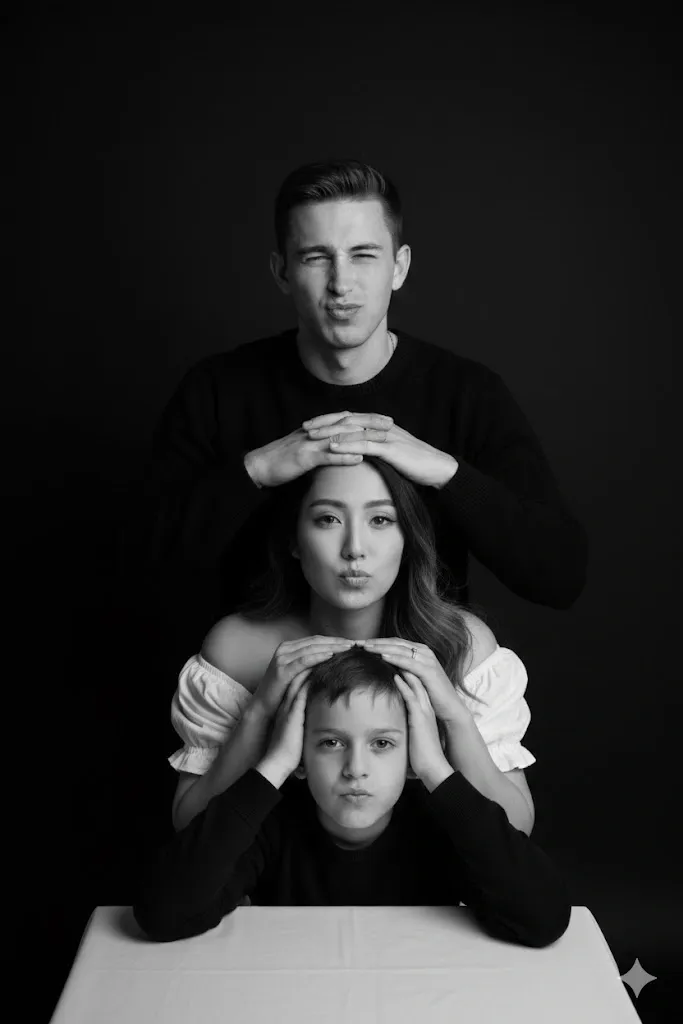
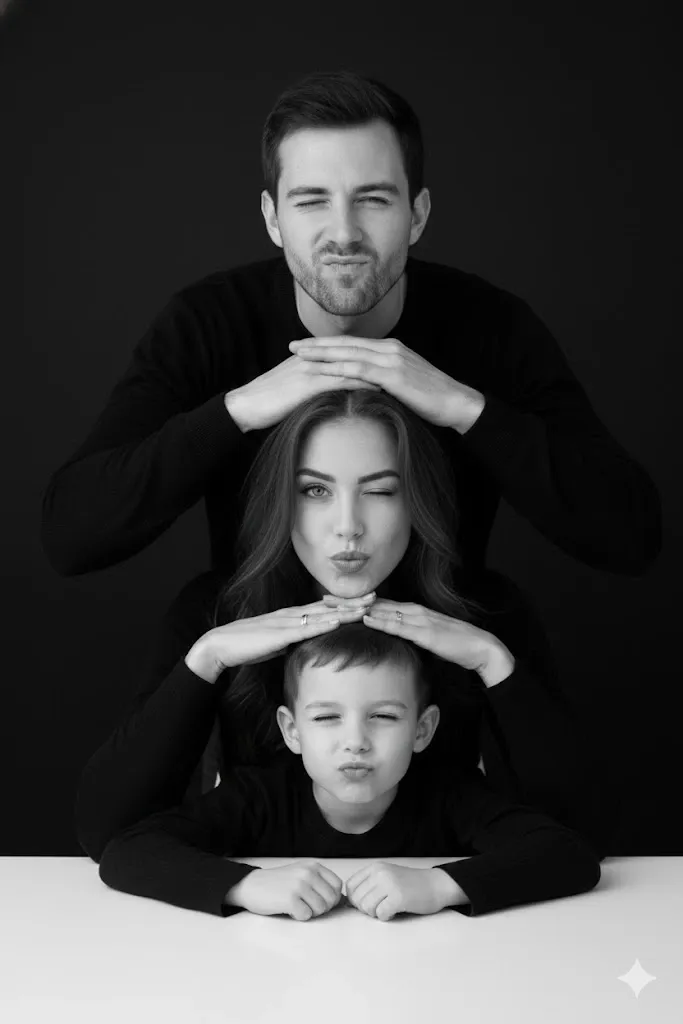
4. Four-Member Vertical Stack
A creative black and white cute family prompt for Gemini AI showcasing four members stacked vertically in a humorous and symmetrical studio composition.
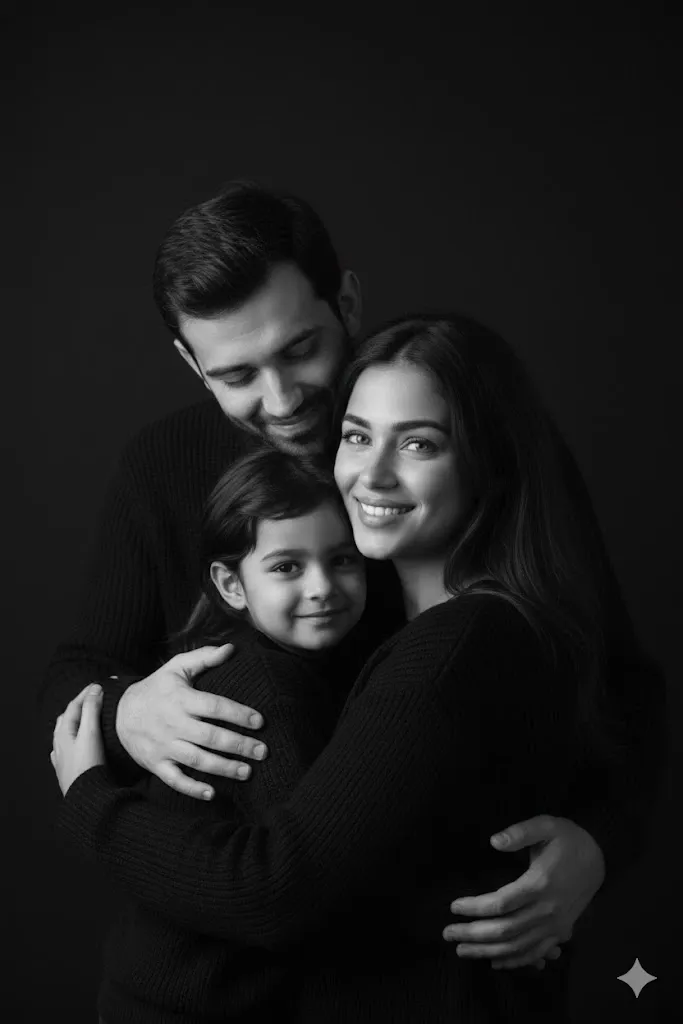
5. Close Hugging Indian Family
A cinematic family black and white photo prompt featuring a loving Indian family in a close embrace with professional studio lighting and dramatic contrast.
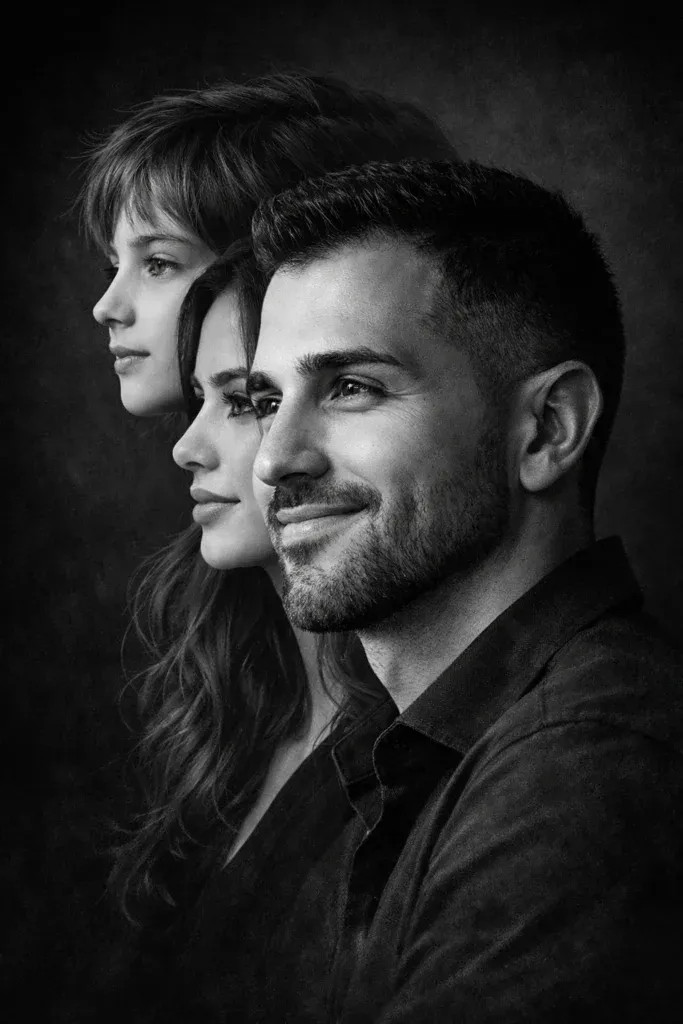
6. Generational Profile Composite
A captivating black and white composite family portrait featuring layered profile faces that create emotional depth and generational storytelling.
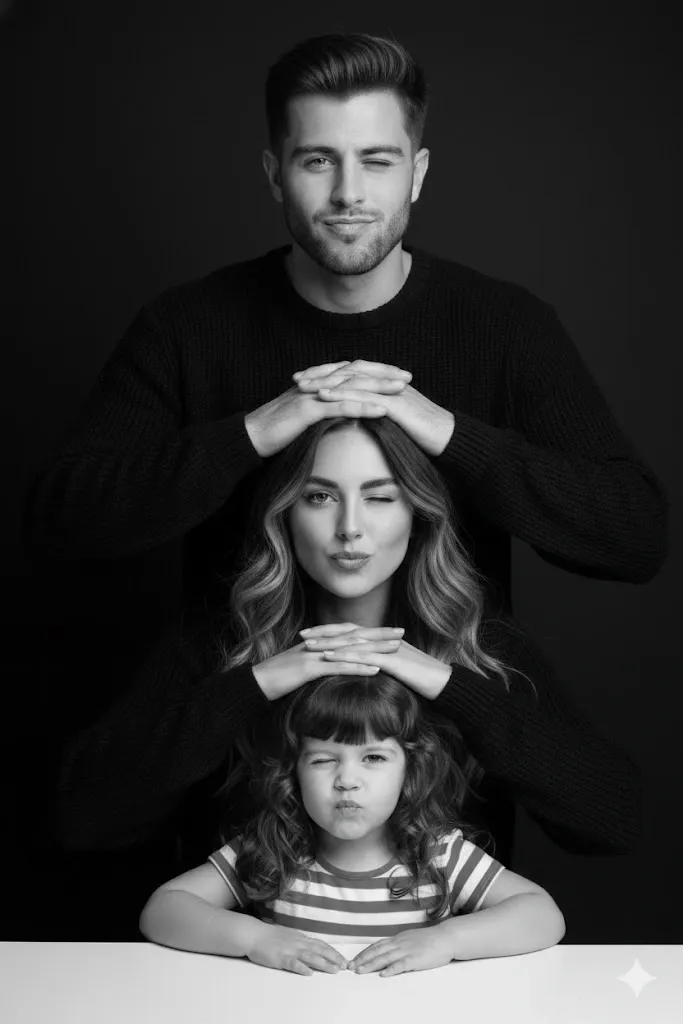
7. Minimalist Studio Humor
A minimalist gemini family photo prompt black and white combining playful expressions with timeless studio lighting and a clean black backdrop.
8. Candid Lifestyle Family Shoot – Natural Black and White Emotion
A lifestyle-inspired gemini black and white family photo prompt capturing candid affection, natural lighting, and cozy indoor warmth.
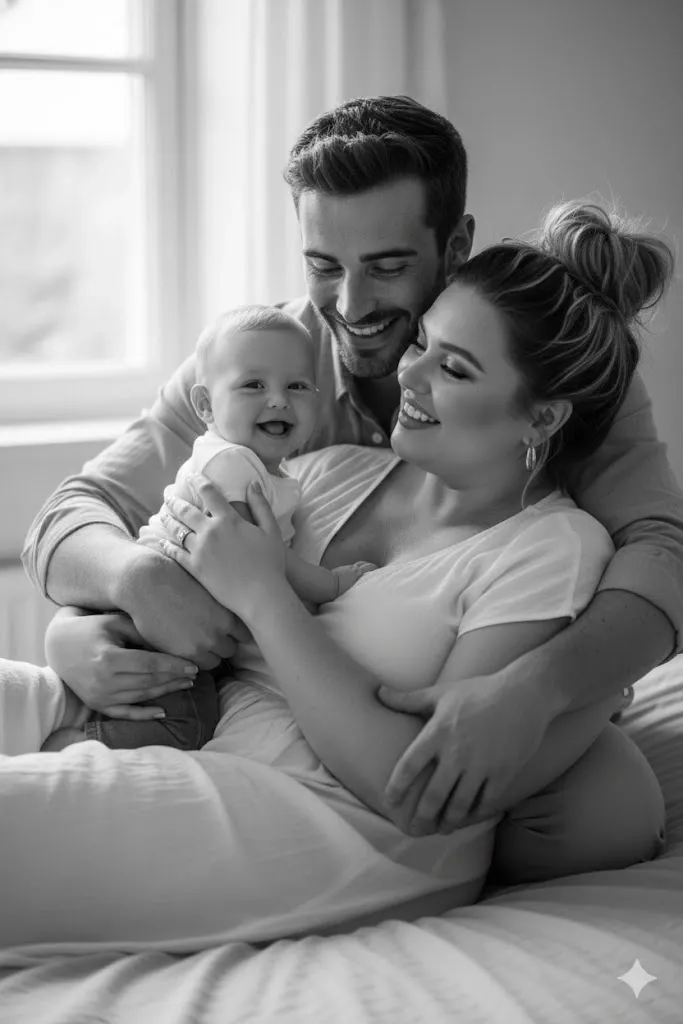
9. Vertical Axis Bed Composition – Soft Affection Portrait
An intimate black and white family prompt showcasing vertical face alignment with gentle affectionate gestures and natural lighting.

10. Forehead Kisses & Layered Affection
A touching black and white family photo prompt featuring layered affection and intimate close-up composition with soft shadow depth.
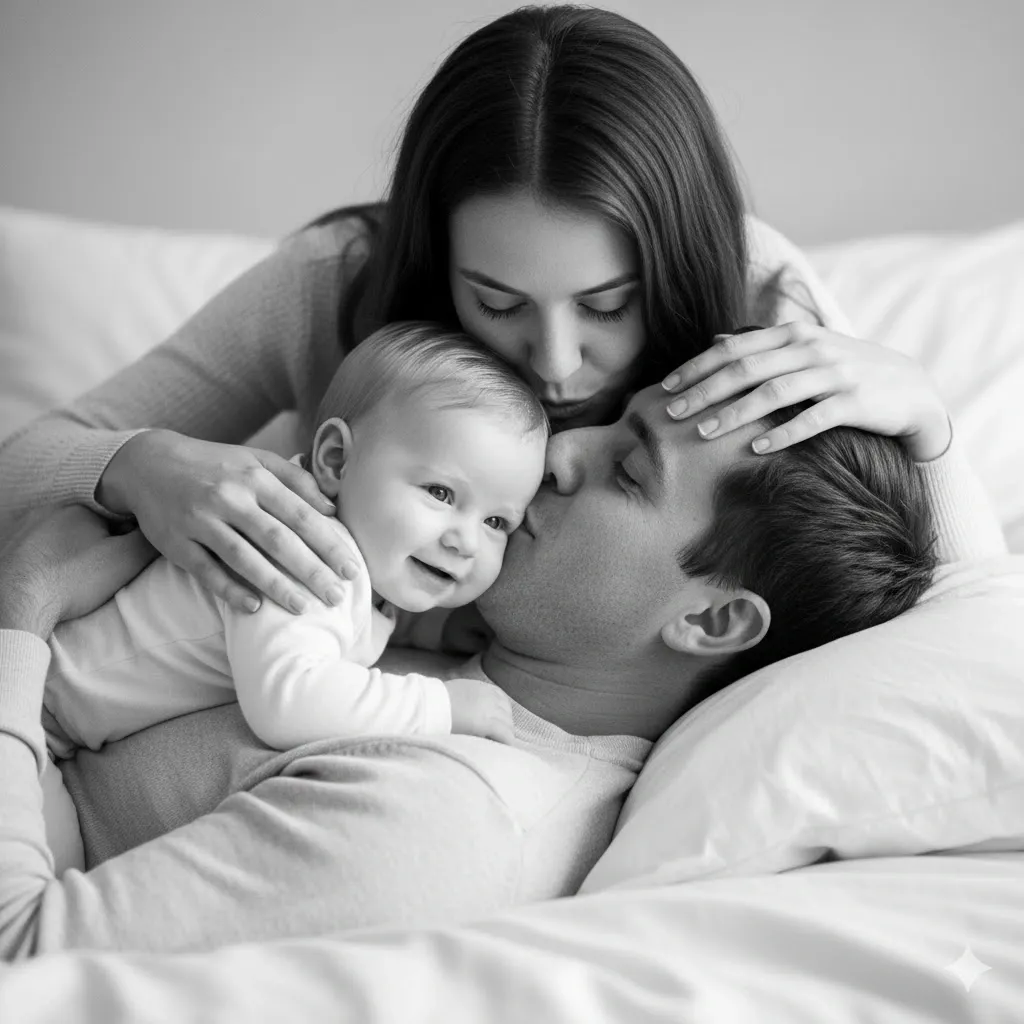
11. Classic Lying Down Family Frame
A timeless black and white family photo prompt highlighting parents lying down with their baby, emphasizing warmth, love, and connection.

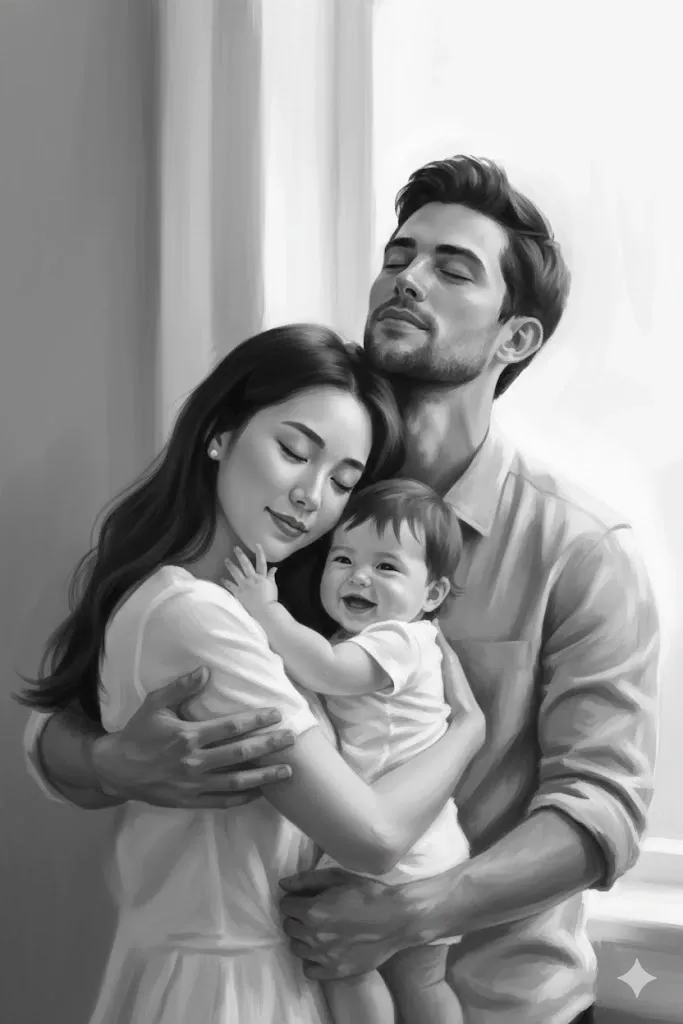
12. Impressionistic Black and White Family Art Scene
An artistic black and white prompt for family inspired by impressionistic style, featuring soft brushstrokes and luminous emotional depth.
Black and White Family Photo Prompt Formula
You can build your own Gemini prompt instead of relying only on ready-made examples.
Simple Prompt Formula
Use:
Reference photos + family members + recognizable details + pose + clothing + background + lighting + monochrome style + camera framing + mood
For example:
“Use the uploaded family photographs as visual references. Preserve the recognizable faces, approximate ages, hairstyles, and natural appearance of all four family members. Arrange the parents behind their two children in a close relaxed pose. Dress everyone in simple neutral clothing. Use a dark-grey studio background, soft side lighting, realistic skin texture, balanced black-and-white contrast, shallow depth of field, and professional portrait photography. Keep expressions genuine and affectionate.”
Why This Formula Works
It gives the AI a clear visual structure.
Rather than asking Gemini to make every creative decision, you define the people, pose, environment, light, photographic style, and emotional direction.
Elements You Can Customize
Change any of these details:
- Number of family members
- Standing or seated pose
- Formal or candid style
- Clothing
- Indoor or outdoor setting
- Light direction
- Background brightness
- Contrast
- Camera framing
- Facial expressions
Example Customization
Replace:
“dark-grey studio background”
with:
“bright bedroom with soft window light”
to turn the same basic family composition into a lifestyle portrait.
How to Get Better Black and White Results
A monochrome image needs more than simply removing colour.
Use Light and Shadow Carefully
Without colour, brightness and contrast become even more important.
Describe whether you want soft diffused light, dramatic side lighting, window light, or a high-key studio setup.
Ask for Tonal Detail
Strong contrast does not mean losing every detail in dark areas.
Try asking for:
“rich blacks, clean whites, detailed midtones, and visible facial texture.”
Keep Clothing Simple
Complicated patterns can compete with faces even in monochrome.
Solid black, grey, cream, white, denim, or simple textured fabrics usually create a cleaner family portrait.
Prioritize Expressions
Family portraits become more meaningful when expressions match the interaction.
A candid laugh, soft smile, loving glance, or peaceful expression can communicate more than an overly dramatic pose.
How to Keep Family Faces Consistent
Face consistency is especially important when several people appear in one generated composition.
Use Clear Reference Photos
Choose photographs with visible facial features and minimal obstruction.
Whenever possible, avoid extreme angles, sunglasses, heavy filters, or motion blur.
Identify Each Person Clearly
Instead of saying “keep the family the same,” describe the people separately.
For example:
“Preserve the recognizable appearance of the father, mother, older daughter, and younger son from the uploaded photographs.”
Avoid Claiming 100% Face Preservation
AI image generation can alter facial details even when reference images are supplied.
A more practical instruction is:
“Preserve the recognizable facial characteristics and natural appearance as closely as possible.”
What to Do When One Face Changes
Use a focused follow-up request.
Face Correction Prompt
Prompt:
Keep the current family composition, clothing, black-and-white style, background, lighting, and all other family members unchanged. Refine only the selected person’s facial appearance so it follows the uploaded reference more closely. Preserve their approximate age, hairstyle, face shape, and natural skin texture without adding excessive beauty retouching.
Common Problems With Black and White Family AI Photos
Faces Look Artificial
Ask for natural skin texture, realistic facial proportions, subtle expressions, and less beauty retouching.
Hands Look Incorrect
Simplify overlapping poses and clearly describe where each person’s hands should rest.
The Image Looks Too Dark
Request softer shadows, brighter facial exposure, and visible detail in the darker clothing.
Black and White Looks Flat
Ask for more separation between highlights, midtones, and shadows instead of simply increasing overall contrast.
Family Members Look Like Different Ages
Mention each person’s approximate age or request that their age characteristics remain consistent with the reference photos.
Background Distracts From the Family
Switch to a plain charcoal, grey, black, or softly blurred background.
Best Aspect Ratios for Black and White Family Photos
The best image shape depends on how you plan to use the finished portrait.
4:5 Portrait
Useful for family portraits, social-media feeds, and framed vertical photographs.
1:1 Square
Works well for social posts, profile-style family images, and simple group compositions.
3:2 Landscape
A good choice for traditional family photographs and printed albums.
16:9 Landscape
Useful for wide family scenes, website banners, and desktop displays.
Privacy Tips for AI Family Photo Editing
Family photographs can contain personal information, especially when children are included.
Use Photos You Have Permission to Edit
Only upload family photographs when you have appropriate permission to use them.
Protect Children’s Privacy
Avoid uploading images containing school IDs, addresses, documents, location details, or other unnecessary identifying information.
Review Images Before Sharing
AI may alter faces, hands, clothing, jewellery, or other details.
Check the finished photograph carefully before posting it publicly or using it in a printed family album.
Frequently Asked Questions About Black and White Family Photo Prompts
What Is the Best Black and White Family Photo Prompt for Gemini AI?
A strong prompt describes the family members, pose, clothing, facial expressions, background, light direction, contrast, and emotional mood.
If reference photos are being used, also specify which recognizable characteristics should remain.
Can Gemini Create Black and White Family Photos?
Gemini image tools can be used to create monochrome family-image concepts, and supported image-editing experiences can also work with uploaded reference images.
Feature availability may depend on the Gemini experience and account being used.
How Do I Make a Family Photo Black and White in Gemini?
If image editing is available for your account, upload the image and clearly ask for a monochrome transformation while preserving the family, composition, clothing, and facial appearance.
A useful instruction is:
“Convert this family photograph into professional black-and-white portrait photography. Preserve the people, pose, clothing, and composition. Improve tonal contrast, maintain natural skin texture, and use soft professional lighting.”
How Can I Make Gemini Keep the Same Family Faces?
Use clear reference photographs and identify which facial characteristics should remain recognizable.
Perfect identity reproduction should not be assumed, so review the result carefully.
What Lighting Is Best for Black and White Family Photos?
Soft window light works well for intimate family photographs, while directional studio lighting creates stronger shape and contrast.
The best option depends on whether you want a soft emotional portrait or a dramatic studio look.
Should Everyone Wear Black in a Black and White Family Portrait?
No.
Neutral clothing in different brightness levels can create useful visual separation.
Black, white, grey, cream, denim, and subtle textures can all work effectively.
Can I Create a Black and White Family Photo With a Baby?
Yes.
Keep the pose natural and age-appropriate, describe safe positioning, and make sure the baby’s face and body are realistically supported in the composition.
Can I Make a Three-Generation Family Portrait?
Yes.
Clearly identify the grandparents, parents, and children and explain how they should be arranged.
A wider composition often works better when several people are included.
Why Does My Black and White AI Photo Look Grey?
Low tonal separation can make the entire picture appear flat.
Ask for deeper blacks, clean highlights, detailed midtones, and stronger—but controlled—contrast.
What Is the Best Background for a Monochrome Family Portrait?
Dark-grey and black backgrounds work well for dramatic studio photographs, while off-white backgrounds create a softer modern appearance.
Lifestyle portraits can use bedrooms, living rooms, parks, beaches, or other simple environments.
Final Thoughts on Black and White Family Photo Prompts
Black and white family photography can turn simple moments into timeless portraits by focusing attention on expressions, relationships, light, and emotion.
The best Gemini prompts give clear creative direction instead of relying on generic commands.
Start by identifying the family members and any reference details that should remain recognizable. Then describe the pose, clothing, background, lighting, monochrome treatment, camera framing, and emotional tone.
For realistic results, pay special attention to faces, hands, natural body positions, shadows, and tonal detail.
You can use the prompts in this guide as ready-made starting points or customize the formula to create your own family portrait style.
Whether you want a formal studio image, a candid parent-and-child photograph, a generational portrait, or a relaxed outdoor family scene, a well-structured prompt gives the AI a much clearer picture of the result you want.