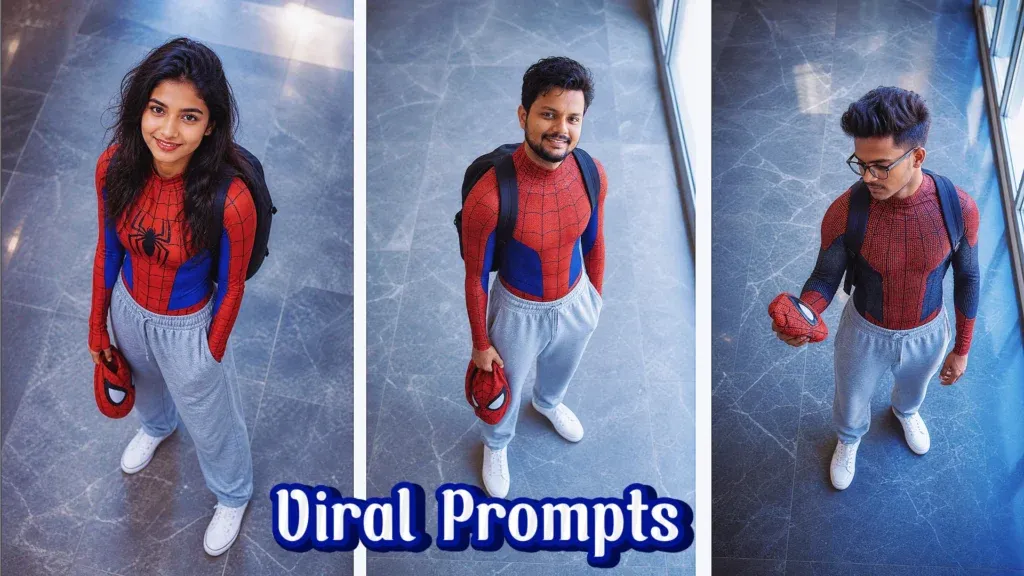
Spider-Man prompts for ChatGPT can help you create superhero-inspired portraits, cinematic city scenes, casual student looks, action shots, wallpapers, profile pictures and creative social-media images.
A strong AI image prompt does more than say, “Create a Spider-Man photo.” It tells ChatGPT what the character should wear, how the person should pose, where the scene takes place, what type of lighting should be used and how the final image should feel.
For example, you can create a realistic photo of someone holding a Spider-Man mask on a rooftop, a casual student-inspired superhero portrait, a dramatic rain scene, a female Spider-Man-inspired look or a cinematic city action shot.
ChatGPT Images also supports creating new images and editing uploaded images through written instructions, making it useful for both original AI art and personalized photo transformations.
This guide includes ready-to-use Spider-Man prompts for ChatGPT along with prompt formulas, editing tips, social-media ideas and answers to common questions.
What Is a Spider-Man Prompt for ChatGPT?
A Spider-Man prompt for ChatGPT is a written instruction that describes the Spider-Man-themed image you want AI to create.
The prompt may include:
- Character appearance
- Spider-Man suit style
- Mask placement
- Clothing
- Pose
- Facial expression
- Camera angle
- Background
- Lighting
- Weather
- Photography style
- Image orientation
- Overall mood
Why Detailed Spider-Man Prompts Work Better
AI image tools respond better when your creative idea is clear.
Instead of:
“Make me Spider-Man.”
Try:
“Use my uploaded photo as reference. Keep my recognizable facial appearance. Dress me in a detailed red-and-blue Spider-Man suit while holding the mask in one hand. Place me on a New York-style rooftop at sunset with cinematic lighting, realistic skin texture and dramatic city buildings in the background.”
The second prompt gives the image generator much more useful visual information.
How to Use Spider-Man Prompts in ChatGPT
Creating a Spider-Man AI photo can be done in a few simple steps.
Step 1: Open ChatGPT Images
Open ChatGPT and start an image-generation conversation.
You can either create a character from scratch or upload a photo if you want a personalized transformation.
Step 2: Upload Your Photo if Needed
Choose a clear image where your face and important features are easy to see.
A well-lit photograph usually provides a better reference than a blurred or heavily filtered image.
Step 3: Copy a Spider-Man Prompt
Choose one of the prompts below.
Customize details such as:
- Suit colour
- Pose
- Background
- Camera angle
- Weather
- Lighting
- Hairstyle
- Expression
- Image ratio
Step 4: Generate the Image
Submit the prompt and review the result.
Check the face, hands, suit details, body proportions and background.
Step 5: Refine the Result
If only one detail is wrong, ask ChatGPT to change only that element.
For example:
“Keep the face, suit, pose and city background unchanged. Correct only the left hand and make the fingers look naturally positioned.”
Best Spider-Man Prompts for ChatGPT for Boys
These prompts are designed for realistic male superhero portraits, casual looks and cinematic scenes.
1. SpiderMan Prompt for Girls
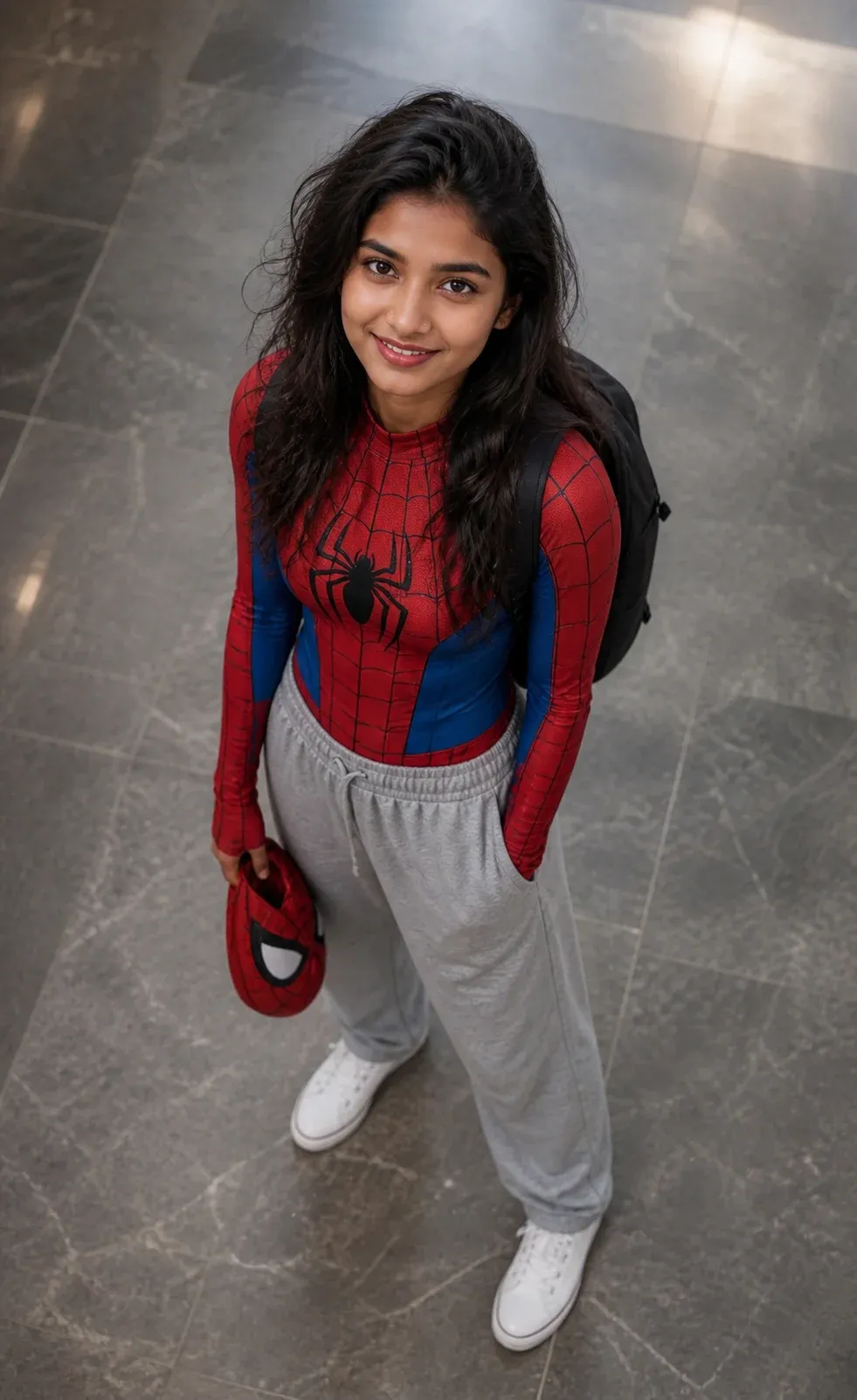
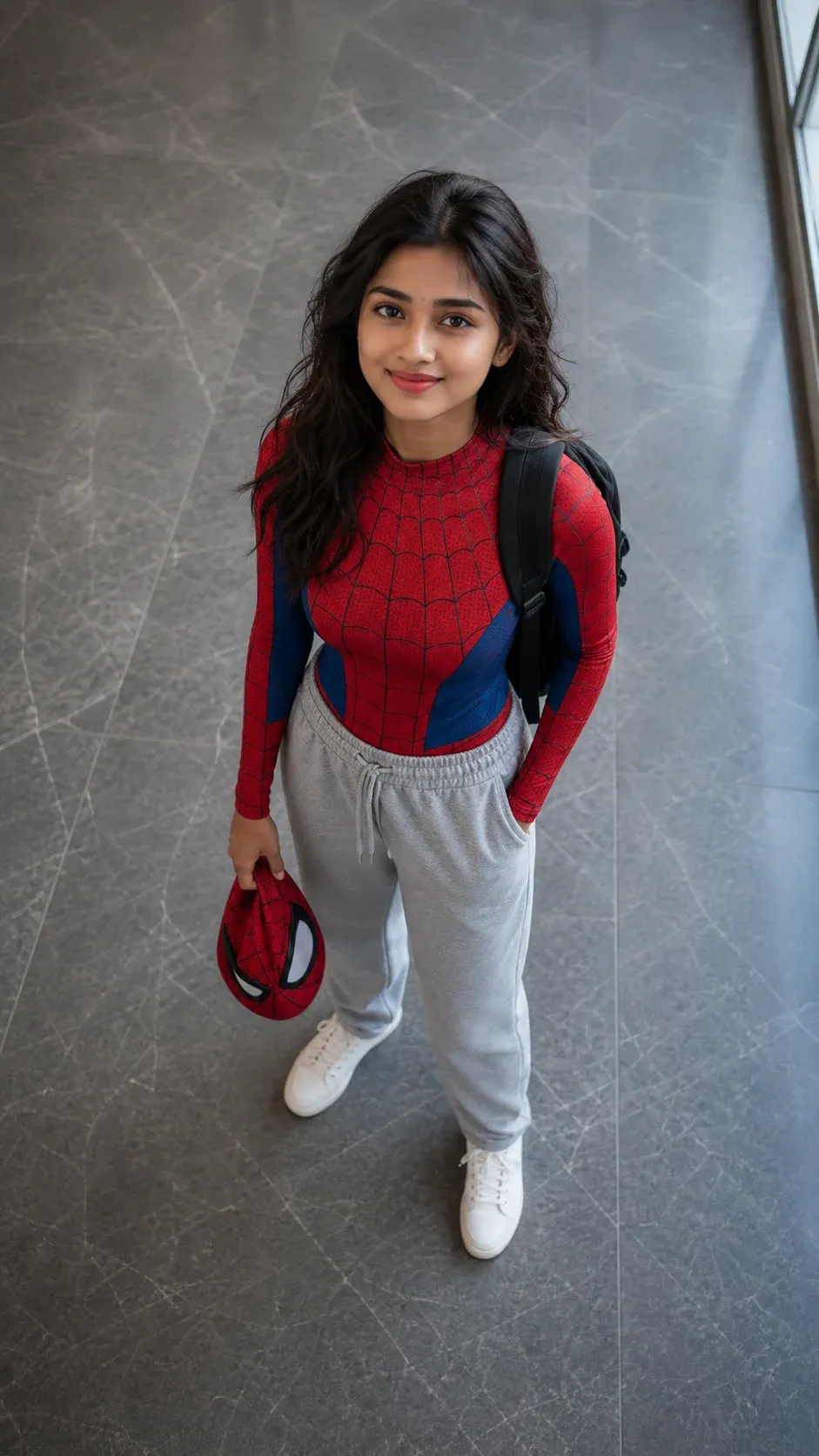
This spider man prompt chatgpt example captures a realistic and relatable superhero aesthetic by blending a classic spider-inspired suit with everyday casual wear. The high-angle perspective, soft natural lighting, and indoor marble floor setting create a cinematic yet grounded feel. This spider man prompt for girls works especially well for generating lifestyle-style AI images that feel authentic and story-driven. It’s a great spiderman prompt choice for beginners who want clean, visually appealing results without overcomplicating details.
2. Spider Man Prompt for Men
This spiderman prompt chatgpt focuses on a clean, minimal, and relatable student-inspired superhero concept. The combination of a spider-themed upper suit with relaxed sweatpants and a backpack adds a natural “after school” vibe. With its high-angle shot and soft lighting, this spider man prompt for men is ideal for creating balanced, realistic visuals. If you’re looking for a spiderman prompt for boys that feels casual yet visually strong, this setup delivers consistent results across most AI image tools.
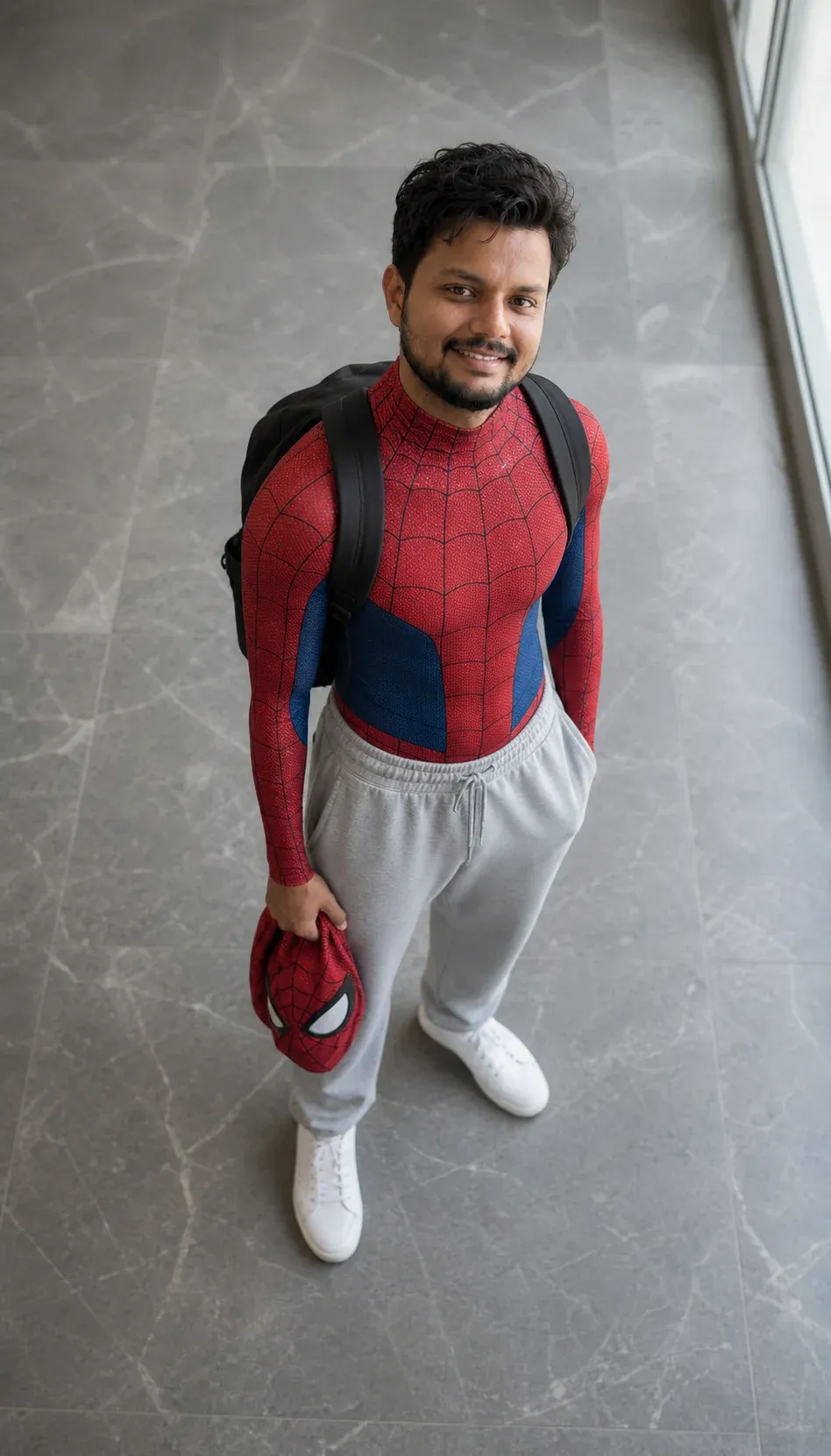
3. Cinematic Spider Man Prompt
This advanced spider-man prompt chatgpt is designed for ultra-realistic, cinematic output. It combines detailed character features like facial structure, glasses, and subtle expressions with professional photography elements such as 35mm lens style, depth of field, and directional lighting. The inclusion of a spider-inspired suit without logos ensures flexibility across platforms. This spider man prompt copy is perfect for creators aiming for high-end visuals, making it a strong spiderman prompt for portfolio-quality AI art and social media content.
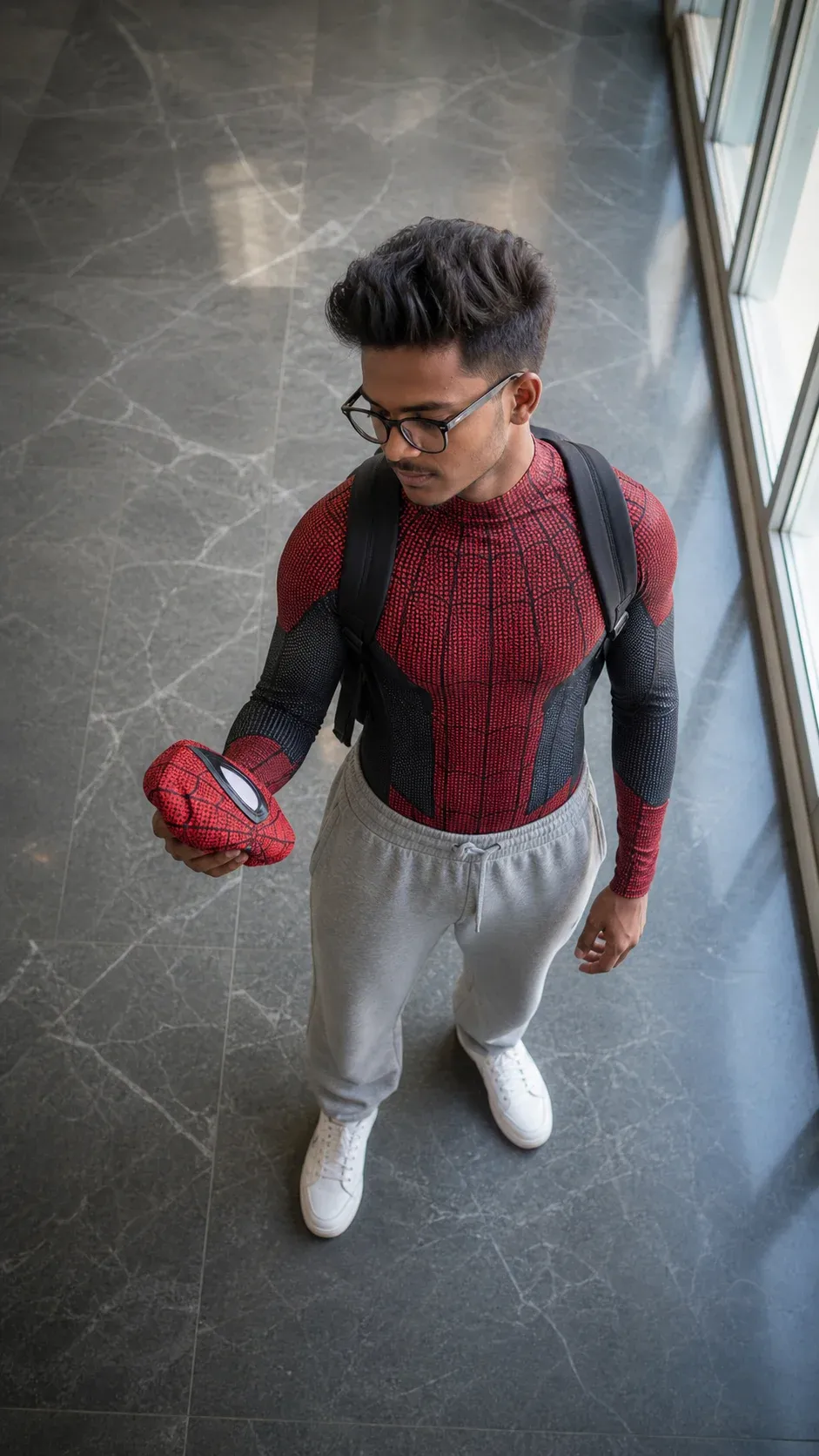
4. Spider Man Prompt for Girls
This spiderman prompt for girls highlights a simple yet powerful concept: merging superhero identity with everyday life. The relaxed pose, casual outfit combination, and soft lighting create an approachable and visually engaging result. As a spider man prompt chatgpt, it’s highly effective for generating consistent, clean images with a lifestyle feel. This prompt is ideal for users who want a repeatable spiderman prompt that maintains both realism and creative storytelling without unnecessary complexity.
Profile Picture Spider-Man Prompt
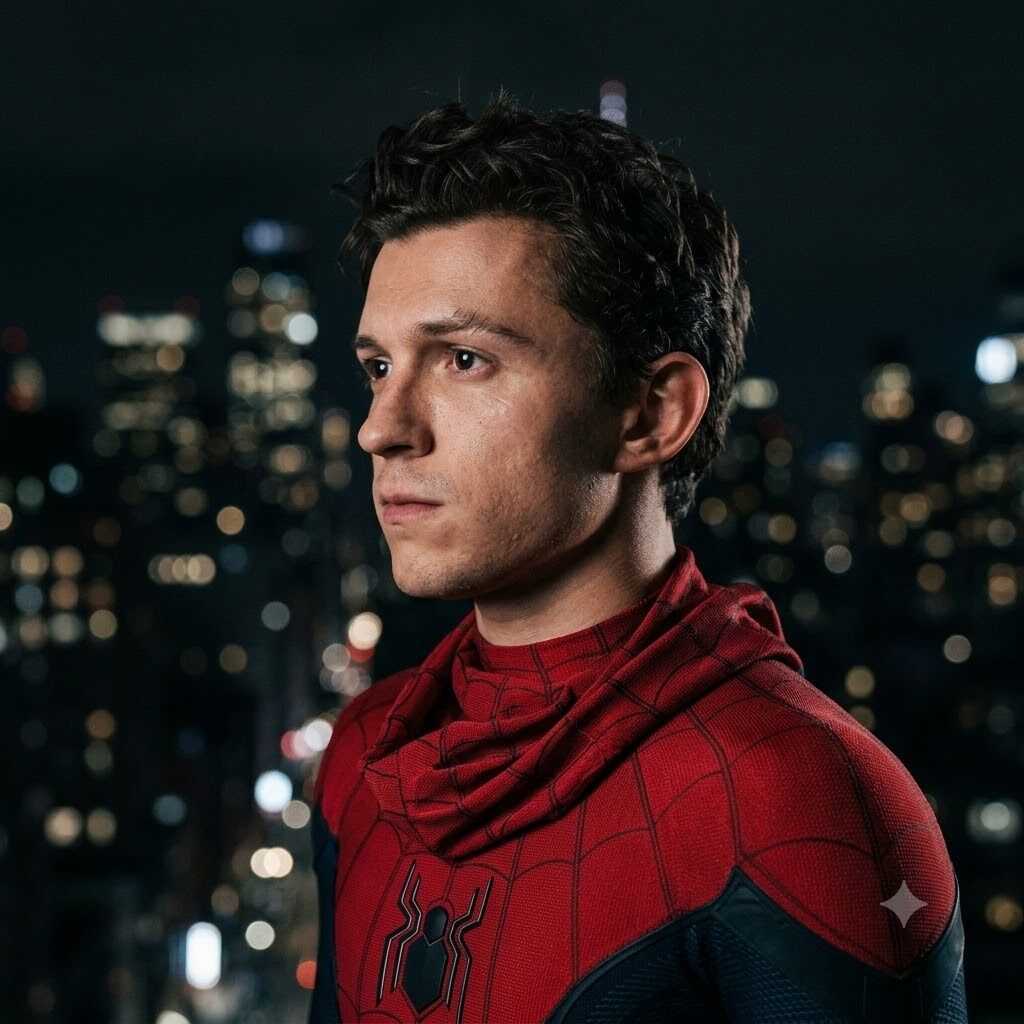
Responsible Use of Spider-Man AI Images
Spider-Man is an established fictional character and brand, so the way you use generated images matters.
Personal and Creative Use
Creating fan art, wallpapers, profile images or personal creative experiments is different from claiming official ownership or endorsement.
Avoid presenting unofficial images as official Marvel or Spider-Man promotional material.
Commercial Projects
If you plan to sell merchandise, advertisements or branded products featuring Spider-Man, consider the relevant intellectual-property and licensing requirements before publishing or selling them.
Photos of Real People
When transforming another person’s photograph, use images you have permission to edit and avoid creating misleading representations intended to deceive viewers.
Frequently Asked Questions About Spider-Man Prompts for ChatGPT
What Is the Best Spider-Man Prompt for ChatGPT?
The best prompt clearly describes the subject, Spider-Man suit, pose, mask position, setting, lighting, camera angle and visual mood.
If you are editing your own photograph, also specify which facial details should remain recognizable.
Can ChatGPT Create Spider-Man Images?
ChatGPT Images can generate images from written descriptions and can also edit uploaded images.
The exact result depends on the requested composition and the instructions provided.
Can I Turn My Photo Into Spider-Man?
You can upload a suitable reference image and ask ChatGPT to create a superhero transformation while preserving your recognizable appearance.
Clearly state what should remain unchanged and what should be transformed.
What Is a Good Spider-Man Prompt for Boys?
Popular options include rooftop portraits, casual student superhero looks, black-suit scenes, rain photography and cinematic city images.
What Is a Good Spider-Man Prompt for Girls?
You can use rooftop portraits, fashion-inspired superhero looks, casual streetwear combinations, cinematic city scenes or action compositions.
How Do I Make My Spider-Man AI Image Cinematic?
Describe the camera angle, lighting, background, weather and atmosphere.
Golden-hour backlighting, nighttime city lights, rain reflections and dramatic side lighting are useful starting points.
How Do I Make a Spider-Man Wallpaper?
Specify the required aspect ratio and tell ChatGPT where the character should appear.
For phone wallpapers, use a vertical composition. For desktops, request a wide horizontal image.
Why Does My Face Change When I Generate a Spider-Man Image?
Generative image systems reconstruct visual elements rather than simply placing a costume over an unchanged photograph.
Using a clear reference image, preservation instructions and focused follow-up edits can improve consistency.
Can I Create Spider-Man Images Without Uploading My Photo?
Yes.
Describe an original character’s age range, hairstyle, pose, clothing and environment instead of uploading a reference image.
Can I Edit Only the Spider-Man Suit?
Yes.
When working with an existing image, clearly tell ChatGPT to change only the suit while preserving the face, body position, background and lighting.
Final Thoughts
Spider-Man prompts for ChatGPT can be used to create everything from casual superhero portraits to cinematic rooftops, action scenes, mobile wallpapers and social-media visuals.
The key to better results is clarity.
Explain who appears in the image, what type of Spider-Man outfit they should wear, whether the mask is being worn or held, how the subject should pose and where the scene takes place.
Lighting, camera angle, background and image ratio also make a major difference.
When editing your own photo, clearly identify the features you want ChatGPT to preserve. If the first result is close but not perfect, refine one element at a time instead of replacing the entire prompt.
By combining clear instructions with creative storytelling, you can produce Spider-Man AI images that look more polished, cinematic and suitable for the platform where you plan to use them.