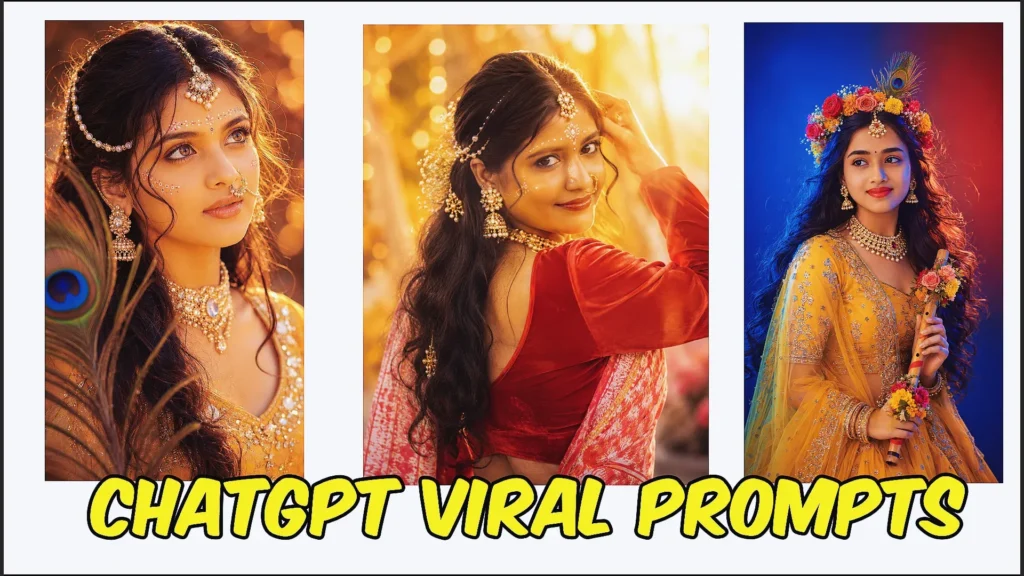
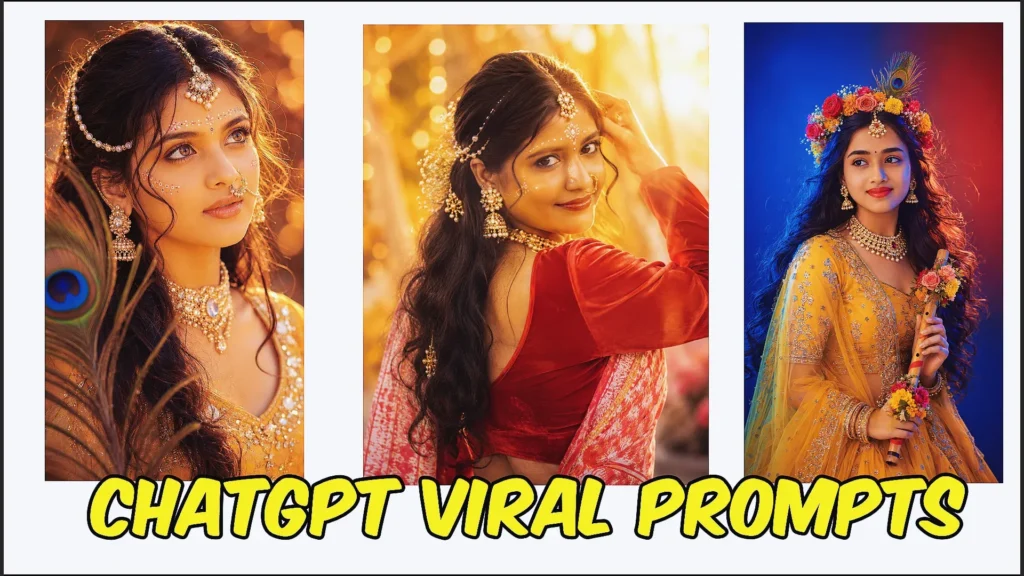
If you’ve been experimenting with AI image tools lately, you’ve probably noticed AI image generation has changed the way people experiment with bridal photography, wedding inspiration, Instagram edits, profile pictures, and traditional fashion looks.
One style getting more attention is the Odia bride prompt for ChatGPT trend. Instead of creating a generic Indian bridal portrait, users can describe regional clothing, jewellery, forehead decoration, saree styling, wedding settings, poses, and lighting to create a more distinctive Odisha-inspired look.
From elegant close-up portraits to traditional wedding scenes and modern bridal editorials, the right prompt can turn a simple reference photo into a polished wedding-inspired image.
Whether you want a red bridal saree look, a Sambalpuri-inspired portrait, a cinematic mandap photograph, an Instagram bridal edit, or a bride-and-groom composition, specific visual instructions make a noticeable difference.
In this guide, you’ll find ready-to-use Odia bride prompt copy-paste ideas for ChatGPT, along with practical tips for preserving facial resemblance, choosing bridal styling, improving realism, and refining AI-generated wedding photos.
ChatGPT Images can currently create new images and edit uploaded images through natural-language instructions, including targeted changes to specific parts of an existing image.
Why Odia Bride AI Prompts Are Trending
Regional Indian bridal styles have a personality of their own.
People increasingly want AI images that feel connected to a particular culture, textile tradition, wedding atmosphere, or family aesthetic rather than using the same generic bridal styling for every image.
Odia bridal prompts are especially useful for creating:
- Traditional bridal portraits
- Saree transformation photos
- Wedding Instagram posts
- Bridal Reel covers
- Close-up makeup portraits
- Mandap wedding scenes
- Bride-and-groom AI photos
- Vintage wedding photography
- Bridal fashion concepts
- Wedding moodboards
- WhatsApp profile pictures
- Bridal jewellery inspiration
Odisha also has a rich textile tradition that includes distinctive handwoven sarees and ikat work. Regional options include Sambalpuri textiles, Berhampur Patta, Bomkai, and other Odisha weaving traditions, although actual bridal choices vary by family, community, and personal preference.
That flexibility is useful when writing AI prompts.
You do not have to create every Odia bride in exactly the same outfit. Instead, you can choose the textile, colour palette, jewellery, hairstyle, and wedding environment that best fits the look you want.
Odia Bride Prompt Generator Free: 12 Realistic Bridal AI Prompts
Below are twelve ready-to-use Odia bride prompts you can copy and customize.
Change the saree, jewellery, pose, lighting, wedding setting, or aspect ratio according to your preferred style.
1. Realistic Odia Bride AI Prompt with Sindoor Detail
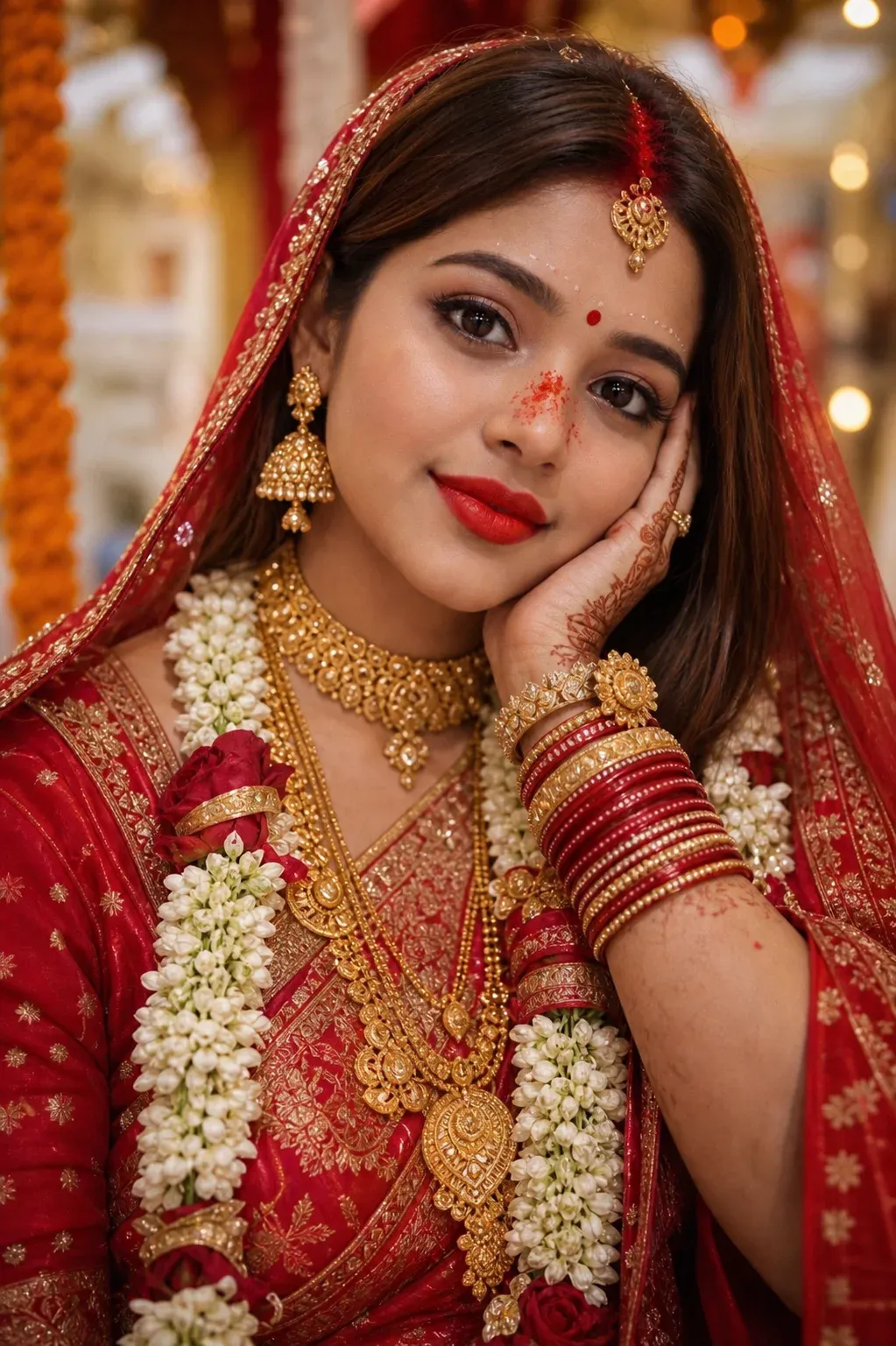
This odia bride prompt for chatgpt helps transform your uploaded image into a realistic post-wedding bridal portrait. It focuses on preserving the original face while adding authentic Odia bridal elements like heavy gold jewelry and a subtle sindoor touch on the nose after the ritual. Ideal for creating culturally accurate and emotionally rich AI portraits with a natural finish.
2. Cinematic Odia Bridal Look Prompt for ChatGPT
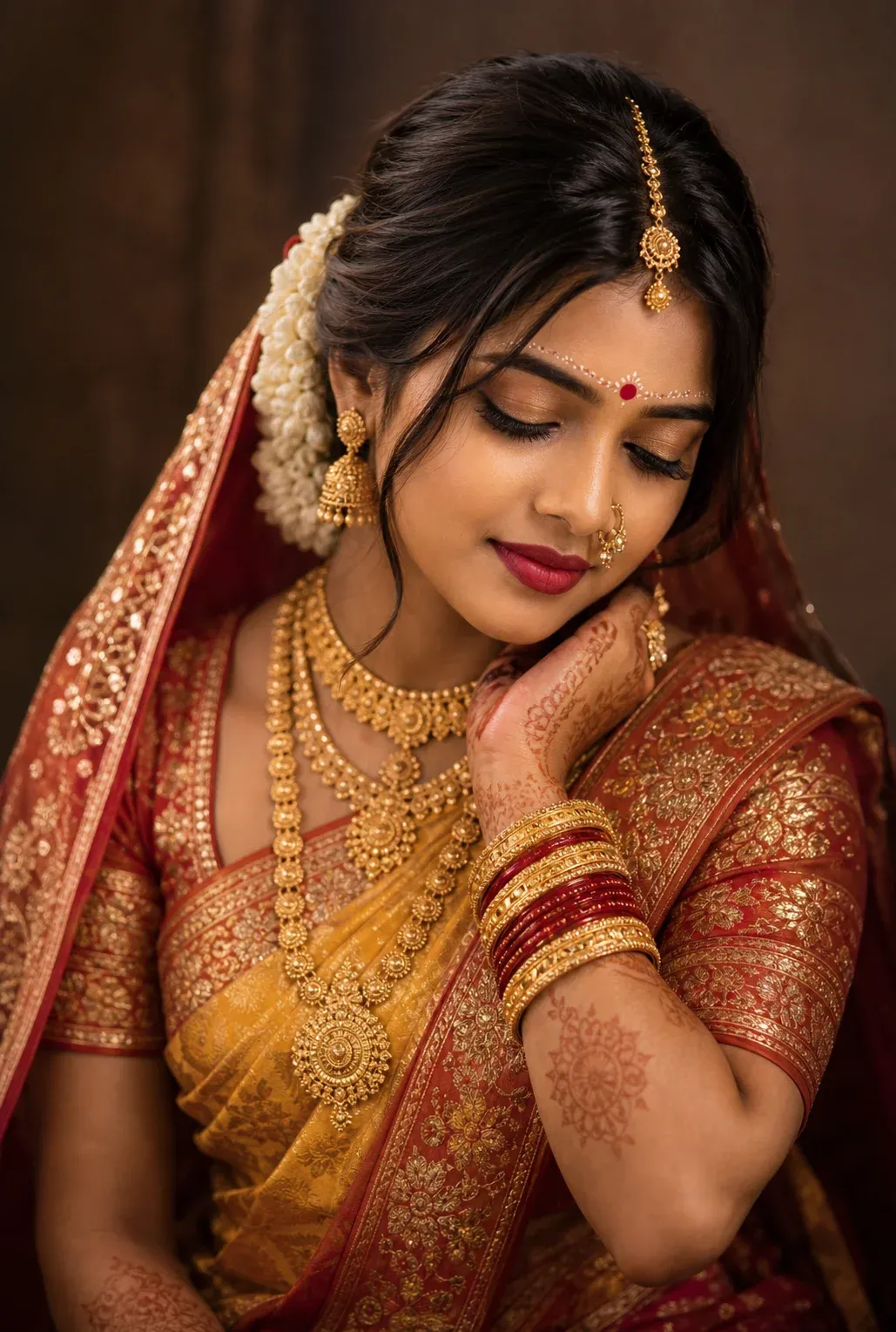
A detailed chatgpt odia bride prompt designed for a soft, cinematic studio look. Featuring a yellow saree with red-gold borders, traditional jewelry, and elegant bridal styling, this prompt is perfect for generating Instagram-ready portraits. The use of warm lighting and shallow depth enhances realism, making it a great choice for modern odia photo prompt creation.
3. Traditional Indian Bride Prompt with Odia Styling
This versatile indian bride prompt blends traditional aesthetics with Odia cultural elements. It includes silk saree details, gold jewelry, and signature bridal makeup with sindoor and decorative forehead designs. A great option for users looking to create refined, high-quality bride AI prompts with a cinematic and professional feel.
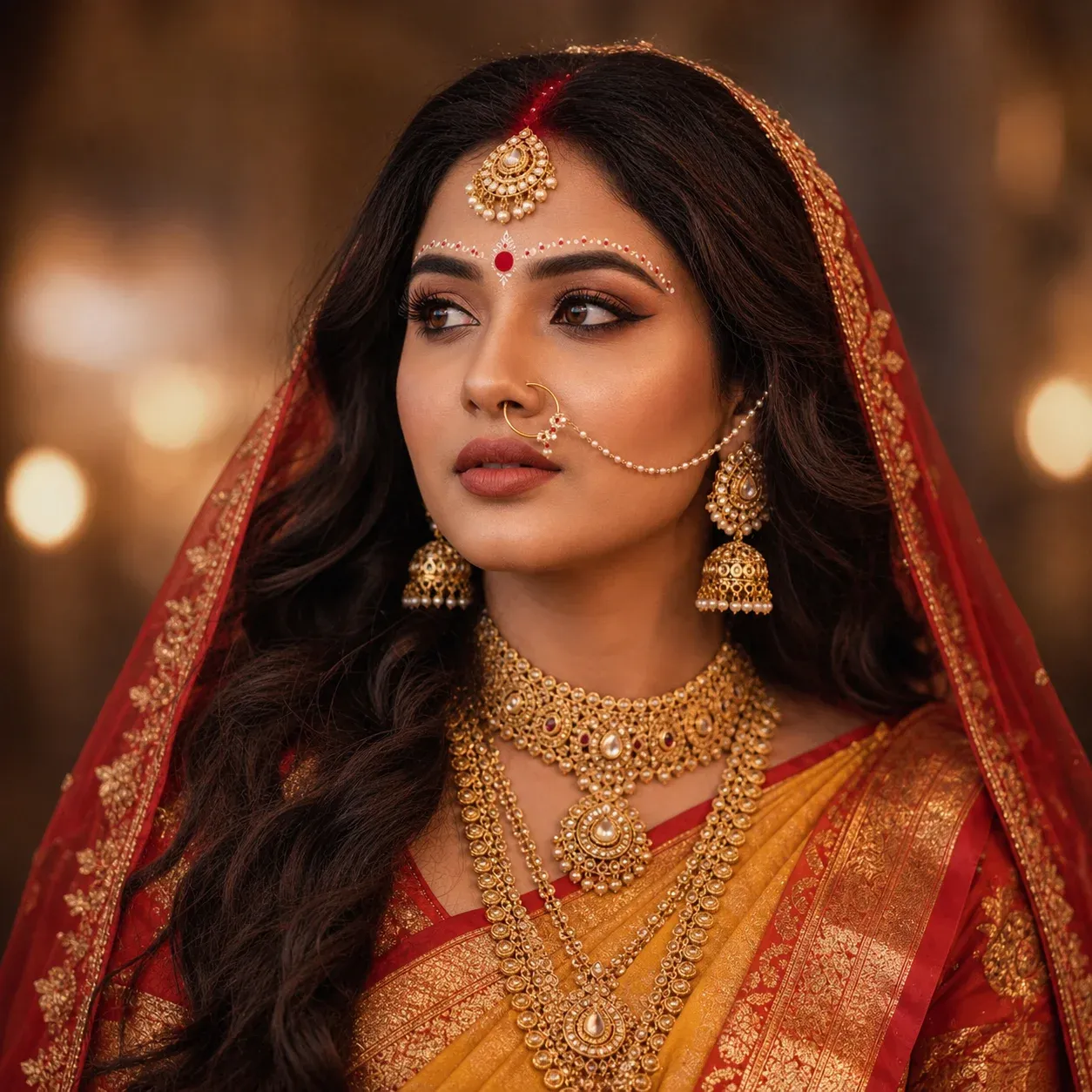
4. Close-Up Odia Bridal Portrait Prompt (Vintage Style)
Designed for high-detail results, this odia traditional prompt focuses on a close-up bridal portrait with a vintage cinematic touch. From Sambalpuri saree textures to soft lighting and realistic jewelry, every element enhances authenticity. This prompt works especially well for users aiming to create expressive and artistic odia bride prompt for Instagram visuals.
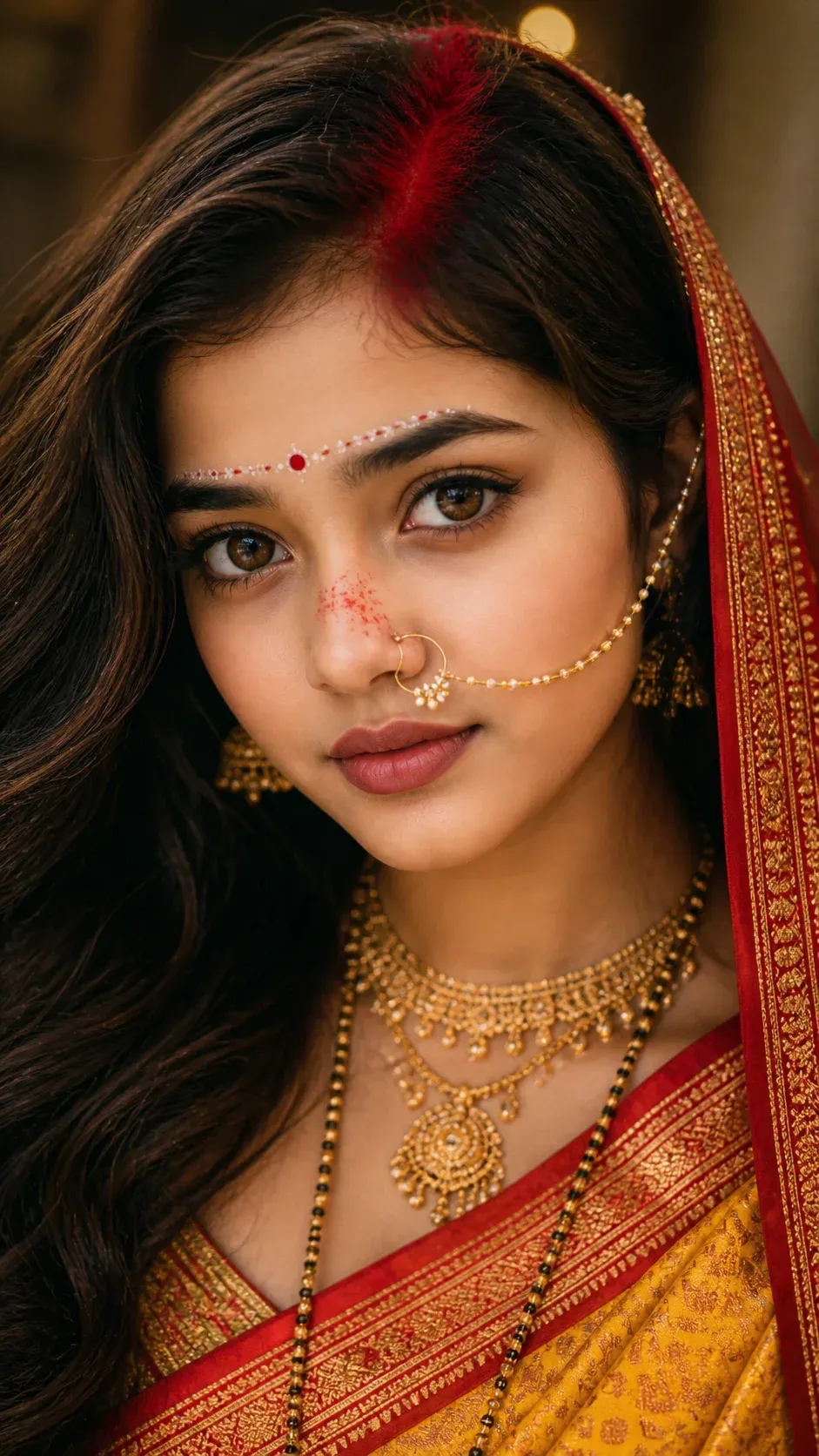
5. Ultra-Realistic Odia Bride Prompt with Regal Styling
This premium odia bride prompt for chatgpt is crafted for ultra-realistic bridal portraits with a regal and traditional vibe. Featuring a Banarasi saree, layered gold jewelry, and classic Odia makeup elements, it captures elegance and cultural richness. Perfect for creating high-end indian bride and groom prompts or standout AI-generated wedding portraits.
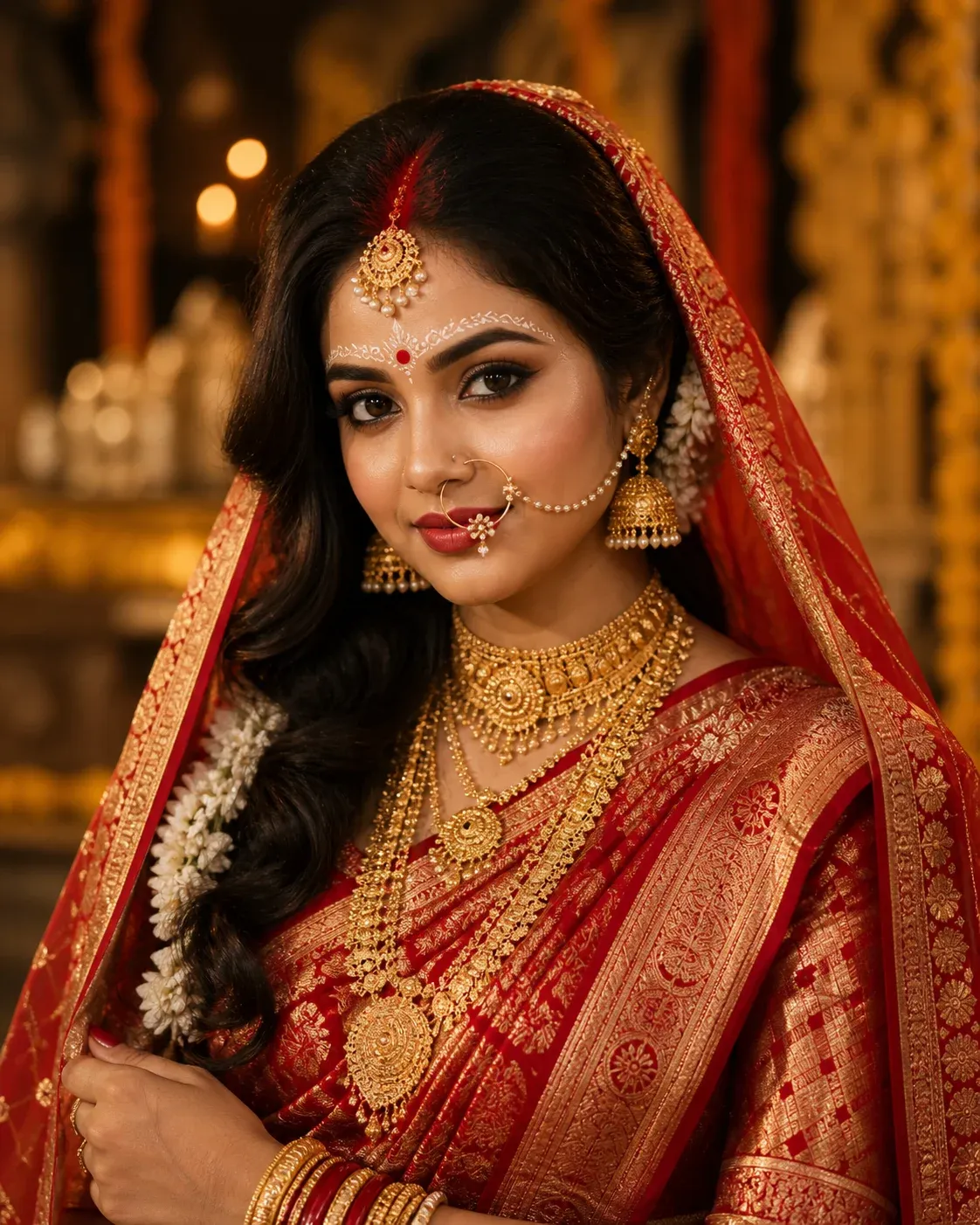
How to Use an Odia Bride Prompt in ChatGPT
You can get better results by treating the image as a series of small creative decisions rather than trying to change everything randomly.
Step 1: Choose a Clear Portrait
Select a photograph where the face is clearly visible and reasonably well lit.
A clean portrait usually gives the AI a better reference than a distant or heavily filtered image.
Step 2: Upload the Photo
Upload the image in ChatGPT Images.
If you are creating a bride-and-groom portrait from separate photos, identify them clearly.
For example:
“Image 1 is the bride. Image 2 is the groom.”
Step 3: Pick a Bridal Prompt
Copy one of the prompts above and customize:
- Saree type
- Saree colour
- Jewellery
- Hairstyle
- Bindi
- Sindoor
- Pose
- Background
- Lighting
- Wedding setting
- Aspect ratio
Step 4: Generate the Image
Submit the prompt and inspect the result.
Pay special attention to:
- Face
- Eyes
- Hands
- Jewellery
- Saree draping
- Forehead details
- Nose ring
- Flowers
- Background objects
Step 5: Refine One Element at a Time
If the overall image looks good, do not regenerate everything simply because one detail is wrong.
Try:
“Keep the face, saree, jewellery, pose, and background unchanged. Correct only the nose ring and make its chain look naturally positioned.”
ChatGPT’s current image guidance also recommends small, targeted revisions and clearly stating what should remain unchanged during an edit.
How to Write Better Odia Bride Prompts
Specific details usually help more than vague quality words.
Simple Odia Bride Prompt Formula
Use:
Reference photo + facial details to preserve + saree + jewellery + bridal makeup + hairstyle + pose + wedding location + lighting + photography style
For example:
“Use my uploaded portrait as reference. Preserve my recognizable face, hairstyle, and natural skin tone. Dress me in a deep-red Odisha-inspired silk saree with gold details, traditional gold jewellery, a red bindi, sindoor, and fresh flowers in the hair. Position me standing inside a warm wedding courtyard during golden hour. Use realistic skin texture, natural fabric folds, soft directional lighting, and professional bridal photography.”
Why This Formula Works
Each part gives the image model a visual decision to follow.
Instead of letting the AI guess the bride’s outfit, pose, location, and lighting, you define the important elements yourself.
A Quick Prompt Example
Prompt:
Create an elegant Odia bridal portrait from my uploaded photograph. Keep my recognizable face unchanged as closely as possible. Add a red silk saree, refined gold jewellery, subtle forehead decoration, sindoor, white flowers in a bridal bun, warm window light, realistic skin texture, and a softly blurred wedding background.
How to Make an Odia Bridal AI Photo Look More Realistic
Realism comes from consistency.
Use Natural Skin Texture
Avoid asking for “perfect flawless skin” if you want a photographic result.
Try:
“Natural skin texture, realistic highlights, subtle pores, and restrained bridal retouching.”
Describe the Saree Properly
Instead of writing only:
“Traditional saree.”
mention:
- Colour
- Fabric
- Border
- Woven pattern
- Draping style
- Pallu position
The more specific the textile description is, the more intentional the image can feel.
Keep Jewellery Balanced
Bridal jewellery can become visually crowded when every possible ornament is requested at once.
Pick a few clearly defined elements such as:
- Choker
- Long necklace
- Jhumka
- Bangles
- Maang tikka
- Nose ring
- Hair ornaments
Match Lighting With the Background
If the bride is standing outdoors at sunset, the facial light should feel warm.
If she is inside a studio, use controlled directional or diffused lighting.
Matching those elements makes the image feel like one photograph rather than a subject pasted onto a background.
How to Keep Your Face Recognizable in Bridal AI Edits
Personalized bridal images are usually more convincing when the original person remains recognizable.
Use a Clear Reference Image
Choose a photo with:
- Sharp facial detail
- Natural lighting
- Minimal blur
- No heavy beauty filter
- Limited face obstruction
Tell ChatGPT What to Preserve
Use:
“Preserve my recognizable facial characteristics, face shape, hairstyle, approximate age, and natural skin tone. Change only the clothing, jewellery, hairstyle details, pose, and wedding background described below.”
Avoid Expecting Pixel-Perfect Identity
Generative image tools can still introduce changes to a face even when a reference image is provided.
Aim for recognizable resemblance rather than assuming every facial detail will remain exactly identical.
What If the Face Changes Too Much?
Use a targeted correction.
Face Correction Prompt
Prompt:
Keep the current Odia bridal saree, jewellery, hairstyle, pose, lighting, and wedding background unchanged. Refine only the face so it follows the recognizable facial characteristics of my uploaded reference photograph more closely. Preserve the natural face shape, approximate age, eyes, nose, hairstyle, and skin texture. Avoid excessive smoothing or beauty-filter effects.
Best Odia Bride Prompts for Social Media
Different platforms need different framing.
Instagram Bridal Portrait
Prompt:
Create a vertical 4:5 Odia bridal portrait using my uploaded photograph as reference. Preserve my recognizable facial appearance. Dress me in an elegant red-and-gold saree with traditional jewellery and natural bridal makeup. Position me slightly off-centre against a softly blurred wedding venue with warm lights. Use realistic skin detail, shallow depth of field, and clean professional composition suitable for an Instagram feed.
WhatsApp Bridal DP
Prompt:
Create a square Odia bridal profile portrait using my uploaded photo as reference. Keep my face clearly recognizable and frame the image from the shoulders upward. Use an elegant traditional saree, tasteful jewellery, a red bindi, subtle forehead details, soft front lighting, and a clean blurred background. Ensure the face remains clear when cropped into a circular profile picture.
Bridal Reel Cover
Prompt:
Create a vertical 9:16 Odia bridal Reel cover. Use my uploaded image as reference and preserve my recognizable facial appearance. Position me in the lower-middle section wearing an elegant traditional red saree and gold jewellery. Add warm wedding lights and a softly blurred mandap in the background. Leave uncluttered space near the top for optional Reel title text.
Common Problems With Odia Bride AI Photos
Face Looks Different
Use a clearer reference image and explicitly state which facial details should remain recognizable.
Saree Looks Generic
Describe the textile, colour, border, motifs, and draping more specifically.
Jewellery Looks Too Heavy
Use terms such as “refined,” “balanced,” “traditional,” or “minimal layered jewellery.”
Nose Ring Looks Incorrect
Ask for a simpler nose ring first, then add the chain through a targeted follow-up edit.
Forehead Decoration Looks Messy
Request a symmetrical, subtle forehead design and keep the number of decorative elements limited.
Hands Look Unnatural
Choose a simple pose such as hands gently clasped in front, one hand holding the saree pallu, or relaxed hands at the side.
Background Looks Fake
Ask for matching perspective, natural shadows, depth of field, and light direction.
Skin Looks Overedited
Reduce beauty retouching and request realistic facial texture.
Best Aspect Ratios for Odia Bride AI Photos
4:5 Portrait
Best for:
- Instagram posts
- Bridal portraits
- Saree photographs
- Wedding fashion edits
9:16 Vertical
Useful for:
- Instagram Stories
- Reels
- YouTube Shorts
- Phone wallpapers
1:1 Square
Ideal for:
- WhatsApp DP
- Profile pictures
- Square social posts
16:9 Landscape
Useful for:
- YouTube thumbnails
- Bride-and-groom scenes
- Wide wedding photography
- Website banners
Respectful Use of Odia Bridal AI Images
Regional wedding traditions are personal, and there is no single outfit or ritual detail that represents every Odia bride.
Treat Prompts as Creative Templates
Use these prompts as starting points rather than strict definitions of Odisha wedding culture.
Family traditions, community practices, jewellery, clothing, and ceremony details can differ.
Use Regional Textiles Thoughtfully
If you want a stronger Odisha visual identity, consider referring to specific Odisha textile traditions such as Sambalpuri ikat, Berhampur Patta, or Bomkai rather than simply asking for a “traditional Indian saree.”
That small detail can give the prompt a clearer regional direction.
Use Personal Photos With Permission
Only upload and edit photographs that you are entitled to use.
When another person appears in the image, consider their permission before publishing an AI-transformed wedding portrait.
FAQs
What Is an Odia Bride Prompt for ChatGPT?
An Odia bride prompt for ChatGPT is a detailed AI image instruction used to create Odisha-inspired bridal portraits.
It can describe the saree, jewellery, hairstyle, sindoor, bindi, forehead decoration, pose, wedding background, and photography style.
Can I Copy and Paste These Odia Bride Prompts?
Yes.
The prompts in this guide are designed to be used as copy-paste templates.
You can then customize the outfit, saree colour, jewellery, hairstyle, pose, lighting, and location.
Can I Upload My Own Photo and Create an Odia Bride AI Image?
Yes.
ChatGPT Images supports editing uploaded images.
Use a clear reference photo and tell ChatGPT which facial details should remain recognizable while describing the bridal transformation you want.
Which Saree Is Best for an Odia Bride AI Prompt?
There is no single saree that every Odia bride wears.
For AI styling, you can experiment with Odisha-inspired handloom looks such as Sambalpuri ikat, Berhampur Patta, or Bomkai, as well as other silk wedding sarees depending on the family tradition and look you want.
Can I Create an Odia Bride and Groom AI Photo?
Yes.
Upload clear references for both people and identify which image belongs to the bride and groom.
Then describe their outfits, pose, venue, lighting, and wedding atmosphere.
How Do I Keep My Face the Same in a Bridal Edit?
Use a sharp reference photograph and explicitly tell ChatGPT to preserve your recognizable facial characteristics, face shape, approximate age, hairstyle, and natural skin tone.
Small follow-up corrections can help if the image drifts from the reference.
What Is the Best Odia Bride Prompt for Instagram?
A vertical 4:5 bridal portrait usually works well for Instagram.
Keep the bride large enough to remain the main focus and use a softly blurred wedding background to avoid visual clutter.
How Can I Make the Bridal Portrait More Cinematic?
Describe the light source, depth of field, environment, and camera framing.
For example:
“Warm directional light from the left, softly blurred wedding lights behind the bride, realistic facial shadows, and shallow depth of field.”
Why Does My Bridal AI Photo Look Fake?
Common causes include excessive skin smoothing, unrealistic jewellery, incorrect hands, flat lighting, cluttered backgrounds, and generic fabric textures.
Simplifying the prompt and making the details more specific can improve the result.
Can Beginners Use Odia Bride Prompt Generators?
Yes.
Start with one ready-made prompt, upload a clear photograph, and change only a few details such as saree colour or background.
As you get comfortable, you can experiment with more advanced lighting, poses, regional textiles, and wedding settings.
Final Thoughts
Odia bride prompts for ChatGPT are useful because they let you explore regional bridal styling instead of relying only on a generic Indian wedding look.
A simple portrait can become an elegant traditional bride, cinematic wedding photo, Instagram edit, vintage family-style portrait, or bride-and-groom composition when the prompt gives the AI enough visual direction.
The best results usually start with the basics.
Describe the saree, jewellery, hairstyle, bridal details, pose, wedding environment, and lighting clearly.
When using your own photo, explain which facial characteristics should remain recognizable before asking for the transformation.
You also do not need to add every traditional detail to one image.
A balanced outfit, natural expression, carefully chosen jewellery, believable lighting, and a clean wedding setting can often look much more convincing than an overcrowded composition.
Start with one style, generate the image, and then refine individual details step by step.
Once you understand that structure, creating realistic and culturally thoughtful Odia bridal AI portraits becomes much easier.